
TL;DR:
- Effective CAD version management significantly reduces scrap, costly rework, and delivery delays. SMEs can achieve up to 50% productivity gains by adopting structured solutions such as PDM or cloud platforms like 3DEXPERIENCE. It is essential to define rules, train the team, and select an appropriate tool to optimize traceability and collaboration.
Poor CAD file version management doesn’t just cost time: it generates scrap, costly rework, delayed deliveries, and real competitive losses. Empirical studies show that teams that consolidate their CAD management can gain 20 to 50% in productivity and reduce validation time by 70 to 90%. Yet, the majority of industrial SMEs and startups continue to manage their versions with folders named “final_v2_FINAL”. This guide shows you, step by step, why and how to change that.
Table of contents
- Why Version Management Is Crucial in CAD
- CAD Version Management Systems and Methods
- Dassault Systèmes Integration (CATIA, 3DEXPERIENCE)
- Case Studies: Real-World Examples of Gains Through Version Management
- Our Perspective on CAD Version Management
- Cloud CAD Solutions and Support with Ohmycad
- Frequently asked questions
Key Points
| Point | Details |
|---|---|
| Avoid Data Loss | Adopting CAD version management protects your designs from errors and costly rollbacks. |
| Boost Your Productivity | CATIA or cloud integration accelerates validation and teamwork for immediate gains. |
| Reduce Hidden Costs | Better management reduces up to 80% of scrap and 35% of IT costs in SMEs. |
| Transition to Agile Organization | Even small organizations can benefit from high-performance, configurable version tracking. |
Why Version Management Is Crucial in CAD
CAD version management refers to the set of practices and tools that enable tracking, archiving, and controlling every modification made to a design file (part, assembly, bill of materials). It’s not simply a good habit: it’s a directly measurable performance lever.
Here’s a reality often underestimated: without a structured version system, teams spend a significant portion of their time searching for “the right file,” reworking parts already modified by a colleague, or manufacturing components from an obsolete revision. These file errors directly impact production costs and final quality.
“CAD data consolidation reduces scrap by 60 to 80%, lowers IT costs by 35%, and shortens development cycles by 25%.”
To better understand the challenges, here are the most common risks associated with absent or insufficient version management:
- Use of an obsolete revision: an operator machines a part from a non-updated file
- Simultaneous modification conflicts: two engineers work on the same part without coordination
- Loss of traceability: inability to retrieve the model’s state at a given date in case of audit or dispute
- Assembly rework: a part modified without warning breaks the consistency of the complete assembly
- Extended validation delays: absence of a common repository, multiplication of manual email exchanges
To understand why these problems worsen with project complexity, it’s also necessary to grasp the evolution of CAD and the new requirements of multi-site and multi-stakeholder environments.
The good news is that solutions exist at every level of organizational maturity. The key is knowing which ones to choose.
CAD Version Management Systems and Methods
Once the problem is defined, the question becomes: which solution to adopt? The market offers a broad spectrum, from the most basic to the most sophisticated.
Overview of Available Approaches
| Approach | Description | Advantages | Disadvantages |
|---|---|---|---|
| Manual management (folders) | Manual file renaming with suffixes (_v1, _v2) | No cost, quick to implement | No real traceability, high error risks |
| PDM (Product Data Management) | Software dedicated to product data and version management | Strong traceability, file locking | Requires training, deployment cost |
| PLM (Product Lifecycle Management) | Complete product lifecycle management | Global vision, possible ERP/MES integration | Complex, suited for large teams |
| Cloud CAD (e.g., 3DEXPERIENCE) | Online collaborative platform with integrated versioning | Access anywhere, real-time collaboration, automation | Dependence on internet connectivity |
CAD consolidation reduces validation time by 70 to 90%, and this impact is particularly visible when transitioning from manual management to PDM or a cloud platform.
How to Migrate to High-Performance Version Management?
- Audit the existing setup: map all current files, identify duplicates, active and archived versions
- Choose the appropriate solution level for team size and project complexity (PDM for 2 to 20 people, PLM or cloud for more)
- Define a shared, documented naming convention that the entire team follows from day one
- Implement access rights and validation workflows to prevent unauthorized modifications
- Train the team in new practices, emphasizing concrete benefits rather than constraints
To go further, rigorous CAD file organization is the essential foundation before even considering an advanced tool. Similarly, knowing how to document a CAD project in a structured way strengthens the effectiveness of any versioning solution.
Pro tip: In PDM and PLM software, the file locking mechanism (check-out / check-in) is your best ally against simultaneous modification conflicts. Train the entire team in this reflex from the start: it’s the leading cause of preventable data loss in teams of 3 or more people.
Dassault Systèmes Integration (CATIA, 3DEXPERIENCE)
Among all available solutions, the Dassault Systèmes ecosystem holds a unique position for industrial SMEs and startups. CATIA, combined with the 3DEXPERIENCE platform, offers natively integrated version management that goes far beyond simple file archiving.
What 3DEXPERIENCE Delivers Concretely
The 3DEXPERIENCE platform centralizes all design data in a cloud-based collaborative environment. Every modification is automatically versioned, timestamped, and associated with the user who made it. Result: complete traceability, with no additional manual effort.
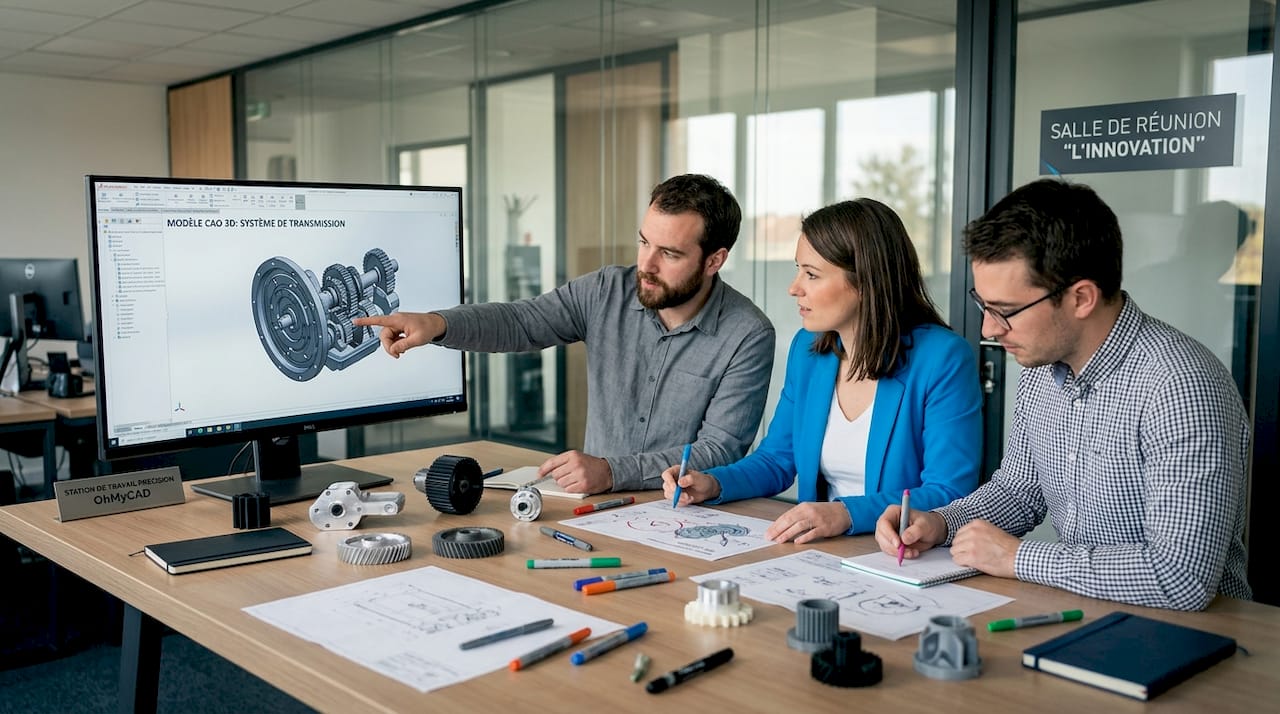
Here is an example of a typical collaborative workflow for an SME with 8 engineers working on a complex mechanical assembly:
- Engineer A works on the “chassis” subassembly and locks it
- Engineer B simultaneously works on the “transmission” subassembly, without conflict
- With each save, a new version is automatically created with a mandatory comment
- The technical manager validates revisions via an integrated validation workflow
- The entire team accesses the latest validated versions in real time
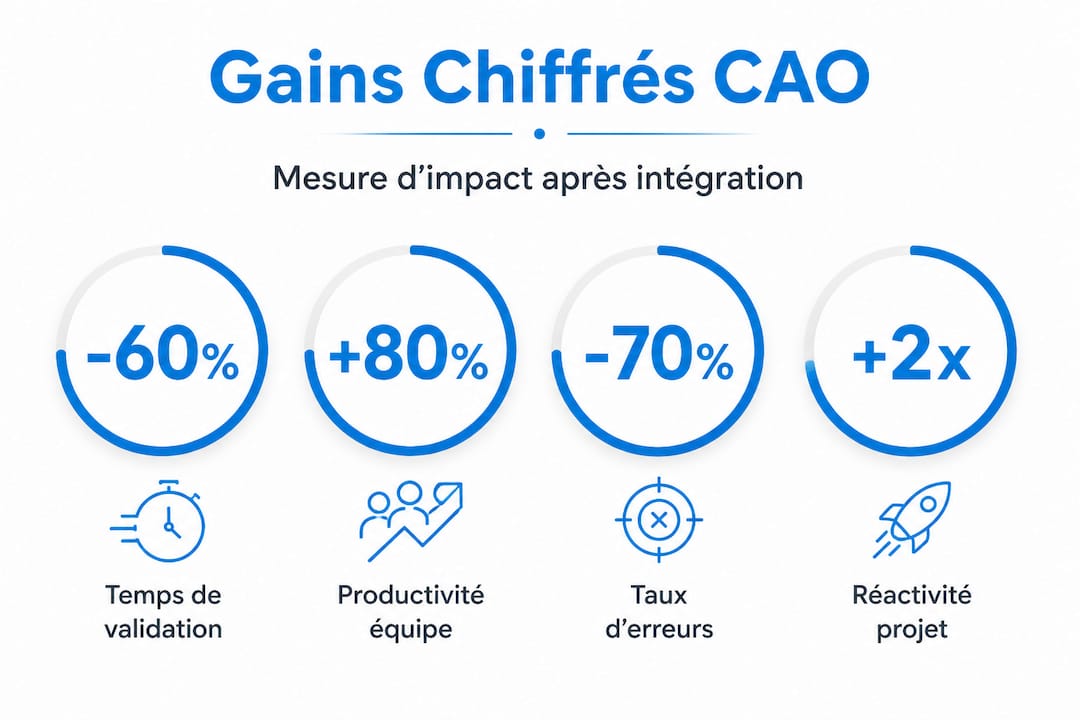
This type of organization, which seemed reserved for large corporations just five years ago, is now accessible to small teams. The productivity gain with CATIA reaches 20 to 50% thanks to this integrated management of assemblies and variants.
Quantified Impact of Dassault Systèmes Integration
| Indicator | Before Integration | After Integration |
|---|---|---|
| Revision validation time | 5 to 10 days | 1 to 2 days |
| Production version error rate | 15 to 25% | Less than 3% |
| File search time | 30 to 60 min/day | Less than 5 min/day |
| Non-quality costs (scrap, rework) | Reference 100% | Reduction of 1 to 3% of revenue |
To go even further in mastering the tool, we recommend consulting our guide to mastering 3DEXPERIENCE and understanding why CATIA dominates major industrial projects.
Pro tip: For an SME starting with 3DEXPERIENCE, begin by activating only the versioning and collaboration features before exploring simulation or advanced bill of materials management modules. A gradual deployment avoids resistance to change and maximizes actual team adoption.
Case Studies: Real-World Examples of Gains Through Version Management
Theory is good. Real numbers are better. Here are representative examples of industrial SMEs that transformed their results through better CAD version management.
Case #1: Automotive SME, 15 Engineers
Before: Part files were shared via a network server with manual naming. In six months, the team had accumulated over 400 duplicate files. A critical subassembly was machined twice according to two different revisions, generating a three-day production shutdown.
After transitioning to integrated PDM:
- Elimination of 95% of duplicates in less than one month
- Revision validation time reduced from 8 days to less than 36 hours
- Zero production incidents related to incorrect versions in 12 consecutive months
- Scrap reduction of over 60 to 80% on production parts
Case #2: Deeptech Startup, 6 Engineers
Before: The team used a shared Dropbox folder with improvised naming conventions. Design reviews turned into file-hunting sessions.
After adopting 3DEXPERIENCE:
- Design review preparation time divided by 4
- Collaboration with two external subcontractors made possible without file exchange via email
- Complete traceability of all modifications, useful for certification files
Case #3: Industrial Equipment Manufacturer, 40 Engineers
This case illustrates a recurring phenomenon: IT costs reduced by 35% after migrating from a local file system to a cloud PLM solution. The savings came primarily from reduced local servers, reduced maintenance, and elimination of manual backups.
Key figure: Development cycles were shortened by 25% thanks to automated assembly updates and elimination of manual back-and-forth between teams.
These transformations are not anecdotal. They illustrate a simple principle: productivity in the CAD modeling workflow improves mechanically when teams stop wasting time managing file problems. Similarly, good version management significantly facilitates CAD tolerance analysis, since every dimension revision is recorded and traceable.
Organizational gains also have an important educational dimension: young engineers integrate best practices faster when they are enforced by the tool, rather than left to their own initiative.
Our Perspective on CAD Version Management
We observe, in the field, a persistent paradox: the teams that suffer most from version problems are often those that resist change the most. Why? Because the obstacle is not technical. It is organizational and cultural.
The uncomfortable truth is that many SMEs have engineers perfectly capable of using CATIA or 3DEXPERIENCE, but no formalized process for managing versions. The tool is underutilized not due to lack of skill, but due to lack of internal governance. No one has defined who validates what, when, and according to which workflow.
Our conviction, after supporting dozens of teams, is that the absolute priority is not to choose the best tool: it’s to define the rules of the game before automating them. A poorly configured PDM with incorrectly assigned rights will do more harm than good.
The other underlying trend we see accelerating in 2026: collaborative cloud is becoming the norm, even for small teams. The arguments that slowed adoption (data security, connectivity, cost) are fading. SMEs that do not migrate to solutions like 3DEXPERIENCE risk finding themselves out of step with their large enterprise clients, who increasingly demand digital traceability of modifications.
Finally, if you work with parametric CAD, version management takes on an even more critical dimension: every parameter modification can propagate cascading changes throughout the entire assembly. Without robust versioning, you’re navigating blind.
Our advice for SMEs: start agile. A simple version tool, well adopted by the entire team, always outperforms a complex system used halfway.
Cloud CAD Solutions and Support with Ohmycad
You now have a clear vision of the methods and accessible gains. The next step is to take action with the right support. At Ohmycad, we help engineers and designers in SMEs structure their CAD data management, select and deploy the right tools, and train their teams without disrupting production.
Whether you want to improve your CAD file organization, discover the features of 3DEXPERIENCE CATIA, or explore cloud CAD with 3DEXPERIENCE, our team of experts is available to support you step by step. We work with SMEs, startups, and freelancers who want to maximize their chances of success. Contact us for a free audit of your current CAD organization and identify together the quickest gains to capture.
Frequently asked questions
What is the difference between PDM and PLM in CAD version management?
PDM (Product Data Management) manages documents and CAD file versions at the design office level. PLM (Product Lifecycle Management) covers the entire product lifecycle, from initial ideas through manufacturing and maintenance.
How does version management reduce scrap and IT costs?
By tracking every modification and avoiding file errors, CAD consolidation reduces scrap by 60 to 80% and lowers IT costs by up to 35%, primarily through elimination of redundant local infrastructure.
What are the first steps to integrate version management in an SME?
First, map existing processes and identify friction points, then choose a method suited to team size, and finally train collaborators in best practices for CAD file management before any tool deployment.
Does CATIA offer automatic version management?
Yes. CATIA and the 3DEXPERIENCE platform natively integrate version management, multi-user collaboration, and modification traceability. Associated productivity gains reach 20 to 50% depending on configurations and teams.
Are version tools reserved for large companies?
Absolutely not. Recent solutions, particularly 3DEXPERIENCE cloud offerings, are sized for SMEs and startups. They facilitate collaborative work while remaining simple to deploy, even for teams of 2 to 5 people.




