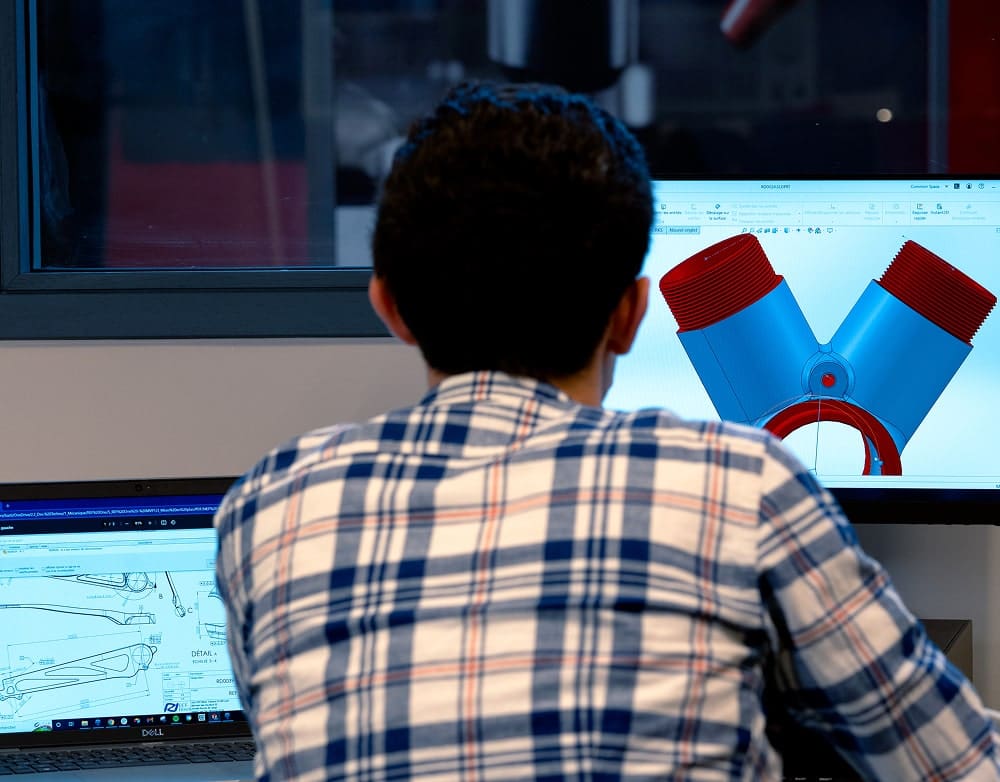
Discover the new generation of SOLIDWORKS, combining power and simplicity.
Use the new generation of SOLIDWORKS to transform your development processes. Enjoy a familiar interface enhanced by extensive collaboration capabilities and increased flexibility, all secure and accessible from anywhere.

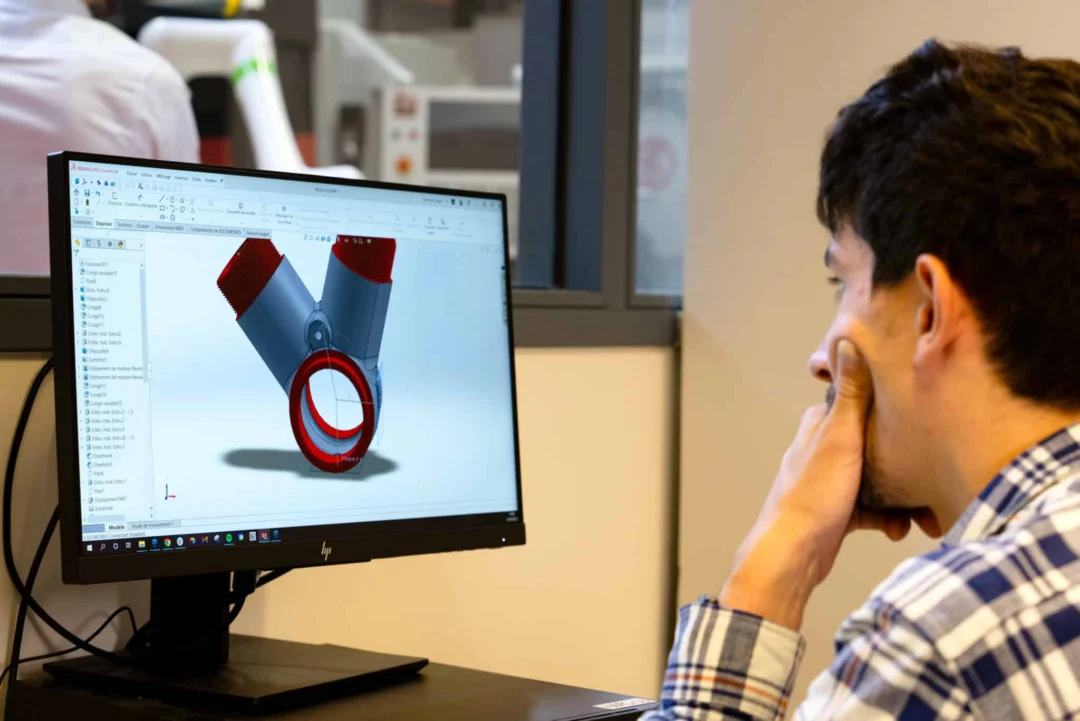
The best of SOLIDWORKS, boosted by daily support
SOLIDWORKS installed locally, easily accessible on several workstations.
A redesigned support system, with a dedicated engineer on hand to monitor your progress on a monthly basis.
A license that grows with your needs and projects.
Local or cloud backup, with natively integrated, scalable PDM.
SOLIDWORKS
Design with SOLIDWORKS, the leading 3D design software
Focus on product development without time or cost constraints
Choose power and simplicity with SOLIDWORKS
SOLIDWORKS has been used for 20 years by hundreds of thousands of users.
Transform the way you design, with high-performance, easy-to-use tools that speed up project development and guarantee intuitive handling.

Software that’s constantly evolving to meet your changing needs.
 Installation
Access your license with a simple email and password, enabling seamless use on multiple devices simultaneously.
 Always up-to-date
license
Benefit from a continually updated license, with the ability to export projects in earlier versions for extended compatibility.
 Collaboration
and revision management
Anticipate the industrialization of your products as early as possible in your development, and collaborate in real time with your partners.
 Scalable solutions
Add additional roles as you recruit and grow your business.
 Flexibility and modularity
Upgrade your tools to advanced simulation and manufacturing to meet all your challenges without changing your interface.
The SOLIDWORKS tool
The different versions of SOLIDWORKS
With the 3DEXPERIENCE platform, discover a collaborative platform that centralizes all the tools you need for your product development, while keeping your data safe in a secure space.
SOLIDWORKS Connected Standard
With this powerful 3D design and manufacturing solution, you’ll quickly become operational. In addition to parts, assemblies and 2D drawing functionalities, it includes specialized tools for sheet metal work, welded constructions, surface management, molds, product configuration….


SOLIDWORKS Connected Professional
With SOLIDWORKS Professional, you get all the features of SOLIDWORKS Standard, but also electronic CAD (ECAD)/mechanical CAD (MCAD) collaboration, automatic cost estimation, collaboration, advanced photorealistic rendering, and design and drawing verification.
SOLIDWORKS Connected Premium
With SOLIDWORKS Premium, you get all the features of SOLIDWORKS Professional, plus structural and motion analysis, advanced surface plating, reverse engineering, and pipe and cable routing. This is the most complete version of SOLIDWORKS.

Why choose OHMYCAD for your SOLIDWORKS Startups & SMEs license?
SOLIDWORKS combines 3D CAD
to the 3DEXPERIENCE platform.
SOLIDWORKS 3D CAD solutions are the cornerstone of the SOLIDWORKS® suite. They offer powerful, user-friendly features that help you reduce product development time, cut costs, and improve quality.

 Is your company less than 5 years old and developing a physical product?
We’ve designed a SOLIDWORKS startup program to give you access to the best design software at reduced cost (free for the first year).

Need more information or have questions?
Our teams are available to advise you efficiently and help you find the solution best suited to your needs.
SOLIDWORKS Dassault Systèmes , en quoi ça consiste ?
- Depuis plus de 25 ans, SOLIDWORKS® Dassault Systèmes est la référence de l’industrie en matière de conception et d’ingénierie. Les solutions intuitives de conception 3D et de développement produit de SOLIDWORKS vous permettent de : conceptualiser, créer, valider, communiquer, gérer et transformer vos idées innovantes en conceptions de produit d’exception.
- Comblez l’écart entre les données de conception sur PC et le stockage sécurisé des données dans le cloud grâce à des solutions connectées au cloud. Ainsi, vous pouvez utiliser le logiciel SOLIDWORKS que vous connaissez et appréciez. De plus, vous pouvez vous connecter avec votre équipe et vos parties prenantes où que vous soyez. Cela ? Grâce à la puissance de 3DEXPERIENCE® Works.
- Créer des conceptions rapides et précises, y compris des modèles 3D et des mises en plan 2D de pièces complexes et d’assemblages volumineux.
- Concevoir en tenant compte des coûts et de la fabrication à l’aide d’outils d’estimation des coûts et de vérifications de fabricabilité.
- Interagir avec les membres de l’équipe et contrôler les révisions à l’aide d’outils de gestion des données standard.
- Éliminer les erreurs et les reprises en utilisant les outils intégrés d’analyse du mouvement et des contraintes.
SOLIDWORKS 3D use of local VS cloud licenses
The 3DEXPERIENCE platform is one of the most comprehensive environments available today for supporting companies in the development and improvement of their products. It brings together 3D design, simulation, data management and online collaboration all in one place. By centralizing the entire development cycle, it helps teams to work faster and more serenely, without losing information or conflicting versions. Accessible from anywhere, 3DEXPERIENCE also facilitates remote working and coordination between design offices, production and external partners.
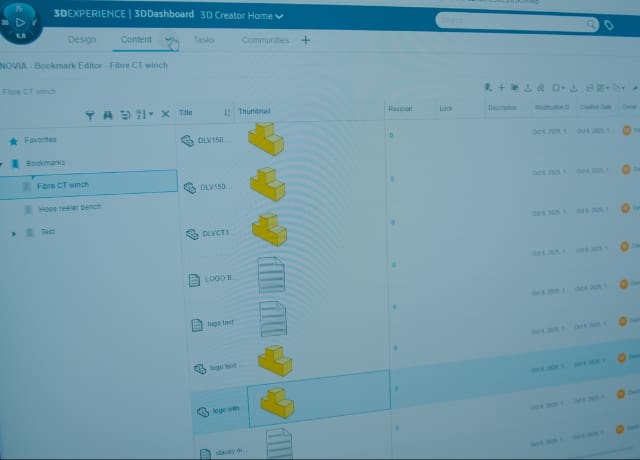
The 3DEXPERIENCE platform: a portfolio of turnkey tools
Teams can work together in real time, using a single, up-to-date database. Simulation, integrated via SIMULIA tools, helps to virtually test a product before it is manufactured: strength, thermal properties, constraints… everything can be optimized to reduce errors and speed up development.
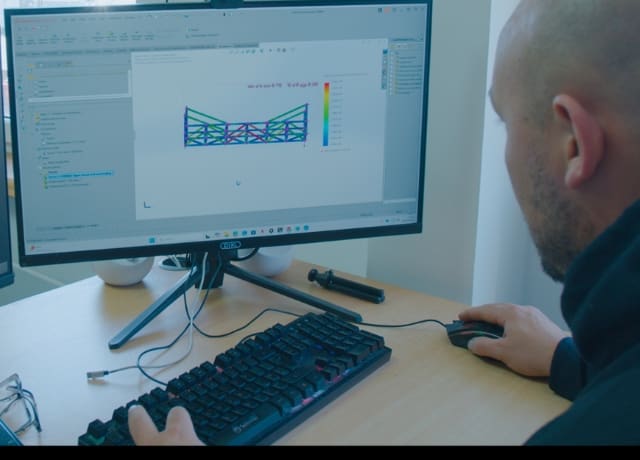
Product data management (PDM) centralizes and secures all technical files
Your 3D models, plans, documents and revision history are guaranteed. Companies can choose between a local installation, offering total control and high performance, or a cloud solution, which is more flexible, collaborative and accessible from anywhere. Many today opt for a hybrid model that combines the best of both.
All SOLIDWORKS features
Design automation and configurability – Automate the creation of designs and drawings with built-in configuration tools.
Dedicated tools for specific design tasks: Work more efficiently with application-specific tools for drilling, fastening, sheet metal, injection molding, plastic and molded parts, welded construction, surface management, mesh models, reverse engineering, piping and electrical routing.
Downstream design changes: Make changes to your design at any time. Changes are quickly and easily passed on to all downstream departments.
Eliminate errors and rework using integrated motion and stress analysis tools.
Existing Component Library – Use the extensive library of parts and components so you don’t have to spend time modeling common parts, such as bolts, nuts, washers, and other common hardware.
Advanced surface flattening: Save time and material with advanced surface flattening tools for determining the initial blank size of complex, non-developable textile and metal components.
Simulation tools: Reduce costs and time-to-market with motion simulation and structural analysis tools that help you understand how your designs behave in real-world conditions without the need for costly and time-consuming prototypes.
Data management: Manage interactions between team members and control revisions using data management tools.
Photorealistic images and videos: communicate your ideas more effectively with tools that allow you to create, publish and view lifelike photorealistic images and videos of designs.
Augmented reality and virtual reality support – Make it easy to transition from SOLIDWORKS CAD to augmented reality and virtual reality with an export option (extended reality).
Environmental impact: study the environmental impact of your designs using the integrated analysis tools.
Eliminate design errors and rework – Eliminate design errors and rework before designs are sent to manufacturing by automatically checking for interference and virtually testing designs with integrated motion and stress analysis tools.
Interference check: Automatically check for interference and misalignment before going to manufacturing.
Integrated design and manufacturing: Allow your design and manufacturing teams to work simultaneously in a fully integrated system.
Precise Bills of Materials (BOMs): Create the precise BOMs required by manufacturing with a single mouse click.
Cost and production optimization: Design for cost and manufacturing through automatic manufacturing cost estimation and manufacturability checks.
Collaborate directly with other SOLIDWORKS users: Share data directly with your customers and suppliers who also use SOLIDWORKS, without using time-consuming data translation that can introduce design errors.
CAD interoperability-Open and manipulate most types of 3D CAD data with the ability to link to and work with the original CAD format model or automatically convert it to a SOLIDWORKS file.
Lower maintenance costs for multiple CAD systems: significantly reduce the costs associated with supporting multiple design and manufacturing tools by implementing a fully integrated solution covering all processes from design to manufacturing.
Quick and easy to learn: learn quickly with online help and tutorials, live technical support and training.
Connected ecosystem from design to manufacturing: Access the 3DEXPERIENCE® platform in the cloud and share CAD data, collaborate with others, and use an ever-expanding suite of connected tools to design, manufacture, and manage your products.