
Have you become a SOLIDWORKS expert? The next step is to get certified to let the world know that you’re a true professional. In this article, we’ll go through all the steps you need to take to get certified.
If you or your company has a SOLIDWORKS license, you’ll have access to 3 free coupons per semester! These will enable you to take the certification of your choice, the best-known of which are CSWA and CSWP.
Prerequisites
To access the certifications, you must have :
- A 3DEXPERIENCE certification account (Click here to create it).
- A 3DEXPERIENCE account, which you should already have created (Click here to create it).
How to obtain coupons :
1. Once you have completed the prerequisites, log in to your certification account here

2. In the Certification Center, click on the “Your credits” tab > “Subscription Offer” > “Lookup my licenses”.
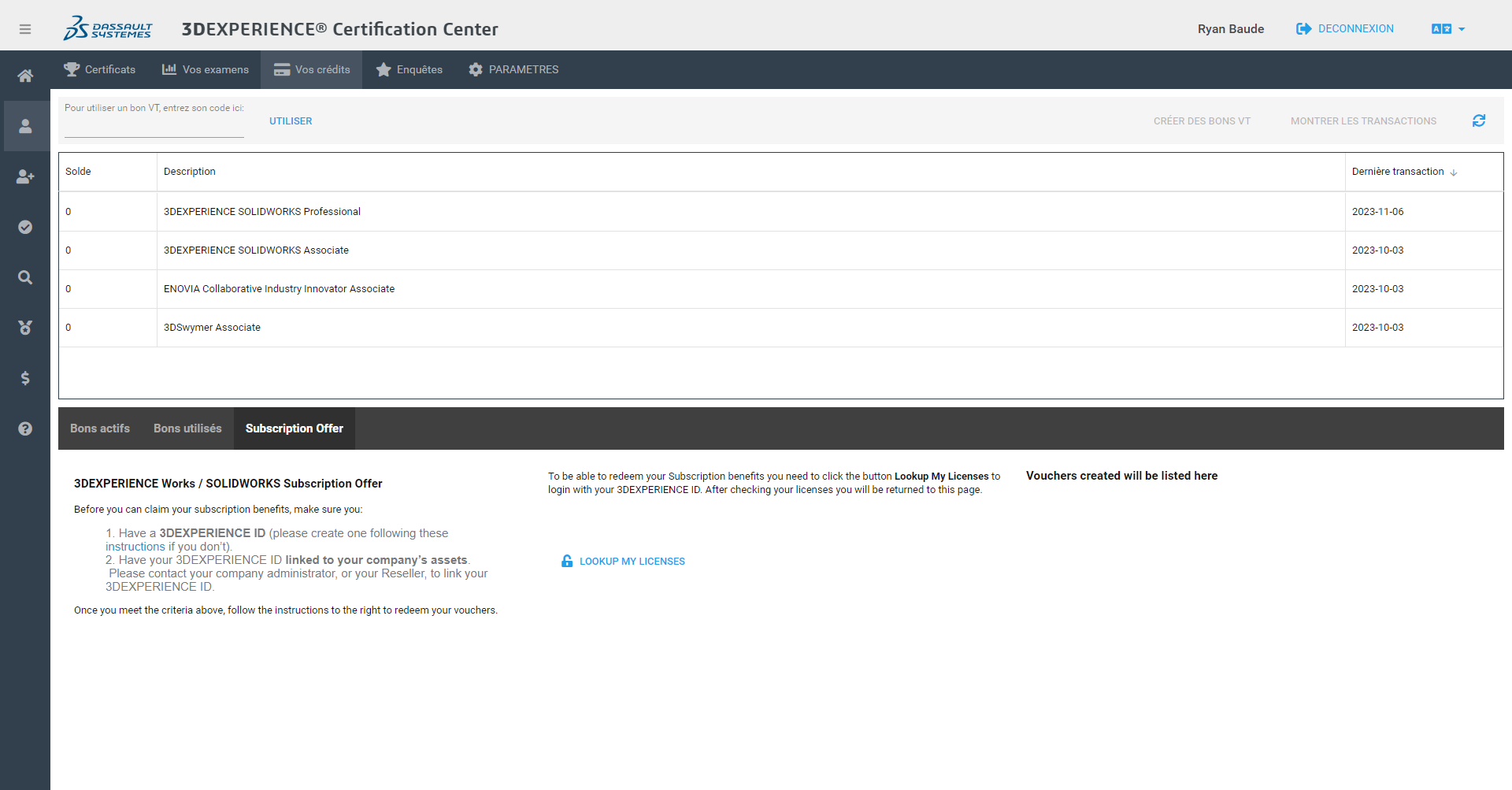
3. Authenticate yourself with your 3DEXPERIENCE login when prompted. You will be redirected to the Certification Center.
- Please note that your 3DEXPERIENCE certification account and your 3DEXPERIENCE login must not use the same email address, as they are two different systems.
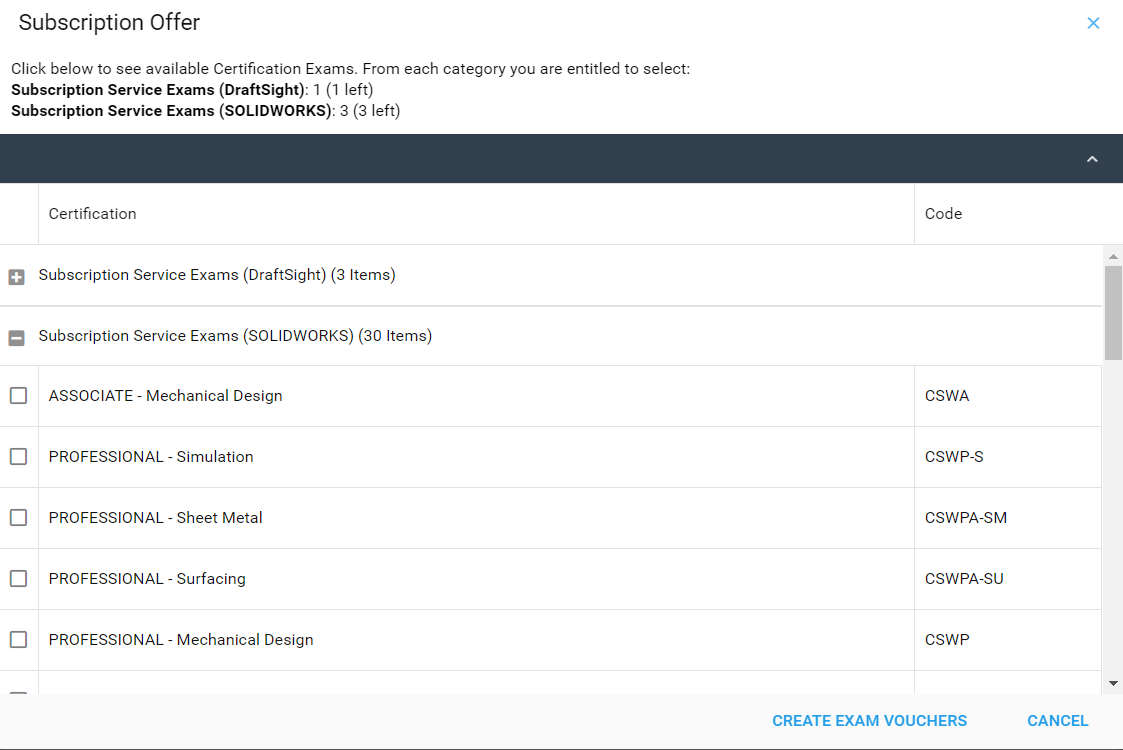
4. Click on “OK” in the confirmation message and select the certification exams you wish to validate, then click on “Create Exam Vouchers”.
5. Once you have obtained the coupon, you need to download the exam software.
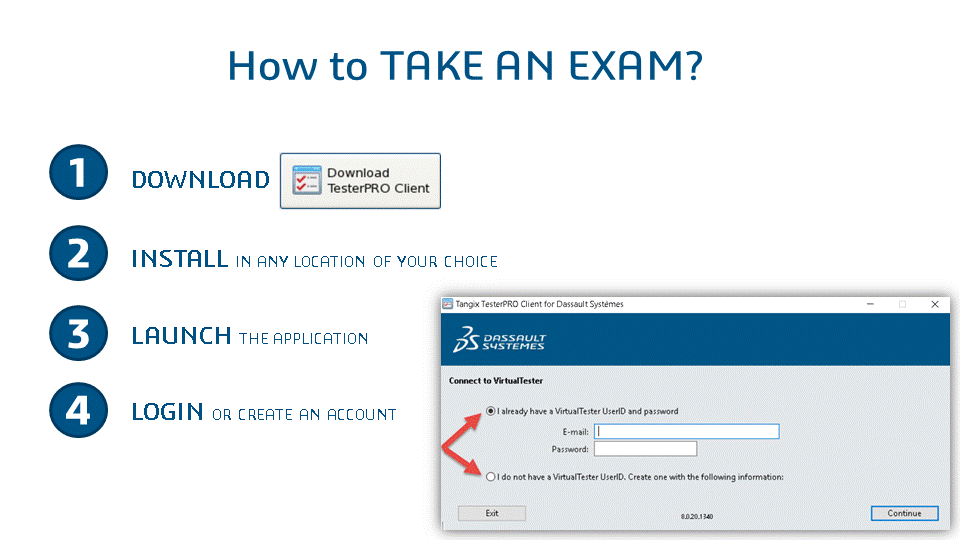
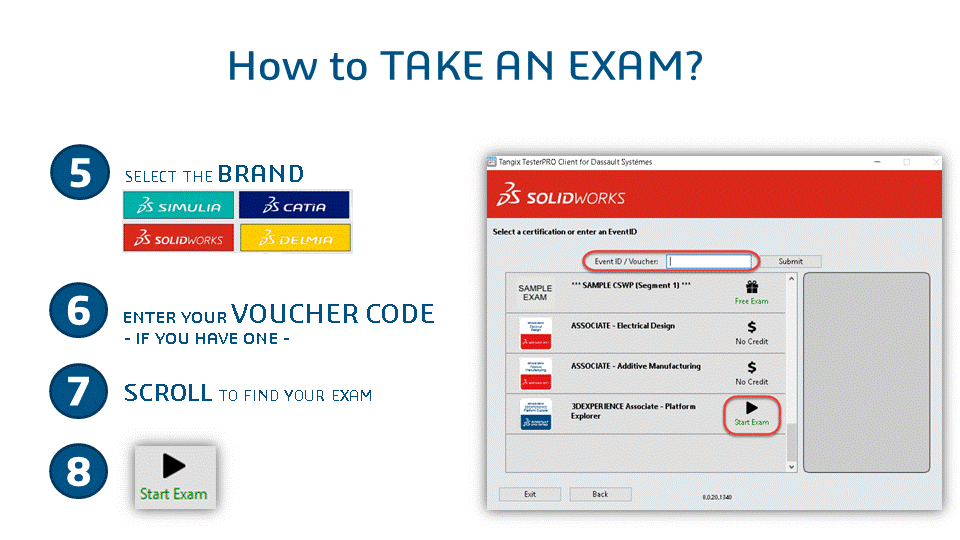
You’re all set!
Before taking the exam, make sure you’ve watched all the training videos and taken the mock exam. Sleep well and stay hydrated!
Need help? Please contact us!




