
Introduction
Managing revisions is essential for industrial companies. For example, a company may manufacture and sell revision A of a part, then switch to revision B after modification.
The 3DEXPERIENCE platform makes revision management simple and efficient.
Please note: Revisions should only be used to track the history of the design. When working, you should always use the latest revision. If you want to explore different design ideas, you should use revision branches.
Before you start revising, please familiarize yourself with the concept of maturities.
Creating revisions in SOLIDWORKS
1. Save to 3DEXPERIENCE
Windows is not equipped with tools for editing CAD files, so these are only available whensaving to 3DEXPERIENCE.
2. Change maturity status
Go to the SOLIDWORKS“3DEXPERIENCE” tab, select the components of your choice and click on the maturity function to modify it.

Change to“Frozen” if you want to create a revision, but it has not yet been published.
Change to“Distributed” if your file will be manufactured and converted (STEP, PDF…).
3. Modify design in SOLIDWORKS
You can immediately start making changes in SOLIDWORKS.
When saving, as components are“Frozen“ or“Distributed”, SOLIDWORKS will block the save operation, unless you create a new revision on the modified files.

Click the“New revision” checkbox on modified components.

Tip: you don’t need to create a new revision of ALL components, just revise the ones that have been modified. The others will be reused.
4. Save to increment revision
After registration, revision A.2 (Frozen) or B (Distributed) is created and returns to“In Process” status.
Revision A has not been modified and remains accessible.

Access to previous revisions
The easiest way to view all revisions and switch between them is to use“Replace with revision” :
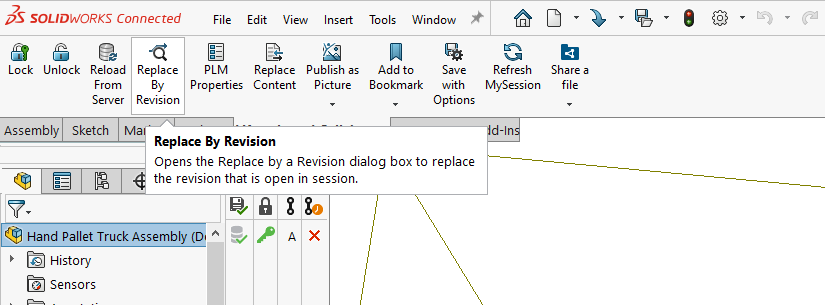
You will then see all the revisions:

You can choose to automatically update all the revisions of an assembly:
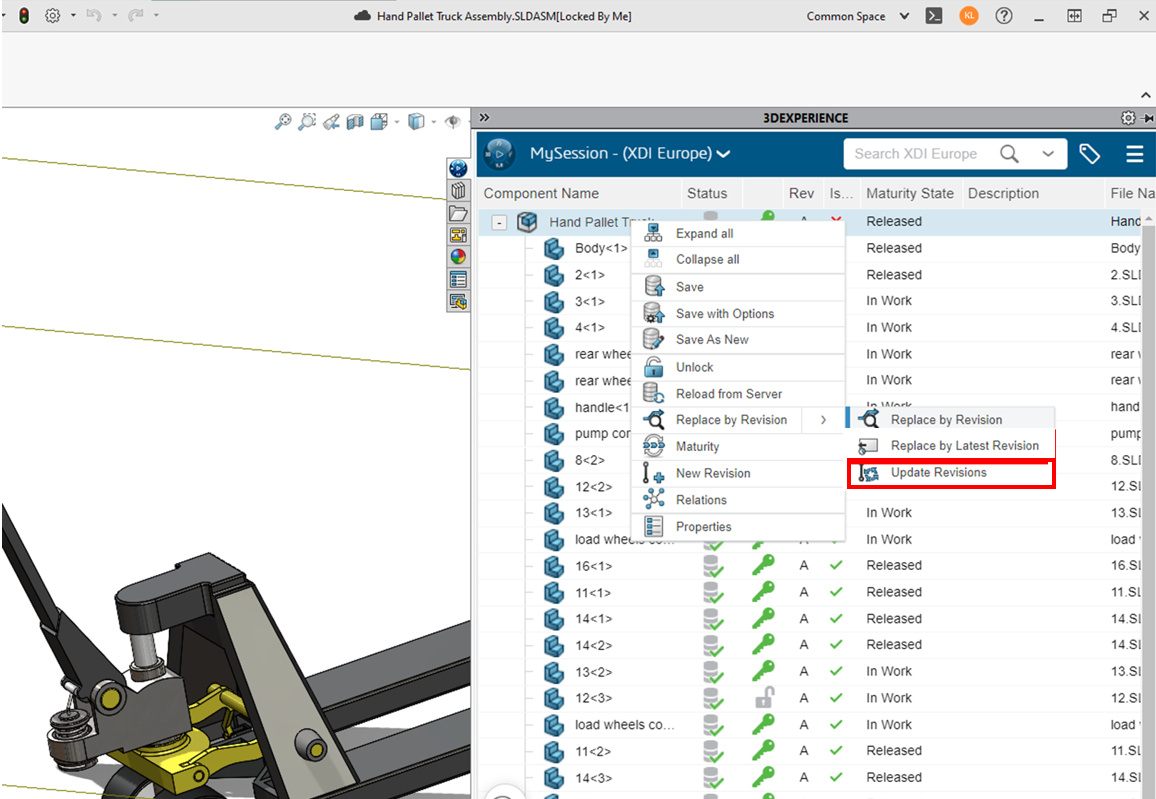
Further information – settings
Go further by customizing your settings to suit your workflow: Revision settings management.
Conclusion
Whether you’re working alone or as part of a large team, revisions help you keep track of your designs, what you’ve sent to your suppliers or to your 3D printer.
It’s built into SOLIDWORKS and is the new standard in design. .
Need help?
We look forward to hearing from you! Contact us at support@xdinnovation.eu




