
Dashboards
To successfully adopt the 3DEXPERIENCE platform, it’s important to understand how to navigate it.
A Dashboard is a workspace.
We recommend using the pre-configured SOLIDWORKS Dashboard, although you can create a customized one if you wish. This dashboard provides all the functionality users need to be instantly productive.
Here’s how to change your Dashboard:
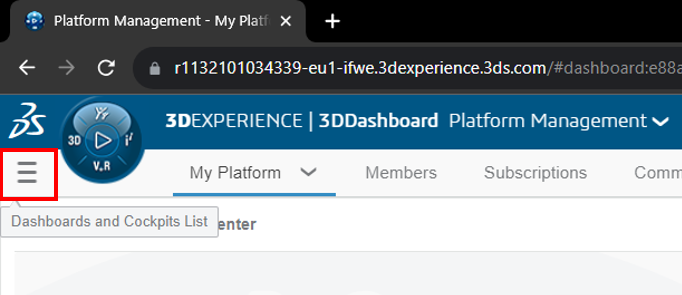
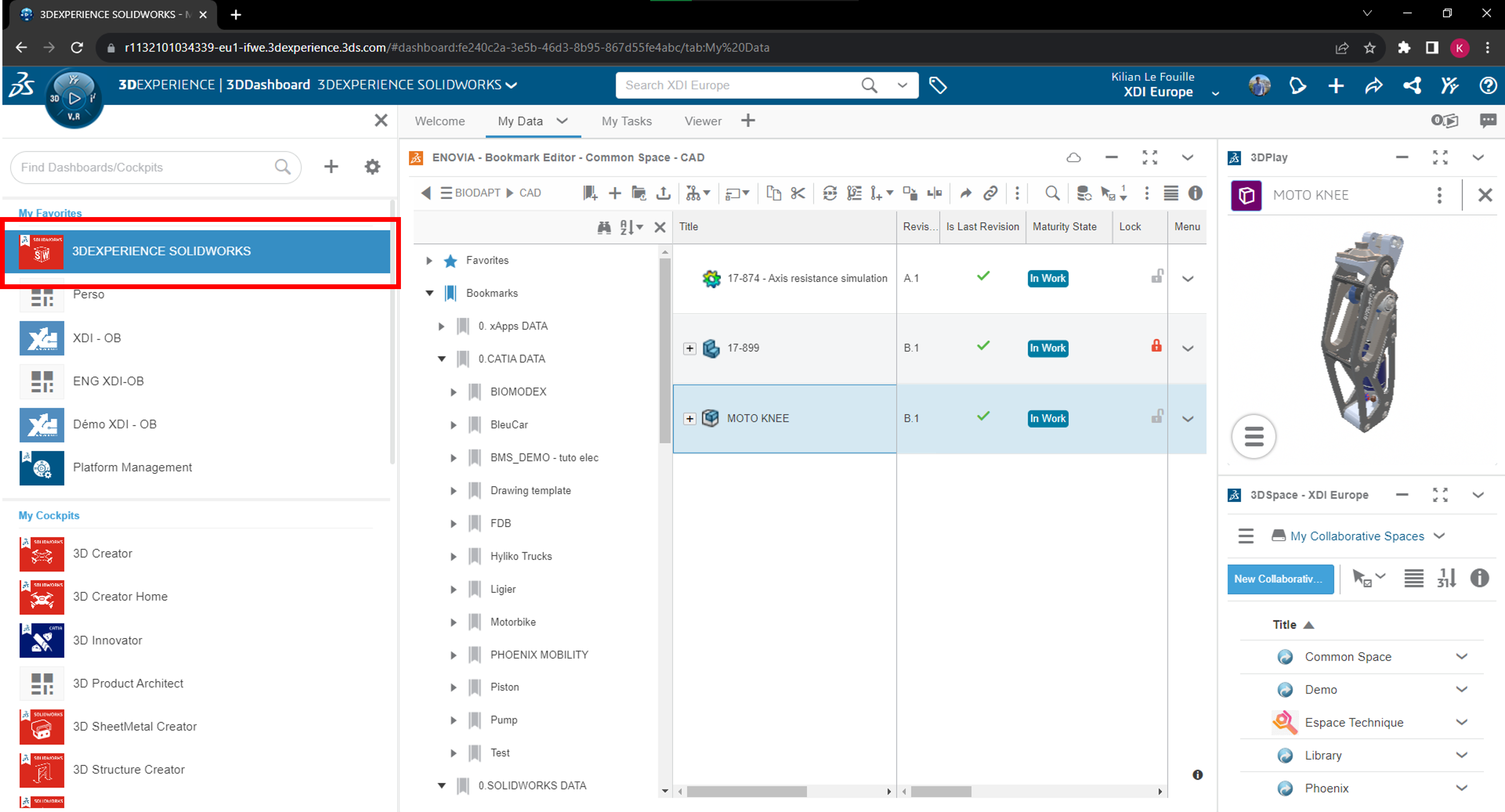
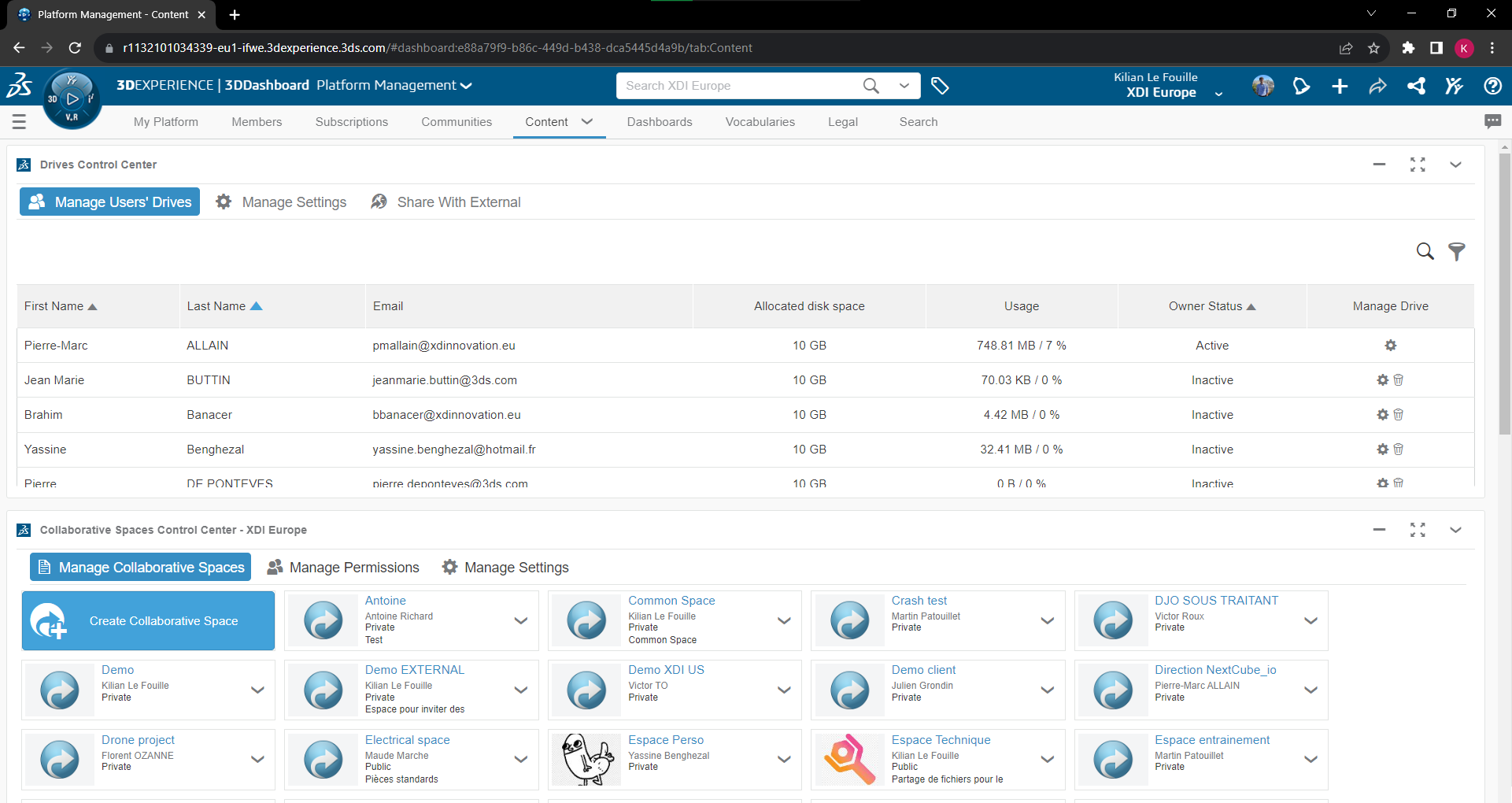
Administrator Dashboard: “Platform Management
If you are the administrator of your platform, you can access the dashboard called “Platform Management” to manage all 3DEXPERIENCE-related parameters. You won’t go there every day, but it’s important to know how to access it!
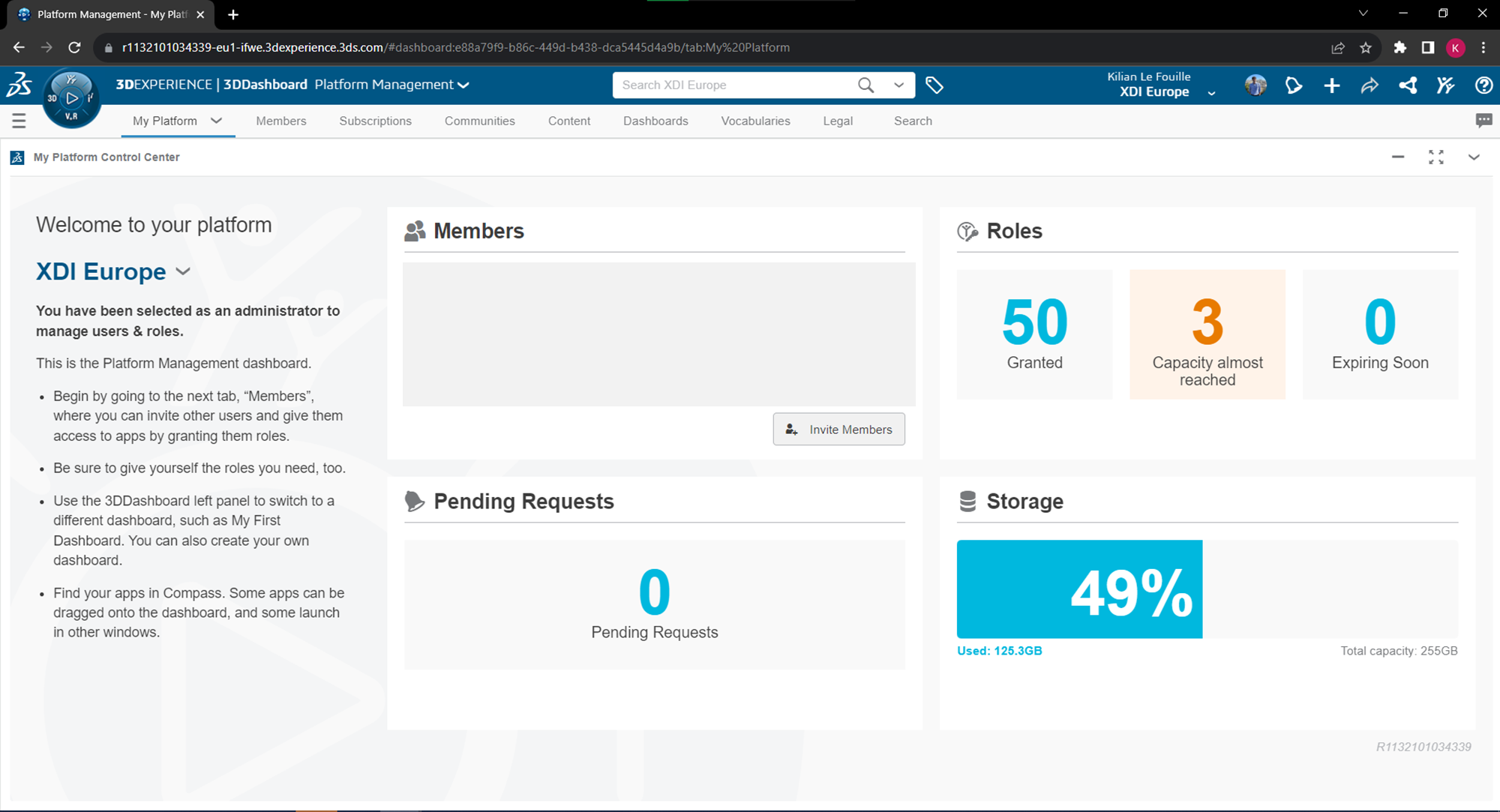
Tip: you can change the name of your platform here.
Members” tab
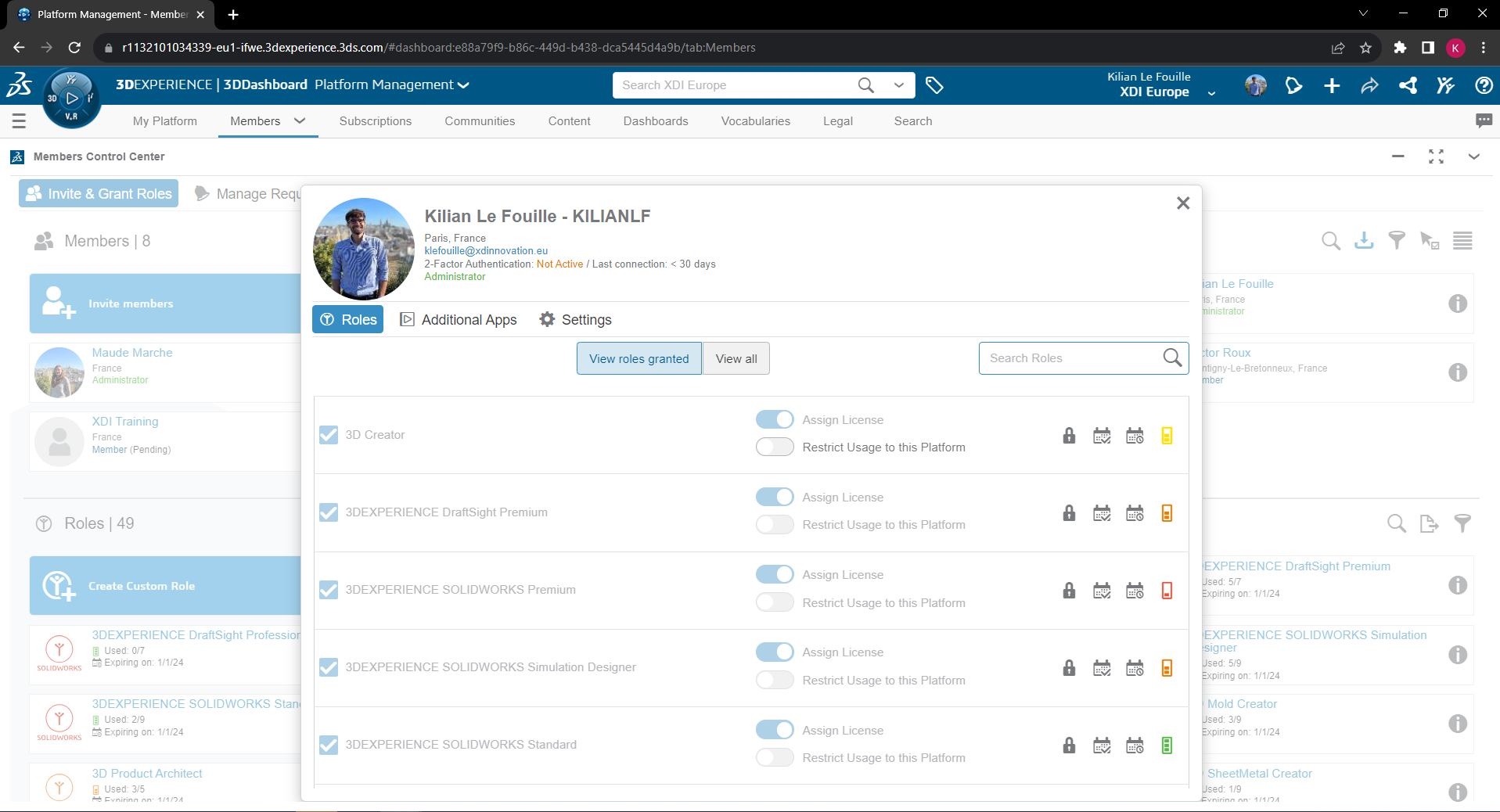
You can invite members and manage their roles from this tab.
Click on the “i” icon next to a profile or role to view and edit its details.
You must have roles available to invite members! Don’t forget that 3DSWYMER is a prerequisite.
Content” tab
“Content” means “content” in English. This is where you can customize your platform’s content parameters. We’ll look at the most important parameters in the next articles of this presentation.
Dashboard for 3DEXPERIENCE SOLIDWORKS
Welcome” tab
The Welcome tab contains all the information the user needs to get started.

You can install SOLIDWORKS from here, or open it if it is already installed.
Content” tab
The “Contents” tab of the SOLIDWORKS dashboard contains your folders.
The main application, Bookmark Editor, is on the left, and lets you create and access your folders.
The 3DSpace application is displayed in the bottom right-hand corner, providing access to Collaborative Spaces (see our other articles). The 3DPlay application used to view drawings is at top right.

Share Dashboard
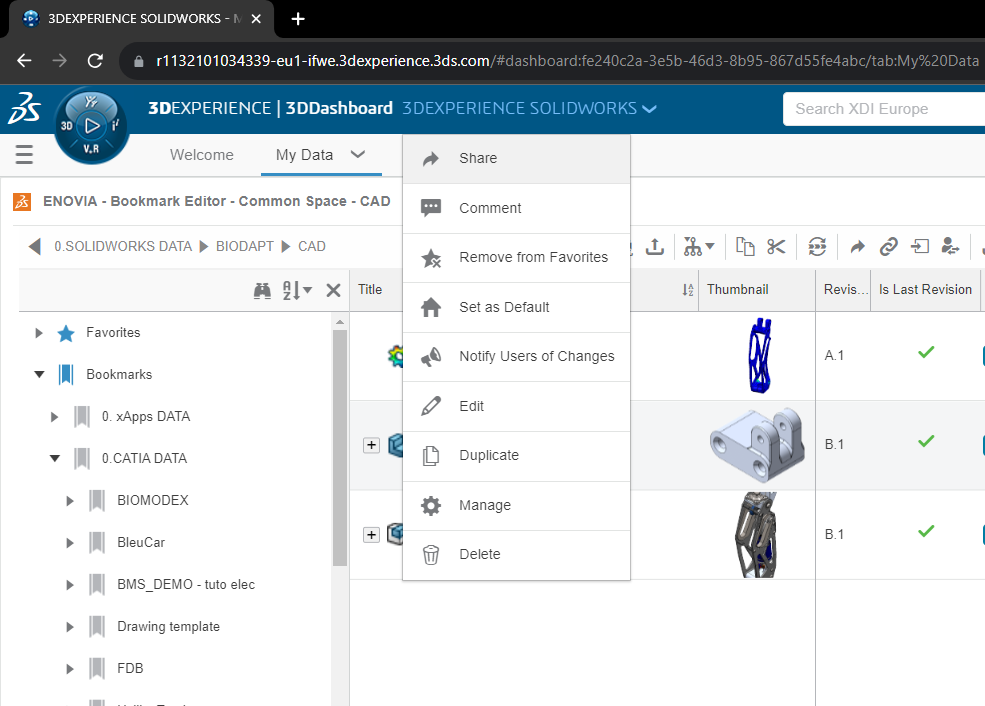
- Share a copy
- Share a copy by link
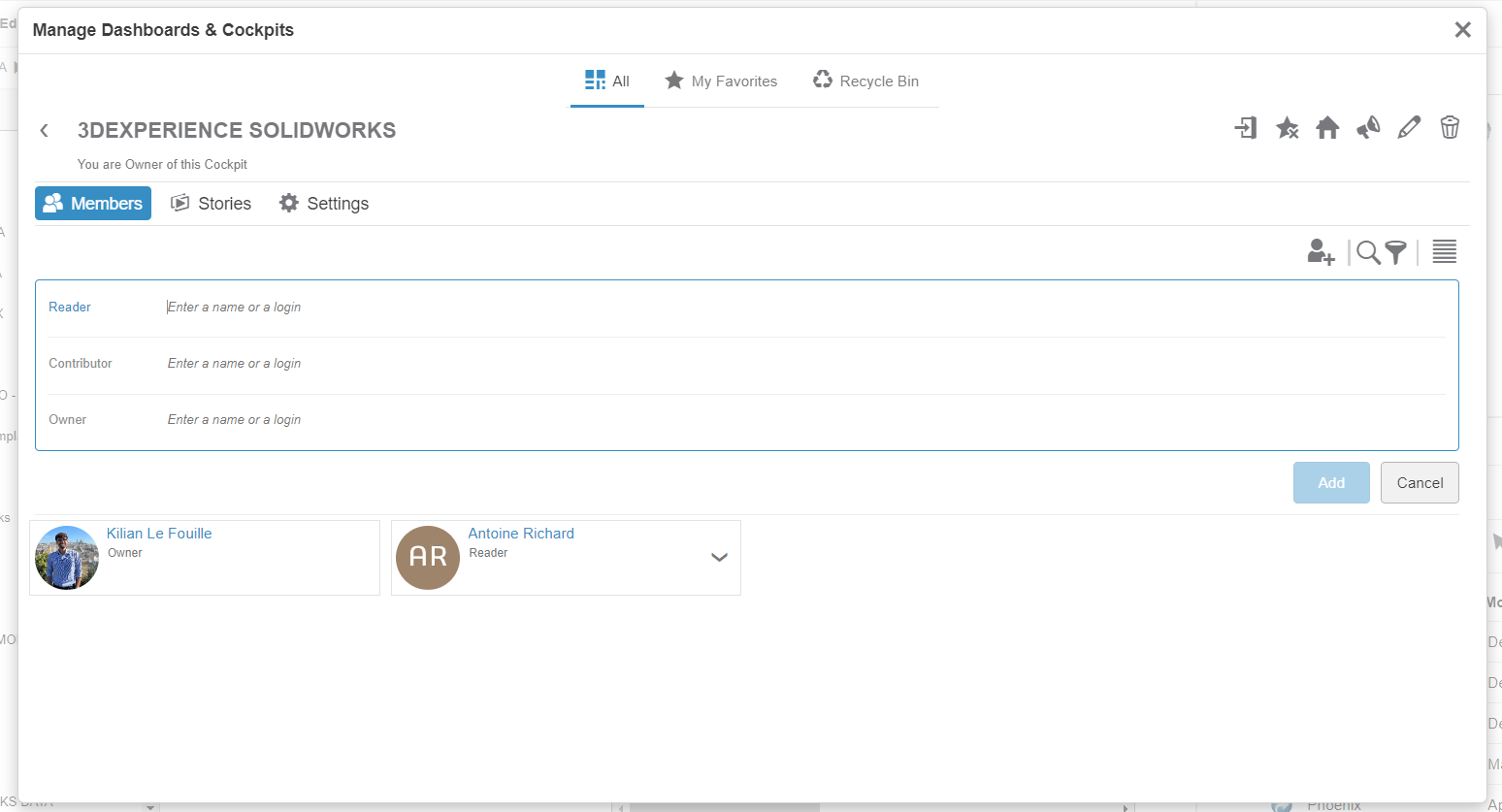
- Manage members
I recommend you select “manage Dashboard members”, to share a common interface with your team. Add them as “reader”, “contributor” or “owner” of this dashboard.
For more information on access rights, see our article on the subject !




