
It’s so easy! Go to the dashboard Platfom management> Members > Invite and grant roles
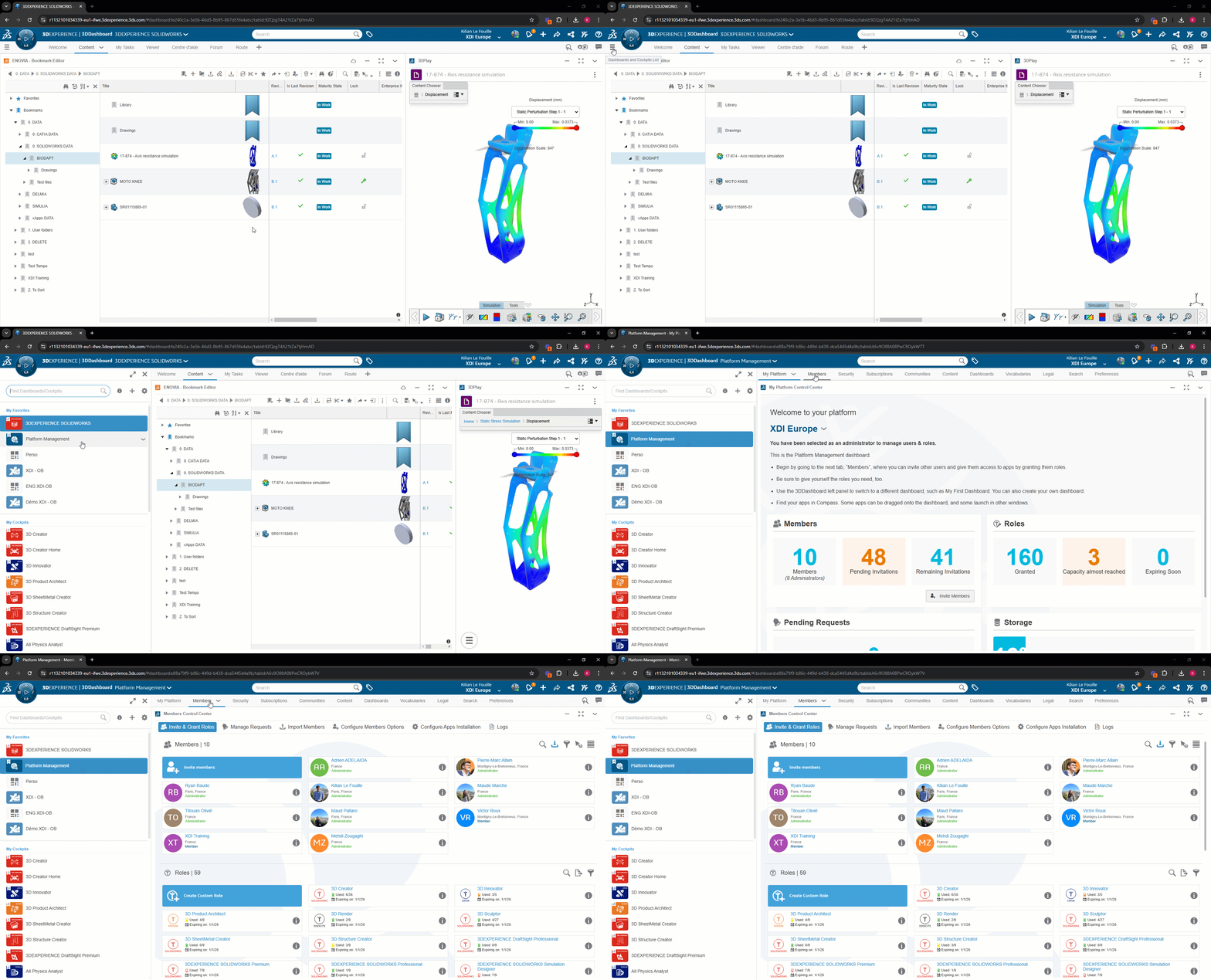
- Click on the “i” next to the desired user or role
- Check the box to assign/remove the role
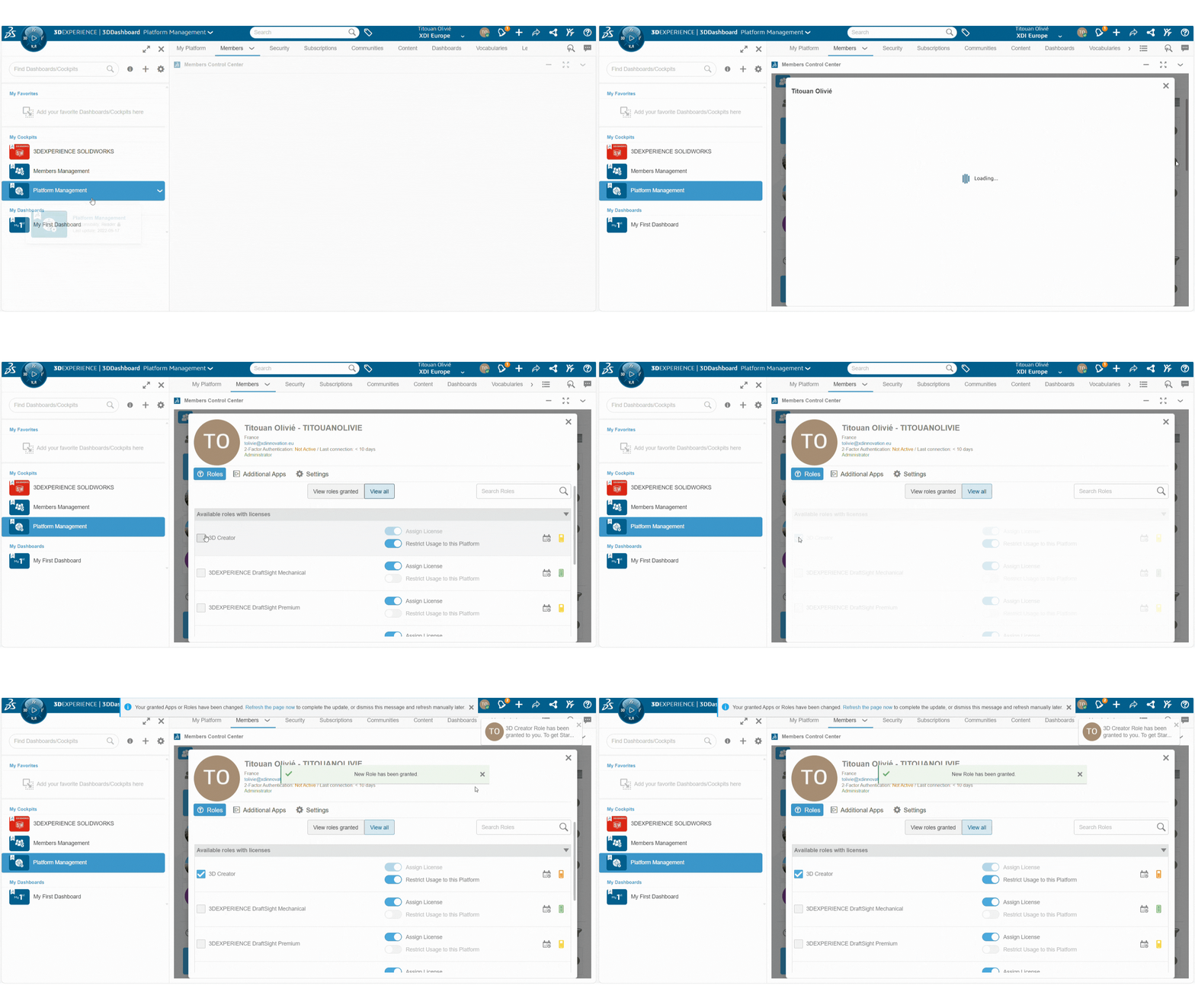
Remember to check that the quantity for this role is sufficient:

Please note that once a role has been assigned to a user, it remains locked on the user’s profile for 30 days.
If the role is not present. Please report the problem!
If you can’t find the license you’re looking for even though it’s supposed to be there, contact Support or your CSM !
Contact: support@xdinnovation.eu
post tags :
solidworks online
Solidworks 3DEXPERIENCE
Solidworks for startups
industrial startup
SOLIDWORKS 2026 pricing
industrial
startup
associative
solidworks legal
solidworks hacking
free licenses
subscriber
lium
solidworks
incubator
drafter
cloud
technical support
catia
CATIA V5
heavy-duty assemblies
solidworks design 2026
Solidworks cloud




