
I. You are the only member of the platform.
If you are the only member of the platform and would like to be replaced by another user :
1) Open the“Platform Management” Dashboard.
2) Click on the “Members” tab.
3) Click on the ( i ) next to your user profile to access it.
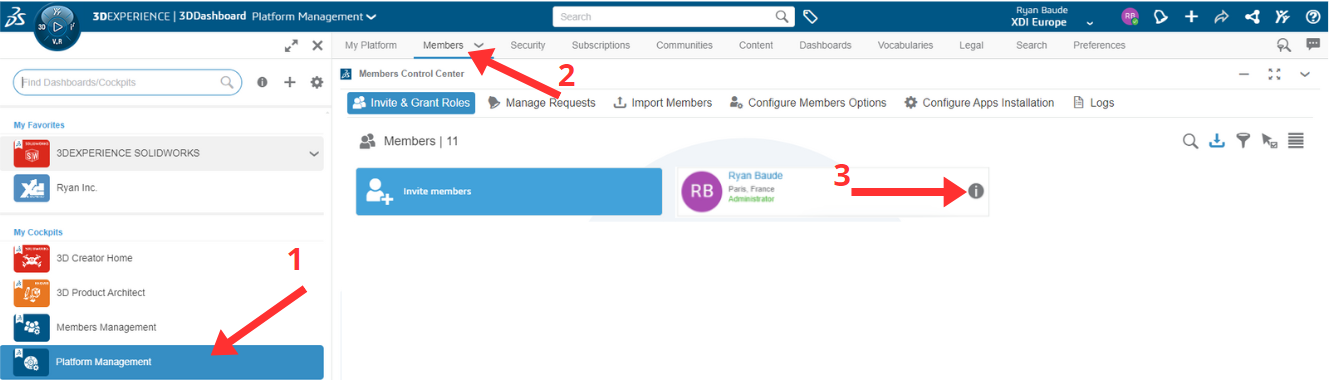
4) In the options select “Replace me”.
5) Enter the e-mail address of the new user, who will receive a link to join the platform.
6) You will each need to confirm the operation in your e-mails.
He is now the platform’s administrator!
II. You are several members on the platform.
All you have to do is give administrator access to one of the other members and then leave the platform yourself (at least one administrator is needed at all times).
1) Open the “Platform Management” Dashboard.
2) Click on the “Members” tab.
3) Click on the ( i ) next to the future administrator’s user profile to access it.
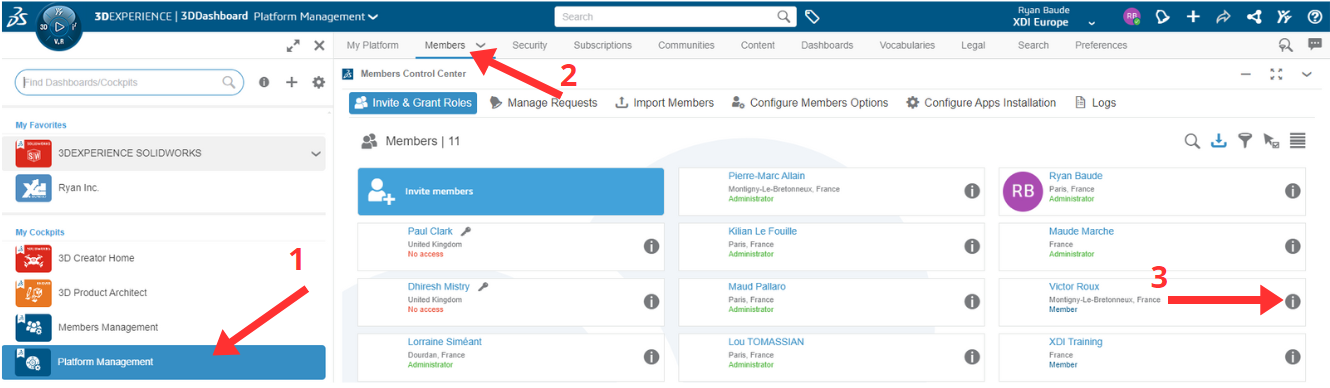
4) Go to settings
5) Click on the drop-down menu, then select Administrator.
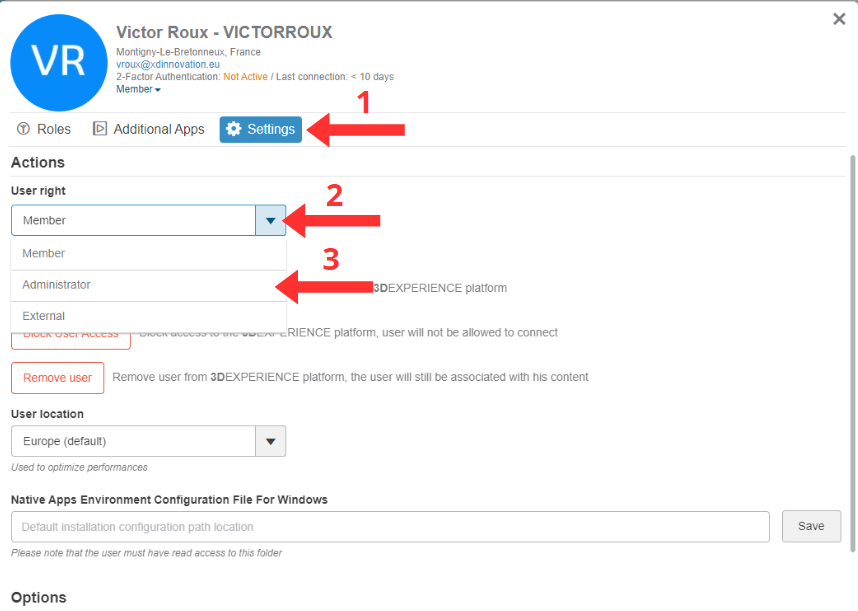
This user is now a platform administrator!
Need assistance? Send an e-mail to support@xdinnovation.eu




