
Problem:
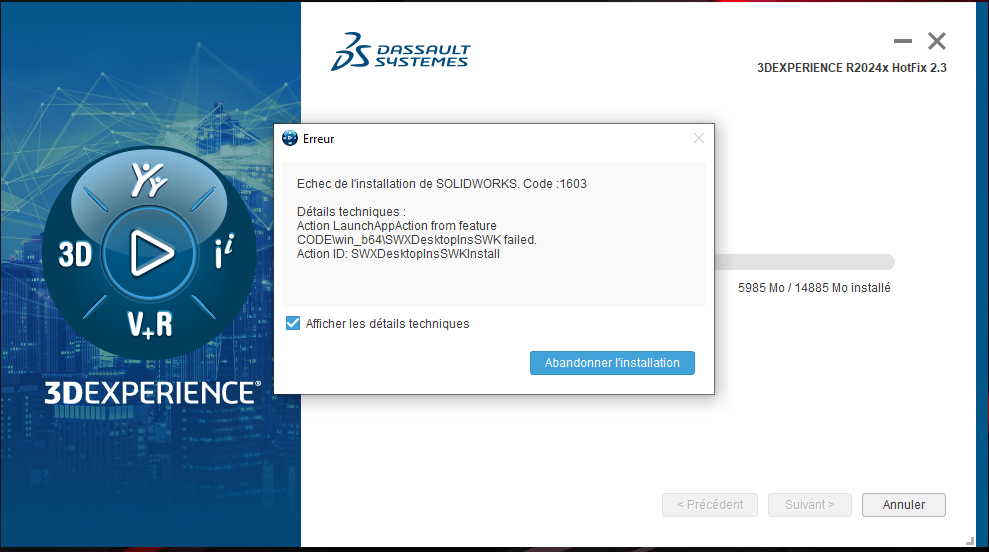
When you launch the SOLIDWORKS installation, the error message“Code: 1603” appears and you cannot continue.
Causes and resolutions :
1. Traces of old software
This error message may appear when traces of older software (SOLIDWORKS or other 3D design software) are detected on your computer.
Resolution:
Follow the SOLIDWORKS advanced uninstall procedure.
2. Computer protection
Another possibility is that some form of protection (antivirus, ransomware, etc.) has been activated on the computer, blocking the installation.
Resolution:
Deactivate blocking protections.
Report the problem!
a. Is the problem solved? Let us know, so we can prevent it from happening again!
b. Still not working? Contact us too!
Contact: support@xdinnovation.eu
post tags :
solidworks online
Solidworks 3DEXPERIENCE
Solidworks for startups
industrial startup
SOLIDWORKS 2026 pricing
industrial
startup
associative
solidworks legal
solidworks hacking
free licenses
subscriber
lium
solidworks
incubator
drafter
cloud
technical support
catia
CATIA V5
heavy-duty assemblies
solidworks design 2026
Solidworks cloud




