
Problem:
When you try to install SOLIDWORKS Connected, you get the following error message:
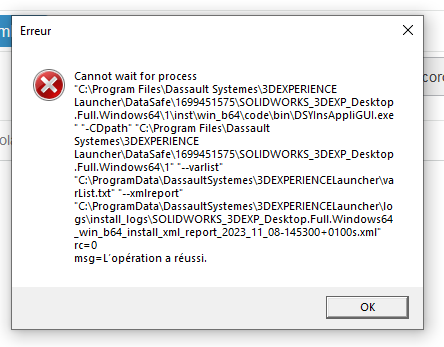
Known cause:
Microsoft VC++ versions are out of date and block installation.
Solution:
1. Download recent versions of Microsoft VC++ :
- https://aka.ms/vs/17/release/vc_redist.x64.exe
- https://aka.ms/vs/17/release/vc_redist.x86.exe
2. Install them. Do not restart the computer when the message asking you to do so appears.
3. Go to the 3DEXPERIENCE platform and install SOLIDWORKS.
4. When installation is complete, restart your computer.
5. Open SOLIDWORKS from the platform.
post tags :
solidworks online
Solidworks 3DEXPERIENCE
Solidworks for startups
industrial startup
SOLIDWORKS 2026 pricing
industrial
startup
associative
solidworks legal
solidworks hacking
free licenses
subscriber
lium
solidworks
incubator
drafter
cloud
technical support
catia
CATIA V5
heavy-duty assemblies
solidworks design 2026
Solidworks cloud




