

TL;DR:
- The choice of a CAD solution depends on the objective, expertise level, and budget.
- Fusion 360 is ideal for startups thanks to its all-in-one platform and cloud features.
- Onshape is suitable for distributed teams for native collaboration, while FreeCAD is adapted for freelancers with zero budget.
Choosing a CAD tool is often the decision that makes the difference between a prototype delivered in three weeks or three months. For a startup or industrial SME, the wrong choice means hidden costs, a painful learning curve, and sometimes impossible collaboration between remote teams. The 2026 market offers three main families of solutions: all-in-one cloud platforms like Fusion 360, native collaborative environments like Onshape, and open-source tools like FreeCAD. This guide helps you compare these options concretely, according to your profile, budget, and innovation ambitions.
Table of contents
- How to choose a CAD tool for innovation?
- Fusion 360: The All-in-One Cloud Solution for Startups
- Onshape: Native Cloud CAD, Ideal for Teams
- FreeCAD: Open-Source and Customizable for Freelancers
- Comparison of Key CAD Tools for Innovation
- Our Opinion: The Best CAD Tool Doesn’t Exist, But the Right Choice Does
- Find the CAD Solution Adapted to Your Ambition with ohmycad.com
- Frequently Asked Questions About Innovative CAD Tools
Key Points
| Point | Details |
|---|---|
| Fusion for Rapid Prototyping | Fusion 360 combines CAD, CAM, and cloud collaboration, ideal for innovating quickly at a controlled cost. |
| Onshape Fosters Teamwork | Onshape offers the best native cloud collaboration experience and integrated PDM for SMEs and startups. |
| FreeCAD for Maximum Autonomy | FreeCAD is free, customizable, and cloud-free, perfect for freelancers or SMEs with a low budget. |
| Key Selection Criteria | Choose according to your innovation pace, team size, collaboration needs, and budget. |
How to choose a CAD tool for innovation?
To make this choice, it is necessary to understand which technical and practical criteria distinguish current CAD solutions. A high-performance tool for a startup in the rapid prototyping phase will not be the same as for an industrial SME managing complex assemblies in production. Here are the priority criteria to evaluate before you start.
Essential criteria to check:
- Business Objective: prototype, production, documentation, or inter-team collaboration?
- Internal Expertise Level: novice users or experienced engineers?
- Cloud Integration, Simulation, and CAM: do you need to manage manufacturing directly from the tool?
- Total Cost: licenses, infrastructure, updates, and training included
- Sustainability: active community, update frequency, available technical support
3D visualizations in CAD are also among the features to anticipate from the start, especially if you plan client presentations or design reviews. The Fusion vs Onshape comparison clearly shows that each tool excels in a specific area: Fusion dominates simulations/CAM, while Onshape stands out for native collaboration. The choice of a cloud or open-source tool primarily depends on the need for collaboration and the available budget.
Pro Tip: Before testing software, list your five most frequent CAD tasks. Test each tool only on these real tasks. Generic demonstrations often hide true weaknesses.
Fusion 360: The All-in-One Cloud Solution for Startups
The first tool to consider if you are looking for versatility and innovation: Fusion 360. Developed by Autodesk, it brings together parametric CAD, CAM (computer-aided manufacturing), mechanical simulation, and cloud collaboration in a single platform. For a startup that wants to go quickly from concept to machined part, this is a considerable advantage.
What Fusion 360 concretely offers:
- Integrated CAD, CAM, and simulation in a single environment
- Real-time collaboration with cloud version management
- DFM (Design for Manufacturability) tools to anticipate manufacturing constraints
- Broad compatibility with industrial exchange formats (STEP, IGES, DXF)
- Startup program: free or reduced-price access depending on eligibility
🔢 Key Statistic: The official Fusion website lists over 4.6 million users worldwide, with an average time saving of 60% on prototyping cycles thanks to CAD, CAM, simulation, and collaboration integration in a single workflow.
Fusion’s strength lies in its ability to eliminate file transfers between software. Where other workflows require moving from SolidWorks to a separate CAM software, then to a distinct simulation tool, Fusion does everything internally. For other cloud solutions for CAD and to understand how the 3DEXPERIENCE cloud collaboration positions itself against these tools, our team can guide you according to your specific context.
Pro Tip: If you benefit from the free startup program, take advantage of it to train the entire team from the start. Work habits formed in the early-stage phase are very difficult to change afterwards.
Onshape: Native Cloud CAD, Ideal for Teams
For teams focused on collaborative work and instant sharing, Onshape is a major alternative. Unlike Fusion, which remains an installed application with cloud synchronization, Onshape was born in the cloud. No local installation. No files to synchronize. Everything happens in the browser, on any operating system.
Onshape’s strengths for teams:
- Universal access: Windows, Mac, Linux, tablet, smartphone
- Natively integrated PDM (Product Data Management), with full revision history
- Simultaneous collaboration on the same model, like a Google Docs for CAD
- Secure sharing with user-based access control
- Rich API for custom integrations and automations
The Onshape startup program offers five free professional licenses to startups generating less than one million dollars in annual revenue. This is a real opportunity to get off to a good start without compromising the product budget. Consult Onshape pricing for plans beyond this limit.
Where Onshape truly shines is in inter-company collaboration: sharing a model with a supplier or client becomes as simple as sending a link. To further your mastery of cloud environments, our 3DEXPERIENCE design guide offers a complementary perspective on next-generation platforms.
Pro Tip: Use Onshape branches to test design variants in parallel without risking overwriting the main model. This is the equivalent of Git versioning applied to CAD.
FreeCAD: Open-Source and Customizable for Freelancers
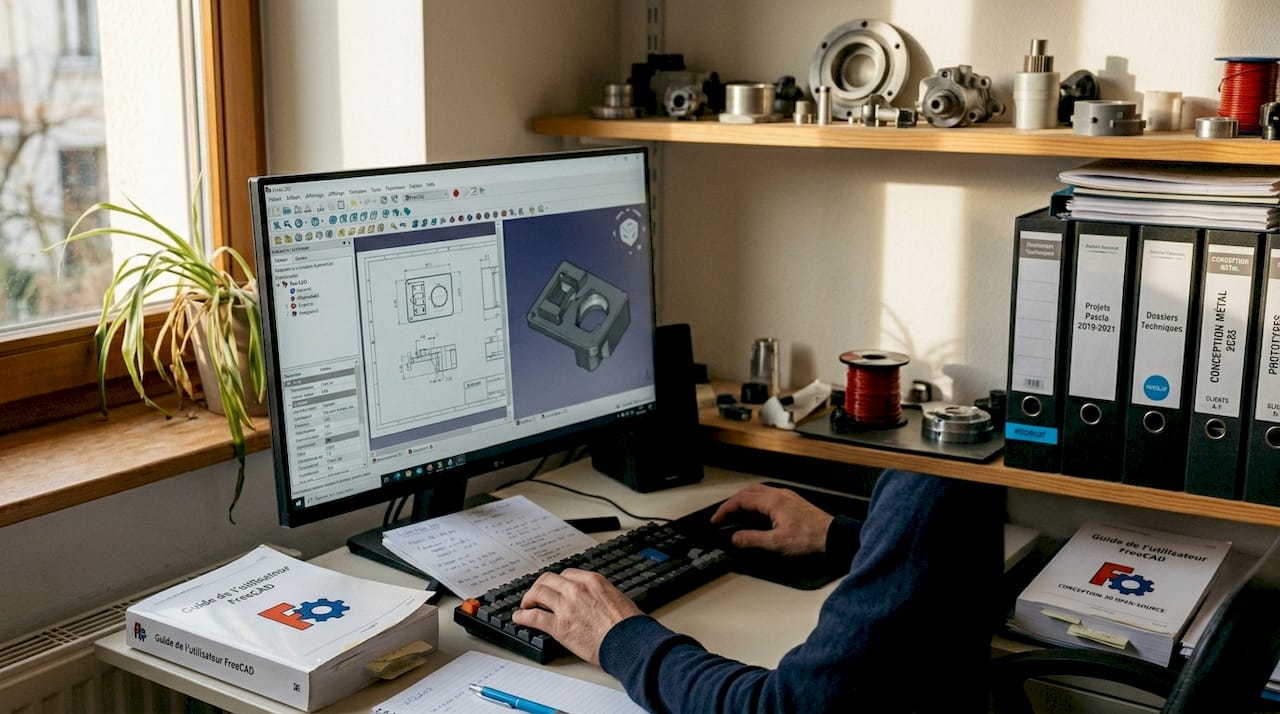
At the other end of the spectrum, FreeCAD is primarily aimed at freelancers and SMEs looking for maximum autonomy without budget constraints. Free, open-source, and parametric, it works entirely offline and can be extended via Python scripts to create custom workflows.
What FreeCAD offers in 2026:
- Parametric solid and surface modeling
- Specialized modules: BIM (building), FEM (finite element simulation), robotics, mechanical engineering
- Full offline operation, without subscription or cloud dependency
- Advanced customization via Python for automating repetitive tasks
- Very active community with regular updates in 2026
“FreeCAD is free, open-source, parametric, and offline, excellent for getting started or modeling without budget constraints.” FreeCAD Blog 2026
FreeCAD’s FEA (finite element analysis) results are close to those of commercial solutions for simple assemblies. However, stability on large assemblies remains a recognized weakness by the community. The integrated CAM is functional but basic compared to Fusion. For optimizing complex assemblies, solutions like SolidWorks retain a significant advantage. If you wish to train, the FreeCAD tutorials available online offer a good starting point.
FreeCAD’s learning curve is longer than with Fusion or Onshape. But for a freelancer modeling mechanical parts without a software budget, it is often the best option available.
Comparison of Key CAD Tools for Innovation
After reviewing each solution, let’s compare them point by point to easily decide which one to choose based on your profile.
| Criterion | Fusion 360 | Onshape | FreeCAD |
|---|---|---|---|
| Deployment | Cloud + Local | 100% Cloud | Local (Offline) |
| Base Cost | Free for Startups | Free for Startups | Completely Free |
| Simulation | Advanced Integrated | Basic | FEM Available |
| CAM | Comprehensive | Not Included | Basic |
| Collaboration | Real-time Cloud | Native and Simultaneous | Not Available |
| Customization | Moderate | Via API | Maximum (Python) |
| Assembly Stability | Excellent | Excellent | Limited |
| Learning Curve | Moderate | Low | High |
According to the FreeCAD vs Fusion 360 comparison, Fusion clearly outperforms FreeCAD on CAM and simulation, Onshape surpasses FreeCAD on collaboration, but FreeCAD remains unbeatable for free customization. The types of CAD visualization supported also vary by tool, which can influence your choice depending on the expected rendering level.
Which tool for your profile:
- Startup in rapid prototyping: Fusion 360 to go from concept to manufacturing without changing tools
- Distributed or multi-site team: Onshape for native collaboration and immediate sharing
- Freelancer with zero budget: FreeCAD for total freedom and technical autonomy
- SME seeking scalability and certification: consider SolidWorks or CATIA via the 3DEXPERIENCE platform
Our Opinion: The Best CAD Tool Doesn’t Exist, But the Right Choice Does
We have been supporting startups and industrial SMEs for several years in their adoption of CAD tools. And the reality we observe is often counter-intuitive: the teams that choose the most powerful tool are not those that innovate the fastest.
The real problem is not technical. It’s the alignment between the tool and the team’s maturity. A five-person startup that adopts a complex enterprise solution will lose six months in training before producing its first viable prototype. Conversely, an SME that sticks with FreeCAD for economy ends up paying a high price in rework on unstable assemblies.
What we recommend: start simple, but think long-term. Fusion 360 or Onshape now offer gateways to more robust environments like the 3DEXPERIENCE platform as your team grows. The tool you choose today must be able to evolve with you, not force you to restart everything in eighteen months. This criterion of sustainability is often underestimated during the initial choice, yet it is what costs the most when ignored.
Find the CAD solution adapted to your ambition with ohmycad.com
You now have a clear vision of the available options. But choosing between Fusion 360, Onshape, FreeCAD, or a Dassault Systèmes solution like SolidWorks or CATIA depends on criteria very specific to your activity.
At ohmycad.com, we support startups, SMEs, and freelancers in this choice with a personalized approach. Our team of certified experts analyzes your context, budget, and objectives to guide you towards the most suitable solution, without unnecessary jargon. We offer transparent pricing for Dassault Systèmes products and can guide you to the most advantageous startup programs on the market. Contact us for a free diagnosis and put all the chances on your side from the start. 🚀
Frequently Asked Questions About Innovative CAD Tools
Is Fusion 360 suitable for prototypes or mass production?
Fusion 360 integrates CAD, simulation, and CAM, making it effective for both prototype design and short-run mass production. Its comprehensive workflow covers the entire cycle from ideation to manufacturing without changing environments.
Can FreeCAD replace SolidWorks for a freelancer?
FreeCAD offers similar parametric modeling capabilities but remains less stable and complete than SolidWorks, especially for CAM. According to the FreeCAD Blog 2026, it achieves comparable FEA levels but suffers from bugs on large assemblies.
Which cloud CAD tool should SMEs prioritize between Onshape and Fusion?
For native collaboration and immediate sharing, Onshape is preferred; for rapid prototyping, simulation, and CAM, Fusion 360 is to be favored. The Fusion vs Onshape comparison confirms that each tool excels in its respective domain.
Are there free or reduced offers for startups on these tools?
Yes, the Onshape startup program offers five free professional licenses, SolidWorks offers a free first year, and Fusion 360 remains accessible in hobby or startup versions under eligibility conditions.
Recommendation
- Types of 3D Visualization: A Complete Guide to CAD
- 3DEXPERIENCE SOLIDWORKS accessible for startups – Ohmycad | SOLIDWORKS Partner
- Cloud CAD with 3DEXPERIENCE and XDInnovation
- XDInnovation launches its new Communication campaign – Ohmycad | SOLIDWORKS Partner
- Location selection for startups: Secure the decisive advantage | ProOffice Business Center Blog




