
TL;DR:
- Mastering 3D design tools like SOLIDWORKS, CATIA, and 3DEXPERIENCE is essential for the competitiveness of industrial SMEs. It is crucial to adopt best practices, including regular file reviews and automation, to optimize design and production. The 3DEXPERIENCE platform facilitates collaboration and centralized management, thereby enhancing team productivity.
3D design is no longer a competitive advantage reserved for large corporations. For industrial SMEs, mastering tools like SOLIDWORKS, CATIA, and the 3DEXPERIENCE platform has become a prerequisite for staying in the race. However, many managers find that simply owning software is not enough: it’s how you use it that makes all the difference. Here are concrete tips, proven methods, and strategic choices to get the most out of each tool, at every stage of your design process.
Table of contents
- Defining Key Criteria for Effective 3D Design
- Essential SOLIDWORKS Tips for Increased Efficiency
- Mastering CATIA for Complex Industrial Projects
- Accelerating Collaboration and Flexibility with 3DEXPERIENCE
- Why 3D Optimization Never Stops: Our Vision
- Take Action: Tools and Tailored Support
- Frequently Asked Questions about 3D Design Optimization
Key Points
| Point | Details |
|---|---|
| Define your needs | Clarify design objectives and criteria before choosing tools and methods. |
| Fully utilize tools | SOLIDWORKS, CATIA, and 3DEXPERIENCE offer advanced functions to boost productivity. |
| Automate verifications | Automating leak or version control saves time and improves reliability. |
| Prioritize collaboration | Cloud and collaborative work are major levers for going further. |
| Think long-term | Continuous optimization relies on a team mindset and ongoing training. |
Defining Key Criteria for Effective 3D Design
Before opening any software, ask yourself the right questions. What are your design objectives? Mechanical performance, material cost reduction, time-to-market, part versatility? Each answer directly guides your choice of tools and practices. An SME manufacturing small series plastic parts does not have the same priorities as an aerospace subcontractor.
Here are the fundamental criteria to evaluate to structure your approach:
- Performance objectives: strength, lightness, dimensional accuracy.
- Cost constraints: material budget, manufacturing time, software license amortization.
- Execution speed: prototyping deadlines, iteration cycles, client validation.
- File compatibility: exchange formats with your suppliers, subcontractors, or certification bodies.
- Integration with existing tools: ERP, PLM, simulation tools, or 3D printing.
- Collaborative work: multi-user access, rights management, change tracking.
Compatibility is often underestimated. A poorly structured file or an incompatible format can halt an entire production line. Investing time in 3D modeling methods from the start avoids these unpleasant surprises.
“The cloud reduces hardware investment effort for SMEs, while facilitating remote collaboration.” The official SOLIDWORKS blogs also recommend checking for watertightness before manufacturing and adopting a cloud solution to limit hardware investments.
Also, consider integrating regular 3D design reviews into your process. These collective validation moments help detect errors early, before they become costly.
Pro Tip: Before any prototyping or manufacturing phase, systematically check the consistency and structure of your files. A clean model upstream saves time and money downstream.
Essential SOLIDWORKS Tips for Increased Efficiency
SOLIDWORKS is the go-to tool for many industrial SMEs, especially for mechanical design and optimizing parts for 3D printing or machining. However, many only utilize a fraction of its true capabilities.
Here are the features you absolutely must integrate into your workflow:
- Draft Analysis: essential for molded or printed parts, it identifies problematic surfaces before any production launch.
- Variable Thickness: instead of using uniform thickness, adapt it according to local constraints. This reduces weight and material consumption without compromising strength.
- Internal Voids: for 3D printed parts, hollow structures (with internal reinforcements if necessary) can save up to 30 to 40% of material.
- Automatic Watertightness Check: before sending a file for manufacturing, SOLIDWORKS allows you to check if the model is “watertight,” a prerequisite for successful 3D printing or machining.
- Multiple Configurations: create several variants of the same part within a single file to easily manage product variations.
According to one-learn.fr recommendations, the combined use of draft analysis, variable thickness, and internal voids is the most effective approach for optimizing parts intended for 3D printing with SOLIDWORKS.
To optimize SOLIDWORKS assemblies, consider simplifying visible components on screen in “Lightweight” mode for large designs. This significantly speeds up loading times and reduces the load on your workstation.
Hardware is also a central issue. SOLIDWORKS is software that fully leverages a certified graphics card and a recent processor. Optimizing your SOLIDWORKS graphics performance can transform a frustrating experience into a fluid workflow.
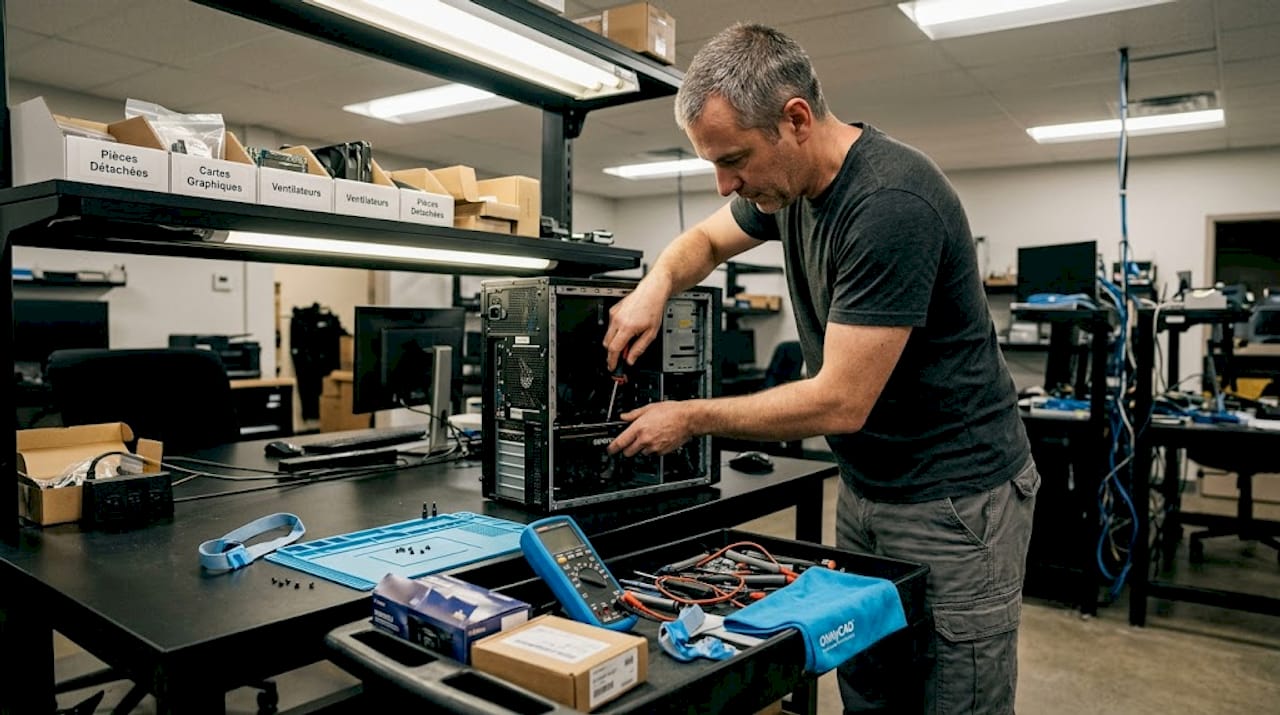
Pro Tip: Regularly update your computer hardware. A suitable workstation, with a professional SOLIDWORKS certified graphics card, can double your productivity on complex assemblies.
Another powerful lever is automation. SOLIDWORKS offers macros and APIs (programming interfaces) that allow you to automate repetitive tasks: plan generation, standard checks, bill of material creation. These automations save teams who adopt them several hours per week.
Mastering CATIA for Complex Industrial Projects
CATIA naturally becomes essential when your projects exceed a certain level of structural complexity or when your clientele includes major contractors in the aerospace, automotive, or railway sectors. This software is not simply more “powerful” than SOLIDWORKS. It is designed differently, for highly structured, multi-disciplinary, and long-term workflows.
Key features to leverage in CATIA for increased efficiency:
- Advanced Parametric Design: each dimension is linked to a formula or parameter. Modifying a value cascades changes throughout the part or assembly consistently.
- Standardized Component Libraries: CATIA allows you to create and manage internal libraries, promoting the reuse of validated components from one project to another.
- Product Structure Management: the hierarchy of assemblies in CATIA is particularly rigorous, suitable for projects involving dozens of teams and thousands of references.
- Native PLM Integration: CATIA is designed to work in synergy with product lifecycle management tools, simplifying traceability and regulatory compliance.
Here is a quick comparison between CATIA and SOLIDWORKS to help guide your choices based on context:
| Criterion | SOLIDWORKS | CATIA |
|---|---|---|
| Ease of Use | Fast and intuitive | Longer, more technical |
| Suitable Projects | SMEs, mechanical parts, prototyping | Large projects, multi-disciplinary |
| Parametrization | Good | Excellent, highly advanced |
| Assembly Management | Very good | Exceptional |
| PLM Integration | Possible via add-ons | Native and advanced |
| License Cost | Accessible | Higher |
| Collaborative Work | Enhanced via 3DEXPERIENCE | Native and structured |
As our detailed analysis confirms, CATIA is the most widely used software in large industrial projects due to its advanced integration and parametrization capabilities. If your clients or partners work with CATIA, adapting to it quickly becomes non-negotiable.
Industrial 3D configurators represent another concrete application: coupled with CATIA, they allow your customers to customize a product in real-time, while automatically generating production files in the background. This saves considerable time for sales and technical teams.
Pro Tip: For each new CATIA project, create a reusable template that includes your naming standards, standard parameters, usual tolerances, and display configurations. This simple habit can reduce the startup phase by several hours on each new file.
Accelerating Collaboration and Flexibility with 3DEXPERIENCE
Dassault Systèmes’ 3DEXPERIENCE platform fundamentally changes the way teams work. It’s not just cloud storage for your CAD files. It’s a complete collaborative work environment, designed to centralize all product-related information.
The 4 essential steps to get started with 3DEXPERIENCE:
- Create and structure your project space: define roles, access rights, and workspaces from the outset. Clear organization from the beginning avoids documentary chaos.
- Migrate your existing files: import your SOLIDWORKS or CATIA files into the platform while respecting the structure of your assemblies. 3DEXPERIENCE automatically manages relationships between files.
- Activate version management: every modification is tracked and versioned. You can revert to a previous state at any time, which eliminates the fear of “breaking” a validated model.
- Train your teams in collaborative workflows: simultaneous file access, modification notifications, and integrated comment tools transform how project reviews and 3D outsourcing are conducted.
Here’s an overview of the concrete benefits of 3DEXPERIENCE for SMEs:
| Feature | Benefit for SMEs |
|---|---|
| Multi-user cloud access | No need for a dedicated internal server |
| Automatic version management | Zero risk of working on an outdated version |
| Secure automatic backup | Guaranteed continuity even in case of hardware failure |
| Editing rights control | Each collaborator only accesses what concerns them |
| SOLIDWORKS and CATIA integration | No need to change tools, just the environment |
According to official SOLIDWORKS recommendations, adopting the cloud via 3DEXPERIENCE provides simplified access and a significant reduction in costs for SMEs, particularly by avoiding heavy investments in hardware infrastructure.
For SMEs still hesitant to take the plunge, let’s reiterate a key point: 3DEXPERIENCE does not replace your CAD software. It enhances it. You continue to design in SOLIDWORKS or CATIA, but your files are now managed, shared, and protected in a centralized and secure environment.
Why 3D Optimization Never Stops: Our Vision
We see it every day with the SMEs we support: the teams that progress fastest are not necessarily those with the best software. They are the ones who have developed a true culture of continuous improvement.
Tools are amplifiers. But they amplify good practices as well as bad ones. A team that never questions its workflows will use SOLIDWORKS or CATIA exactly as it did five years ago, despite new features being available. Conversely, a curious and regularly trained team will find productivity gains where no one was looking.
Our conviction at ohmycad.com: technical optimization must go hand in hand with change management. This means organizing sharing sessions among colleagues, documenting internal best practices, and integrating regular 3D design reviews into the calendar, not just during major project milestones.
Continuous training is not a luxury. It is an investment with immediate and measurable returns: reduced errors, accelerated design cycles, better component reuse. We have seen teams of 3 people gain the equivalent of half a position simply by optimizing their habits in SOLIDWORKS.
The other often-overlooked factor: openness to experimentation. Testing a new feature on a pilot project, comparing two workflows, measuring time saved. This scientific approach applied to CAD may seem anecdotal, but it creates a self-sustaining dynamic of improvement. This is what distinguishes innovative SMEs from those that stagnate, regardless of their software budget.
Take Action: Tools and Tailored Support
These tips and methods represent a solid starting point. But implementing them effectively in your specific environment often requires an external perspective and tailored support.
At ohmycad.com, we support industrial SMEs in the selection, implementation, and optimization of their 3D CAD tools. Whether you want to improve your SOLIDWORKS usage, migrate to 3DEXPERIENCE, or explore CATIA’s possibilities, our experts are available to guide you step-by-step. Consult our guide on 3D visualization in CAD to deepen your knowledge, discover how to transition to 3DEXPERIENCE cloud CAD, and streamline your daily routine with our practical guide on CAD file organization. Contact us for a personalized diagnosis, and together we’ll maximize your chances of success.
Frequently Asked Questions about 3D Design Optimization
What is the best tip for reducing 3D printing costs with SOLIDWORKS?
Use internal voids and variable thickness to save material without sacrificing strength. These two combined techniques often reduce material consumption by 30 to 40%.
How to check the watertightness of a 3D model before manufacturing?
SOLIDWORKS includes dedicated tools for watertightness control, which should be used systematically before any manufacturing submission. This is an official SOLIDWORKS recommendation to avoid costly production errors.
Why prioritize the cloud for CAD in SMEs?
The cloud via 3DEXPERIENCE offers ease of access, automatic version management, and avoids the purchase of expensive server infrastructure, which is particularly suited to SME budgets.
CATIA or SOLIDWORKS: which to choose for an industrial project?
For large, structured projects with advanced PLM requirements, CATIA is recommended. For a quick, flexible, and accessible entry for SMEs, SOLIDWORKS is generally the preferred and fastest tool to master.




