
Attention Spoil Alert 1: SOLIDWORKS Cloud Offer (SolidWorks online) is not Solidworks 3DEXPERIENCE!
Attention Spoil Alert 2: SOLIDWORKS Cloud Offer (SolidWorks online) is also available for fans of Mac, chromebook or ZX81 connected to the web :)
SOLIDWORKS Online: Why choose SOLIDWORKS Cloud (3DEXPERIENCE)?
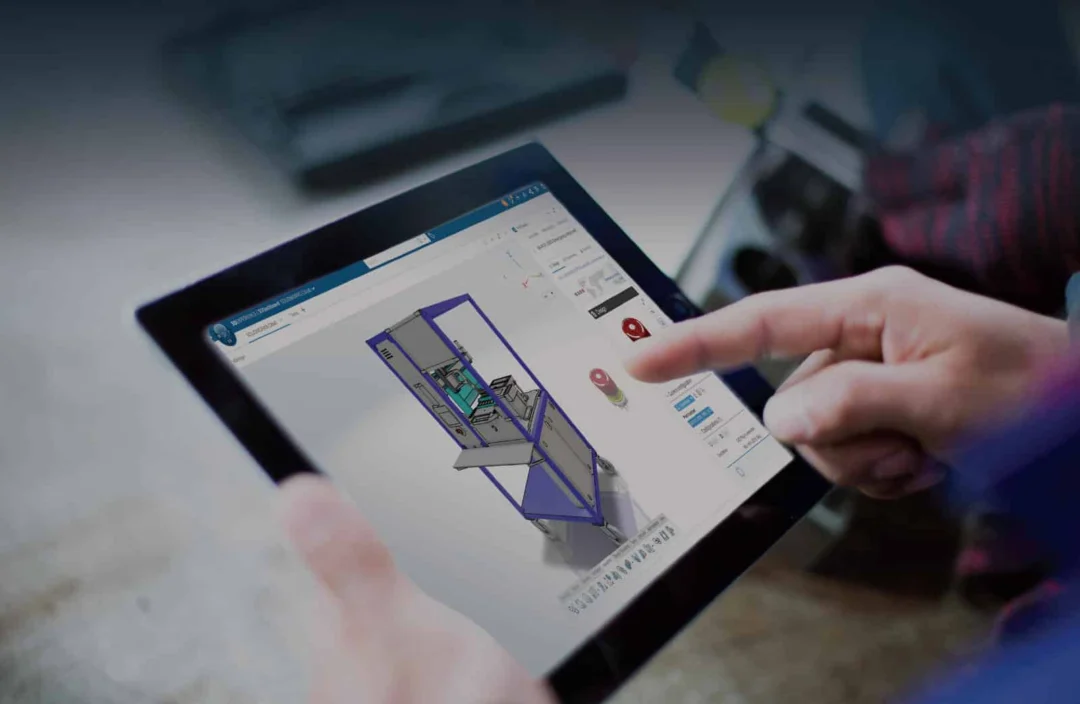
Solidworks Cloud Offer is a new 3D design solution from Dassault Systèmes that allows technicians and engineers to create, modify and share 3D design data and 2D drawings from any Internet-connected device (PC, Mac, Chromebook, …)*.
With Solidworks Cloud Offer, you can access all the business functionalities of Solidworks, the most widely used CAD software in the world, without having to install or update the software on your computer. Solidworks Cloud Offer is powered natively by the 3DEXPERIENCE platform. You can collaborate, share and exchange in real time with your colleagues, customers and partners, in a cyber-attack-proof space on the Dassault Systèmes Outscale sovereign cloud.
Solidworks Cloud Offer (Solidworks Online) is the ideal solution for professionals who need an agile, cost-effective design solution (see Solidworks Online prices). this “Solidworks On Line” is broken down into several interrelated business applications, each with its own specific toolbar: SolidWorks advanced design and surface, SolidWorks sheet metal work, SolidWorks mechanical welding, etc.
Solidworks Cloud Offer not only saves you time, but also means you don’t have to worry about storage or backups, it also offers numerous advantages for your design business. You can benefit from a flexible, cost-effective license that adapts to your needs and budget. You can take advantage of the latest Solidworks innovations and updates, without having to worry about version compatibility or subscribing to SolidWorks maintenance contracts; everything is included in the monthly subscription price. You can access your projects from anywhere, even offline, thanks to automatic data synchronization. You can also take advantage of the advanced simulation, analysis and manufacturing tools offered on the 3DEXPERIENCE platform, including advanced modules from CATIA, SIMULIA, DELMIA and ….. Another significant advantage concerns hardware. With Solidworks Cloud Offer or SolidWorks Online, you don’t have to worry about which computer, workstation or graphics card to use (for the 3DEXPERIENCE Solidworks version, see: SolidWorks graphics card). This is a major advantage, especially for industrial startups, mobile designers and small businesses.
What are the concrete benefits for a design office?
SolidWorks cloud offer modules:
3DCREATOR: cloud-based 3D modeling solution
3D Creator is a cloud-based 3D modeling solution that enables designers and engineers to create, review and evaluate 3D models with easy-to-use parametric modeling features. It is powered by the 3DEXPERIENCE platform, which offers flexible workflows, real-time collaboration and seamless interaction with SOLIDWORKS 3D CAD software and other design tools. 3D Creator also enables you to automate design tasks, control structural requirements, optimize designs using a generative approach, and modify design intent at any time. This SolidWorks Cloud Offer module is compatible with Windows, MAC, ChromeBook, …
3D STRUCTURE CREATOR: Web-based steel structure design solution
3D Structure creator is a 3D Web module for companies working in metalwork, locksmithing or boiler making. The design of frames based on business functions for each stage of the process, from conceptual design to the generation of manufacturing information (throughputs). The dedicated structural design interface lets you create welded frames quickly and easily, using
intuitive features to design structural elements, add plates, gussets and end fittings, and generate a list of welded fabrication parts. With secure, cloud-based data management powered by the3DEXPERIENCE® platform, you can view, create or modify designs from any Internet-connected device. This SolidWorks Cloud Offer module is compatible with Windows, MAC, ChromeBook, …
3D SHEETMETAL CREATOR : Online software for fine sheet metal work
3D SheetMetal Creator is an intuitive full web solution (Windows, Mac, Chromebook, … compatible) for companies working in the fields of sheet metal work, locksmithing, mechanical welding, …
3D SheetMetal Creator offers associative parametric sheet metal design capabilities for creating components, assemblies, housings and other “hoods”. Its dedicated all-in-one 3D sheet metal design ergonomics
streamline the way you create, store, share, validate and manage
your 3D and 2D drawings. Powered by Dassault Systèmes’ sovereign cloud-based
3DEXPERIENCE® platform, 3D SheetMetal Creator stores design data securely, so you don’t have to worry about backups. This SolidWorks Cloud Offer module is compatible with Windows, MAC, ChromeBook, …
3DSCULPTOR: The most powerful 3D Cloud software for industrial design
3D Sculptor is a full web “surface” modeling solution for designers, artists, engineers, …
With 3D Sculptor, you can create ergonomic or organically stylized models in record time
faster and easier than with traditional parametric tools. Powered by Dassault Systèmes’ cloud-based 3DEXPERIENCE® platform, 3D Sculptor seamlessly complements other SOLIDWORKS Cloud Offer and SOLIDWORKS 3DEXPERIENCE solutions. This SolidWorks Cloud Offer module is compatible with Windows, MAC, ChromeBook, …
MANUFACTURING DEFINITION CREATOR: The WEB solution for the “methods office”.
Comparison: SOLIDWORKS Desktop vs Cloud Offer
Built on the cloud-based 3DEXPERIENCE® platform, Manufacturing Definition Creator finally brings a simple, intuitive product for the methods office (not to be confused with the office of legends :)). Define dimensions, tolerances, reference symbols, geometric dimensions and tolerances, bubbling, … everything that will enable the workshop or your subcontractors to manufacture or produce a coherent machining estimate. Manufacturing Definition Creator lets you organize manufacturing annotations for a better understanding of the part or assembly to be manufactured. This SolidWorks Cloud Offer module is compatible with Windows, MAC, ChromeBook, …
Other modules include Drafter for 2D drawing, Render for photo rendering, and full access to the 3DEXPERIENCE role portfolio. SolidWorks Cloud Offer is a powerful, simple and cost-effective solution. The files generated by these solutions are SolidWorks 3DEXPERIENCE compatible, but are not “native” SolidWorks 3DEXPERIENCE. Using Solidworks on a tablet or “non-CAD” PC is technically possible via the browser for roles such as xDesign / xShape.
Who is SOLIDWORKS CLOUD OFFER for?
- Freelancers, small businesses and SMEs who need simple, powerful, cost-effective 3D software.
- Technical departments supporting the design office (innovation department, methods office, marketing departments, etc.)
- Industrial startups wishing to conceptualize their projects professionally and securely, with their data hosted on encrypted Dassault Systèmes servers.)
- Generally speaking, for all 3D software users needing a simple business product or for specific preliminary projects.
Who is SOLIDWORKS CLOUD OFFER not for?
- Companies already equipped with Solidworks or Solidworks 3DEXPERIENCE that would like to replace their software with a cloud solution (3DEXPERIENCE SOLIDWORKS is the solution in this case).
- Designers or engineers who need to supply files in native solidworks format (SOLIDWORKS CLOUD OFFER has its own file format).
- Big design teams. The standard solution for design offices remains 3DEXPERIENCE SOLIDWORKS)
For more information on Solidwork pricing, subscription or rental solutions, please contact us or log on to our dedicated page.
* For configurations and operating systems compatible with SOLIDWORKS 3DESPERIENCE, you can get the latest updates here: PC and windows versions for solidworks
Comparison of Solidworks Standard vs Pro vs Premium offers and prices
| Features & Services | Standard | Professional | Premium |
| Ideal profile | Freelancers & Methods offices | SMEs & Design teams | Advanced Engineering & Simulation |
| 3D Design & Layout | ✅ Included | ✅ Included | ✅ Included |
| Data management (PDM) | ✅ Integrated cloud | ✅ Integrated cloud | ✅ Integrated cloud |
| Photorealistic rendering (Visualize) | ❌ | ✅ Included | ✅ Included |
| Component libraries | ❌ | ✅ Included | ✅ Included |
| Simulation & Static Analysis | ❌ | ❌ | ✅ Included |
| Routing (Cable & Piping) | ❌ | ❌ | ✅ Included |
| Annual fee (excl. VAT / year) | 3 480 € | 4 152 € | 5 496 € |
| Monthly rate (excl. VAT / month) | 290 € | 346 € | 458 € |
| Startups offer | Free (1 year) | Free (1 year) | Free (1 year) |
- All
- Buying locally
- Catia
- Cloud
- compatibility
- Free license
- free license
- Free Trial
- Low cost
- Solidworks
- Startup
- startup
- Subscription
- technical support
CATIA V5 is the legacy version, installed locally. CATIA 3DEXPERIENCE is the cloud version, integrated into a collaborative platform that centralizes data, roles, and business processes. It enables digital continuity and greater agility.
Self-learning modules, a resource center & technical knowledge base, certified training, and online courses are available via Dassault Systèmes and its partners such as Ohmycad.
Yes! Contrary to popular belief, CATIA is accessible to small structures, thanks to flexible cloud offers and targeted business roles. Ohmycad supports startups in their adoption of CATIA with training, support and tailored offers.
The CATIA solution enables you to design parts and products with great precision, thanks to advanced parametric and surface modeling, perfectly suited to complex mechanical design projects. It also facilitates the creation and management of complex assemblies, offering powerful tools for structuring, verifying and evolving multi-component assemblies. Kinematic and dynamic simulation functionalities enable the behavior of mechanisms to be analyzed, movements to be validated and performance to be anticipated right from the design phase. The design of sheet metal parts, plastics and industrial molds is supported by dedicated tools designed for industrialization and manufacturing. Native integration with the 3DEXPERIENCE platform connects design, simulation and data management in a single environment. Finally, cloud collaboration combined with centralized product data management (PDM) ensures efficient, secure, real-time collaboration between all teams. Ohmycad experts recommend upgrading from CATIA V5 to CATIA 3DEXPERIENCE to benefit from the full power of the cloud-based tool.
CATIA is designed for engineers, designers, project managers and manufacturers who need a robust, collaborative and scalable design environment. It is used by large corporations as well as SMEs and innovative start-ups. Ohmycad offers a startup program to make industrial software accessible even to cash-poor companies, and provides free access to CATIA for 1 year (with no commitment). Users are often former users of software such as Solidworks who find themselves technically limited when it comes to technical design.
CATIA (Computer-Aided Three-dimensional Interactive Application) is a 3D CAD software developed by Dassault Systèmes. It is used to design, model and simulate complex products in a wide range of sectors, including aerospace, automotive, energy and architecture. It is renowned for its geometric precision and modeling power. CATIA is the CAD software of choice when your design assemblies are getting too heavy for tools such as Solidworks or Autocad, Fusion or Solidedge.
After theSolidWorks trial, depending on your needs (number of users, modules, offline/cloud constraints, PDM flow) we align a SolidWorks 2026 pricing offer adapted to your structure and usage (subscription vs. perpetual). The aim: to reduce your total cost of ownership and secure your time-to-production.
With Ohmycad, you can install locally, work with older Solidworks versions, multiply workstations (depending on licenses), collaborate via links to share your 3Ds, and add Simulation/PDM/Render as needed. Best practices in the Knowledge Base and blog. Test Solidworks free of charge!
If your company has an active license, you are entitled to certification vouchers (CSWA/CSWP…) twice a year. The Ohmycad tutorial explains how to create accounts, collect vouchers and prepare for exams.
With Ohmycad, you can install locally, work with older versions, multiply workstations (depending on licenses), collaborate via links to share your 3D, and add Simulation/PDM/Render as needed. Best practices in the KB and blog.
Avoid cracks and dubious sites: beyond the legal risks, they expose you to malware, data loss and lack of support. Prefer legal channels: free trial, Solidworks for Startup program, education versions if eligible – you stay compliant and productive. (Reinforce E-E-A-T in the article with this warning).
Start with the 24-hour online test to validate environment and performance, then request an evaluation key if required (longer scenarios, real files, import/export tests, Simulation). Ohmycad offers a quick audit to set objectives and metrics before purchase.
Yes, for individuals/students and corporate customers. For companies (startups, SMEs),solidworks are purchased via certified partners (such as Ohmycad), who provide guidance, configuration and support (licenses, modules, deployment).
Download the official installer from SOLIDWORKS, connect the 3DEXPERIENCE ID, accept the contract, choose the appropriate Service Pack, then follow the wizard (check disk space, serial number(s)). For multiple deployments: admin images via the manager. Step-by-step guide in the Ohmycad Knowledge Base.
Yes, current licenses integrate Dassault Systèmes’ Outscale cloud infrastructure (SecNumCloud/ISO 27001), but you can install locally, work offline, and remain compatible with earlier versions as required. With Ohmycad, you can test Solidworks free of charge for a few days!
Yes, SOLIDWORKS Student (via schools or individual offers) is offered by Dassault Systèmes. For professional or startup use, opt for the free trial and/or the Solidworks for Startup program piloted by Ohmycad. (Please note the target audience on the page to avoid licensing confusion).
Yes: year 1 on SOLIDWORKS free of charge (and -90% on apps), then -70% year 2, -50% year 3, subject to eligibility (start-ups, admission criteria, etc.). The program includes support (CAD/PDM project manager, support, training) and is non-binding. This is the recommended route for early-stage startups.
Yes, in specific cases: via thefree trial (24-hour online access, followed by a temporary key), and via the Solidworks for Startup program (year 1 free under certain conditions), in official partnership with Dassault Systèmes. In all other cases, “free” access does not comply with licensing requirements and may expose you to legal and security risks. To test in good standing: free trial, then personalized evaluation according to your use.
Ohmycad offers a 24-houronline solidworks test (full functionality). Depending on returns, a temporary ~15-day key can be issued. All you have to do is enter your pro details, then access the test environment. It’s the official, fast way to evaluate performance, with no obligation.
All data is stored in Dassault Systèmes datacenters in Yvelines, France.




