
Problem:
When you open a drawing or add a diameter dimension, the symbol is missing:

This may be due to a missing or corrupted file, or an invalid path.
Solution:
Here’s how to solve the problem:
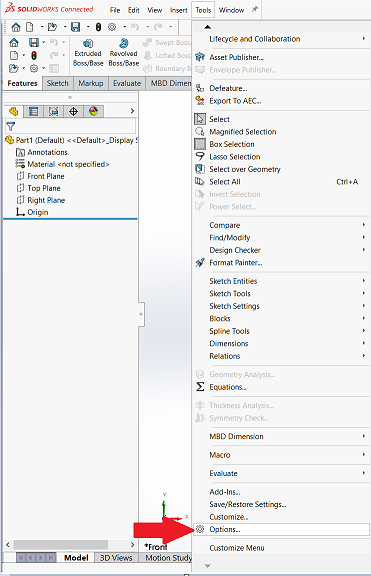
1. Go to Tools > Options > File location.
2. In the“Show folders for” list, click on“Symbol library file“.
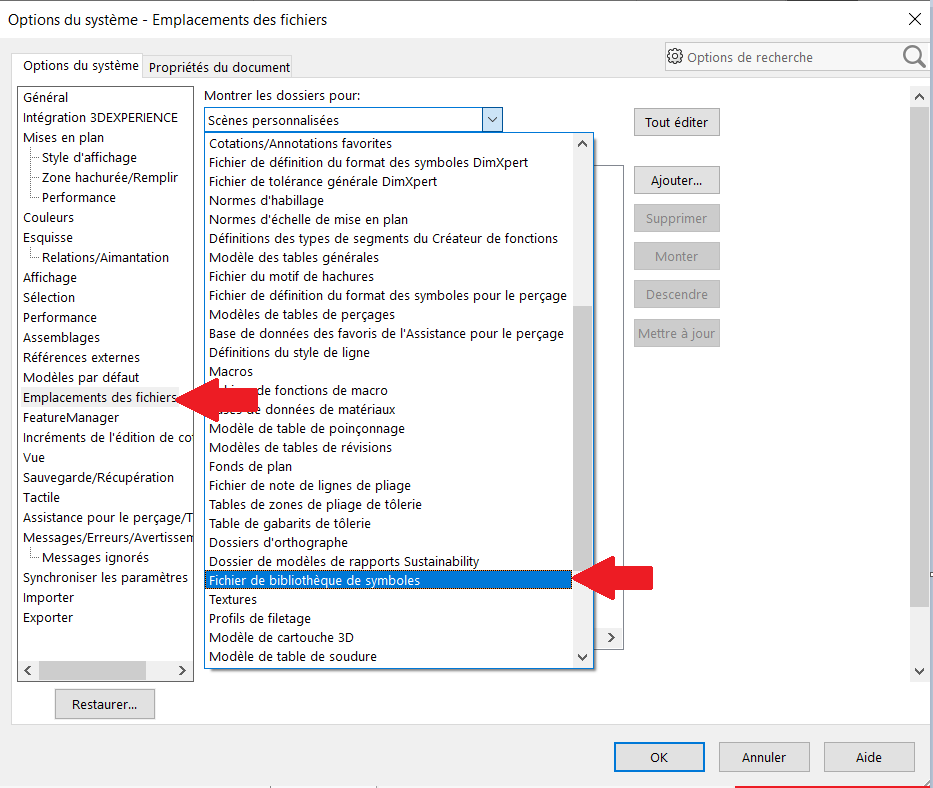
The default path is :
“C:\ProgramData\SOLIDWORKS\SOLIDWORKS [20XX]\lang\french”
If the path refers to the previous software version (2023), the folder path must be updated to refer to the current version (2024).
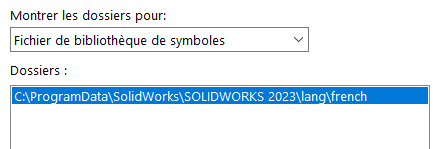 Here, for example, replace “2023” with “2024
3. To do this, click on“Edit all“, scroll down to“Library files” of symbols and then in the“New path” column, replace 2023 with 2024.
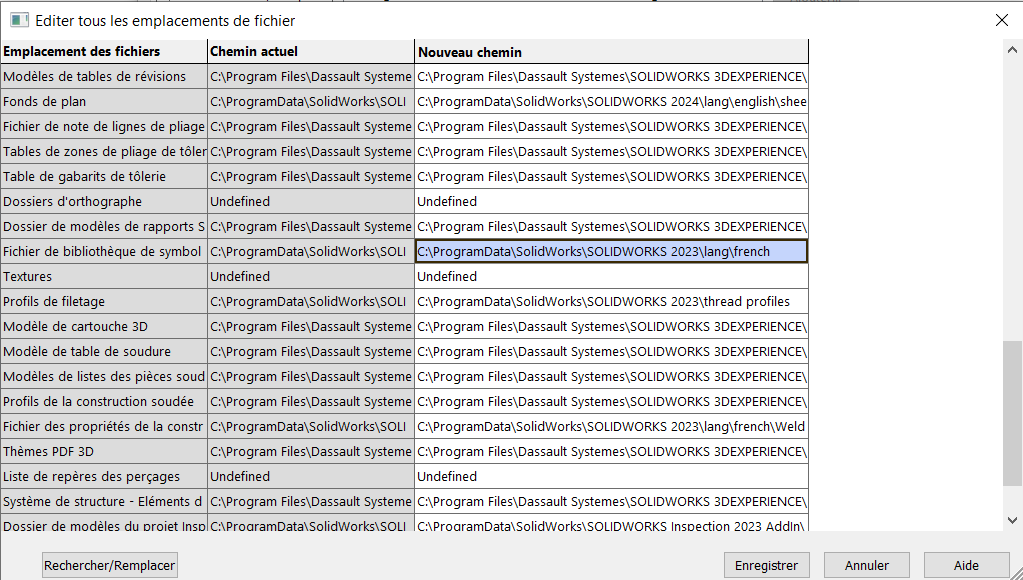
4. Copy and paste the new path into Windows Explorer and check that the file gtol.sym exists.
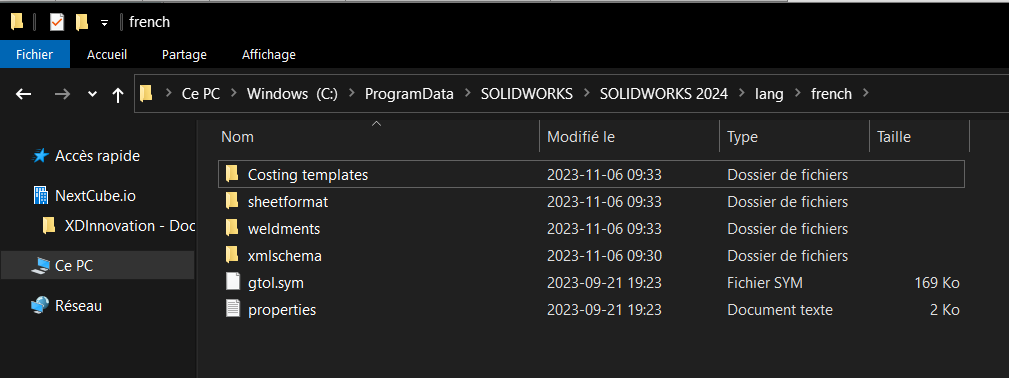
5. If you suspect that the file may have been corrupted, or is missing, replace it with this one: gtol.sym
Not working? Send an e-mail to support@xdinnovation.eu
post tags :
solidworks online
Solidworks 3DEXPERIENCE
Solidworks for startups
industrial startup
SOLIDWORKS 2026 pricing
industrial
startup
associative
solidworks legal
solidworks hacking
free licenses
subscriber
lium
solidworks
incubator
drafter
cloud
technical support
catia
CATIA V5
heavy-duty assemblies
solidworks design 2026
Solidworks cloud




