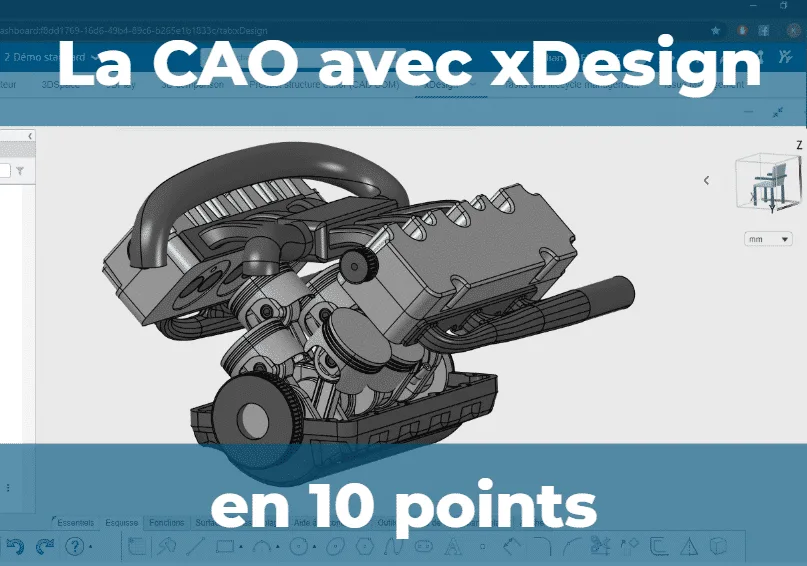
XDesign is an app for CAD 100% Cloud of the platform 3DEXPERIENCE ®. It allows users to create 3D parts and assemblies using a redesigned navigation interface, and includes features for 3D printing and collaborative work.
- xDesign is the 100 % cloud-based CAD application in the 3DEXPERIENCE platform, accessible via a web browser with no installation required.
- Redesigned interface: smart menus, automatic dimensions and constraints, faster design and assembly.
- Opens and edits CATIA V5 parts / SOLIDWORKS imported, and prepares them for 3D printing (STL export).
- Flexible subscription; data stored in Dassault Systèmes' secure data centers (ISO 27001).
Here are 10 key points for presenting this tool. .
The xDesign app is 100% Cloud and opens directly in a web browser (Chrome, Mozilla, Safari, etc.). No installation is required, so you can use CAD on any device: PC, Mac, tablet, smartphone, etc.
View, edit, and measure directly on a 3D model on the road or in the field
The interface has been redesigned to be more intuitive and to allow for a faster navigation and of limit the number of mouse clicks. It includes the design tree and the design tool panel, just like in CATIA V5 or SOLIDWORKS, which is a presentation we're all familiar with. It now includes:
- Smart menus that suggest the most likely functions to use based on the context of the click
- Simple keyboard shortcuts
- Smart Quotes
Assembling multiple parts or assemblies does not has never been easier: Constraints are intuitive to create and are defined by the type of mechanical connection (pivot, ball joint, slide, etc.).
Assembly animations are provided based on the degrees of freedom.
Editing in context: Directly from the top-level assembly, you can edit or even create a part in my assembly. xDesign has a tool for modify certain functions of native parts CATIA V5 or SOLIDWORKS files that have been imported. The native features cannot be modified, but the tool allows you to change dimensions, increase or decrease diameters, etc.
Files created in xDesign open in CATIA V5 and SOLIDWORKS but will consist of dumb solids. It is recommended to use CATIA 3DEXPERIENCE, which opens xDesign files natively.
Let the tool guide you geometry optimization xDesign helps you optimize the weight of your parts. Based on the imposed constraints, boundary conditions, etc., xDesign generates the most suitable shape for your part.
This form is then used as visual guide for the design process. This saves material and weight, as well as design and manufacturing time. Right within xDesign, you can prepare your 3D print by visualizing the draft angles and supports, and then exporting to the STL format.
You can also send your entry directly to the MarketPlace, the directory of partner manufacturers, and get quotes
xDesign is fully integrated into the platform and interacts seamlessly with the other available tools on the platform: tasks, file lifecycle, shared files, generative design tools, CATIA 3DEXPERIENCE…
Data is stored in the cloud, and you decide who has access to it and who doesn't. Invite and manage the members you want to work with based on three levels of access: read-only, edit, and admin.
You can also Share your CAD file worldwide; people will be able to view the model without paying anything or installing anything, even on the go.
Working in the 3DEXPERIENCE® platform also means taking advantage of tools for collaboration(tasks, workspaces, forums, GANTT charts, etc.)
You don't need to buy a license to get xDesign. Subscribe for as long as you like, a few months or several years, use it, and then cancel your subscription.
This flexibility will allow you to respond to temporary needs(intern, need to work remotely, travel, etc.). You can start and stop whenever you want!
With xDesign, data is stored on the 3DEXPERIENCE® platform and, therefore, in Dassault Systèmes’ secure data centers. These servers are the most secure in Europe(ISO 27001), are stable and monitored 24/7.
Using 3DEXPERIENCE® means keeping your data secure and ensuring that your tools are always up to date.
More information at this link.The xDesign app marks a new milestone in the Dassault Systèmes product line with a 3D CAD tool that is entirely cloud-based. This tool is simple yet comprehensive and available without any installation, from any device and from anywhere. It meets temporary needs or CAD requirements for remote work, without the need to use a VPN or carry your workstation with you.
Working in the cloud eliminates the costs associated with server infrastructure and its management, and allows you to take advantage of all the collaboration tools available on the 3DEXPERIENCE® platform
Frequently asked Questions
What is xDesign?
A 100 % cloud-based CAD application from the 3DEXPERIENCE platform that opens directly in a browser without requiring installation, on a PC, Mac, tablet, or smartphone.
Should I install xDesign?
No. It runs entirely online in a web browser (Chrome, Firefox, Safari) on any device.
Does xDesign open SOLIDWORKS and CATIA files?
Yes. It opens and allows you to edit certain dimensions of imported CATIA V5 or SOLIDWORKS parts. Its files also open natively in CATIA 3DEXPERIENCE.
Do I need to purchase a license for xDesign?
No. It’s a subscription-based service; you can use it for as long as you want, and then cancel your subscription. It’s ideal for temporary needs or remote work.