
- This process must be carried out by a single user on the same computer. It cannot be split between several users or several computers.
- The operation takes some time, from 20 minutes to several hours, depending on the number of files. Do not interrupt the process or use SOLIDWORKS during this time.
- We do not recommend importing all archived data. We recommend importing only your current projects. This will reduce loading time and avoid clogging up the platform unnecessarily.
Are you really going to use your 2018 project that you haven’t opened in 4 years?
1. File preparation
Before importing, we recommend that you evaluate your files for any problems that might prevent them from being saved. Go to“Tools“, then“File Preparation Wizard”.
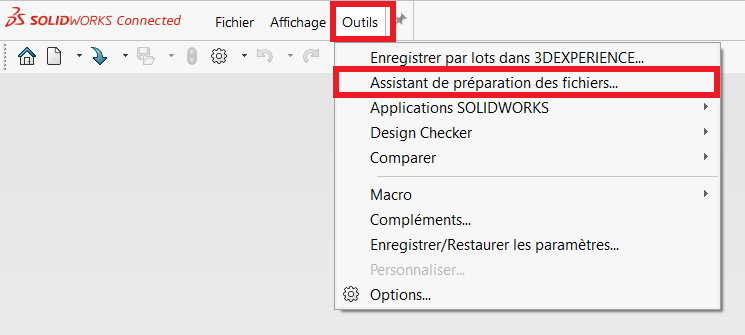
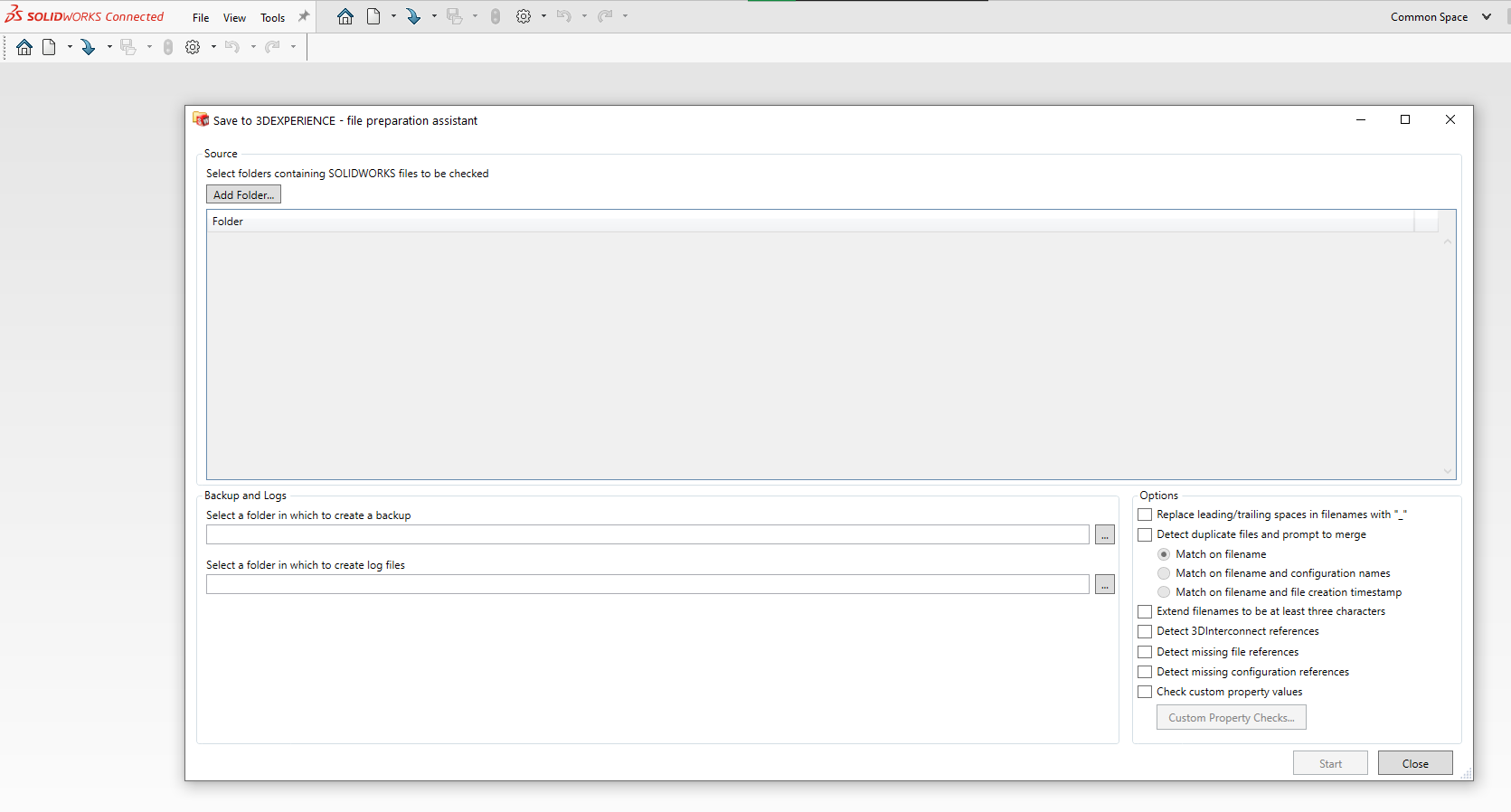
Add the folder containing your data, then check all the checkboxes.
Choose the location where the “evaluation report” will be generated.
The tool corrects any problems. Now you’re ready to start importing!
2. Saving files
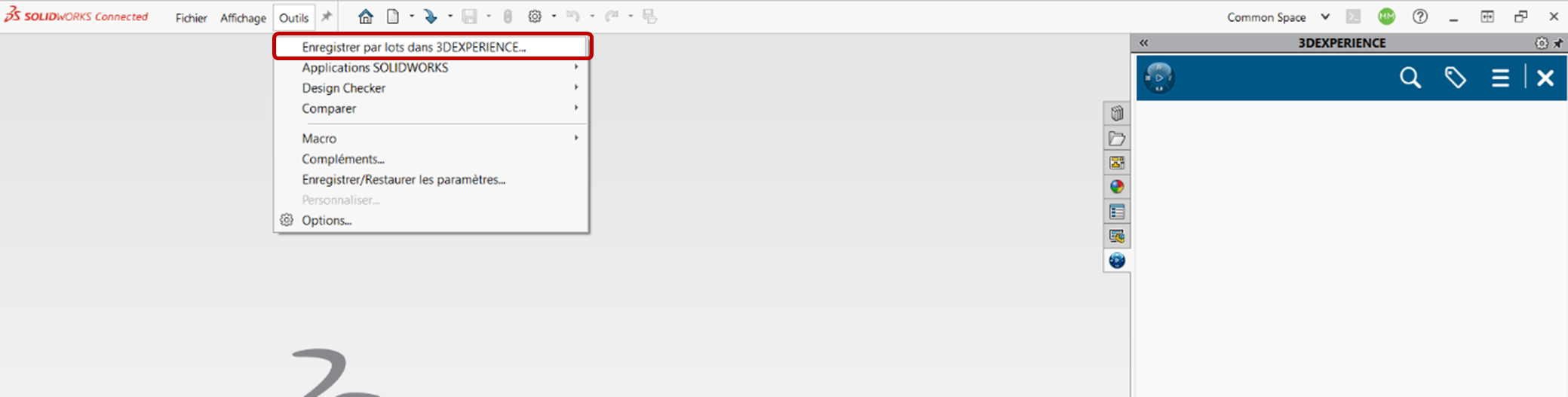
Go to ” Tools ” then ” Batch Recording “.
To use this add-on, you don’t need to have anything open in SOLIDWORKS.
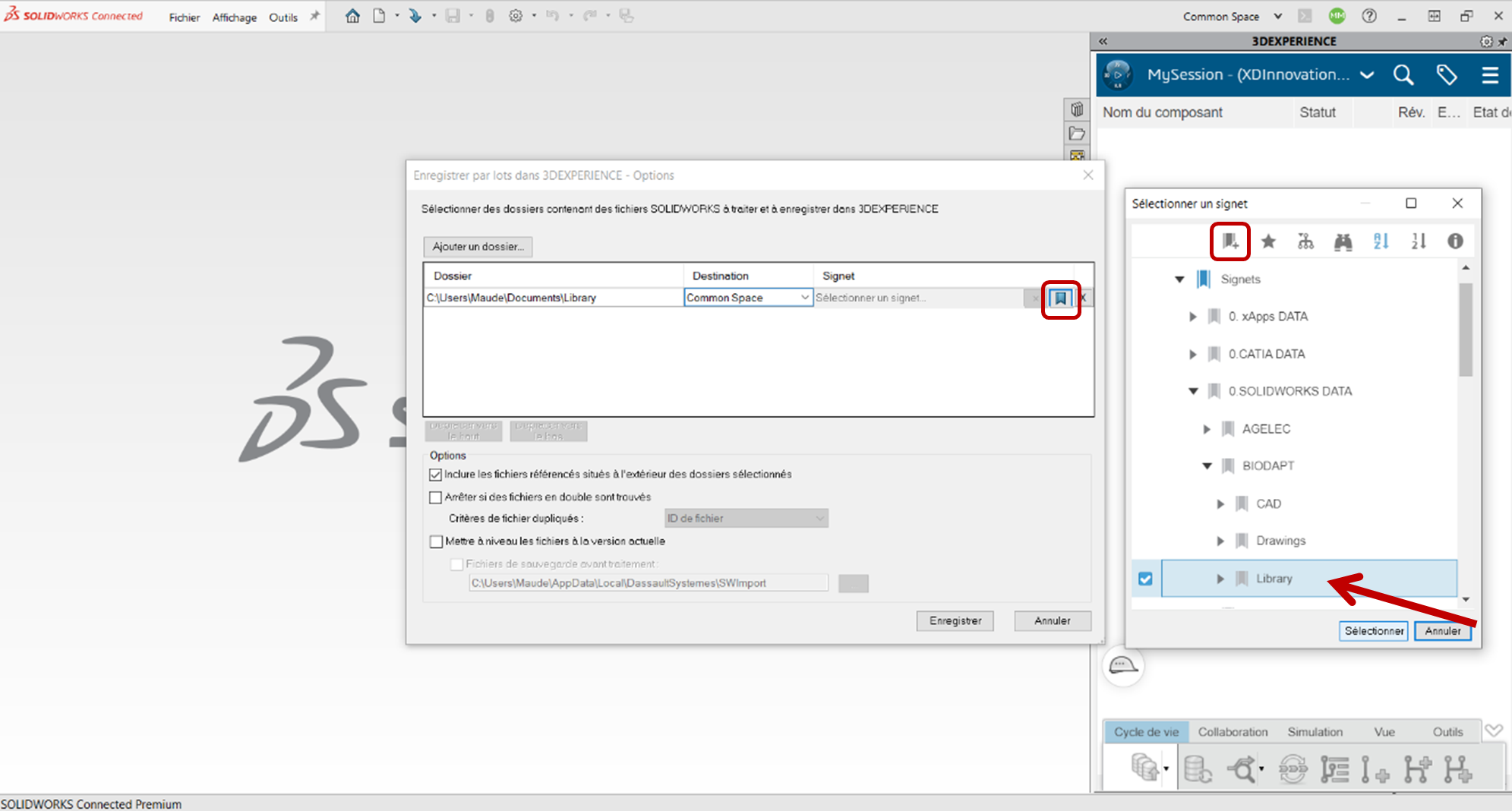
Click on ” Add a folder ” and select your library folder.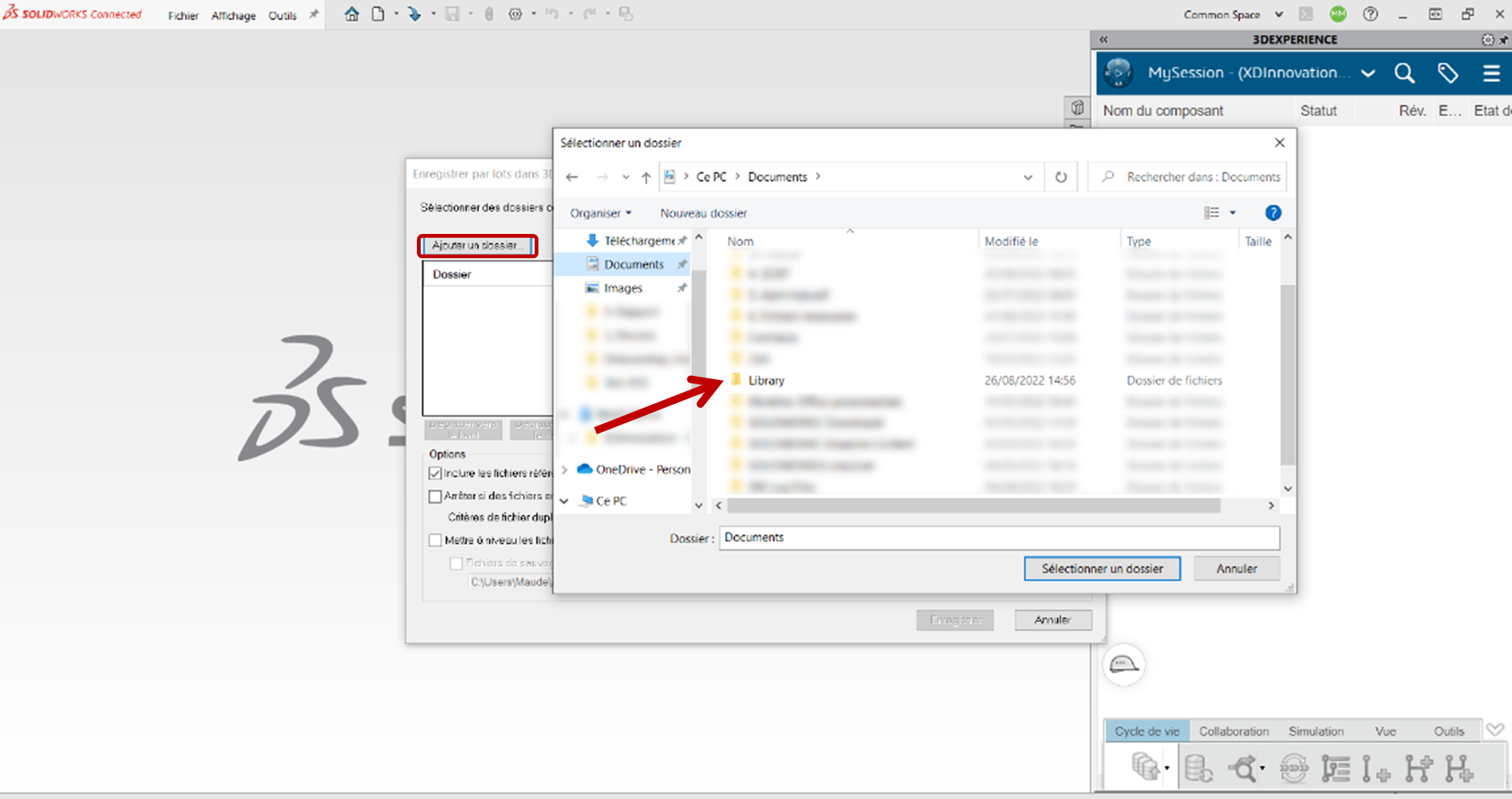
Choose the collaboration space. Except in special cases, this space remains the ” Common Space
Tip: It may be worthwhile to create a new “Library” public area.
3. Create destination location
Create bookmark (see tutorial) which will contain the library. Click on the bookmark icon and add a bookmark in the desired location. Sub-folders will be created automatically.
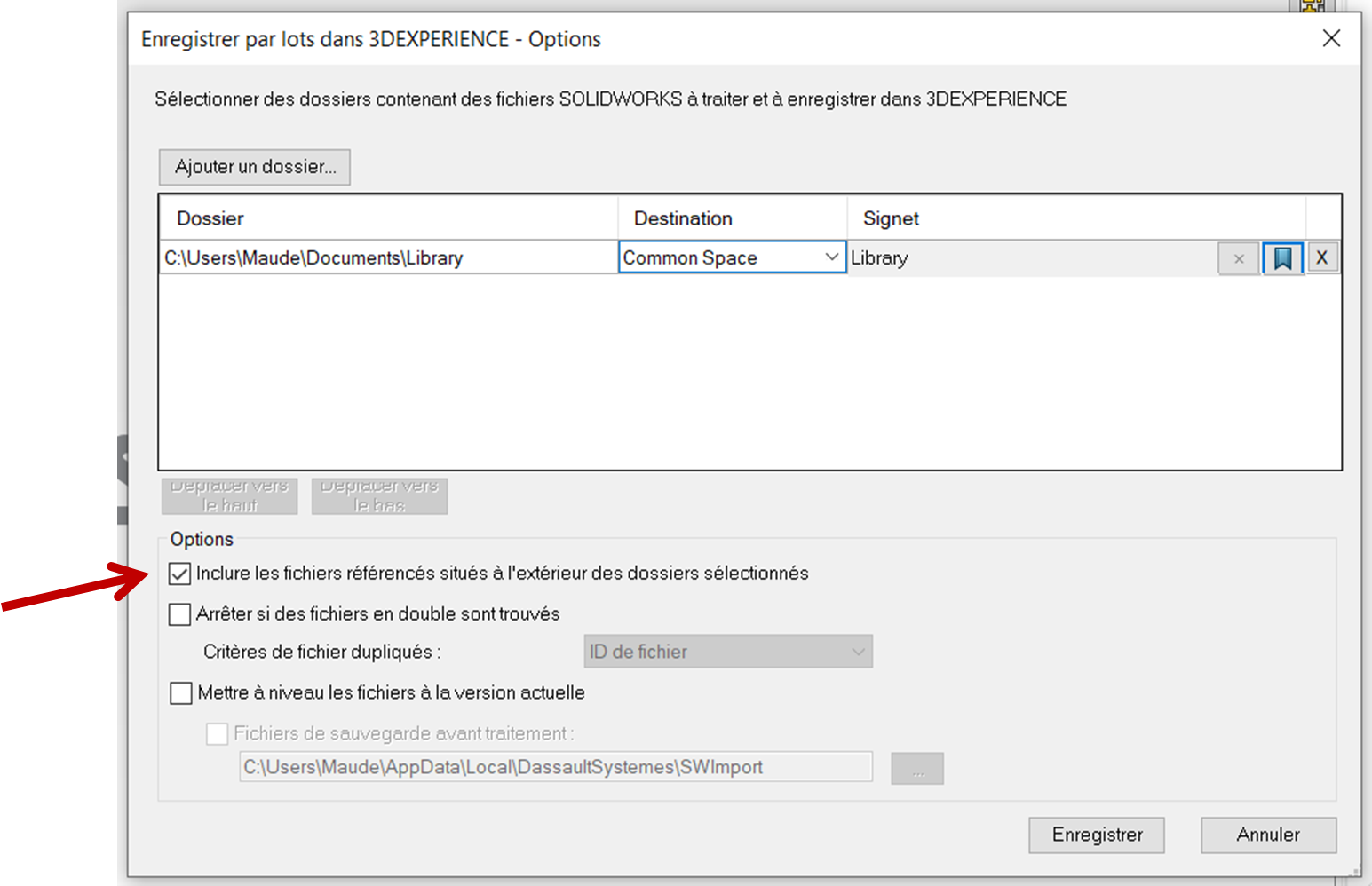
Check the ” Include referenced files outside selected folders ” option.
4. Launch import
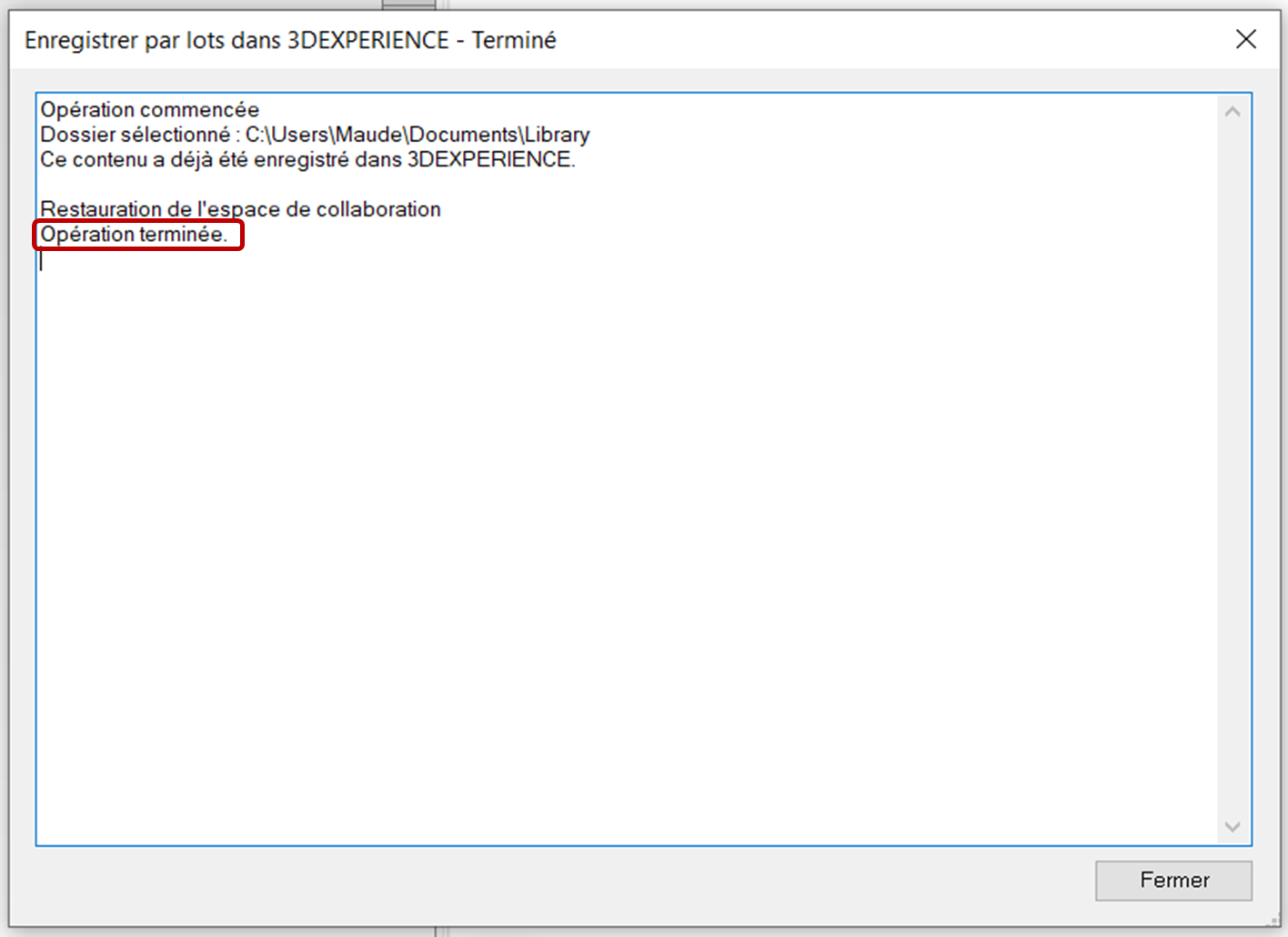
Start import. The operation takes some time, so wait until you see ” Operation completed ” before closing the window.
Tip: Make sure you have a stable Internet connection and enough RAM available.
And that’s all there is to it!
Need help or advice?
Don’t hesitate to call on us if you feel you need advice. The import stage is crucial in the deployment of 3DEXPERIENCE, and it’s also the most difficult.




