
What for?
Automatic CAD naming ensures file standardization, making them easier to manage and search.
Please note: once activated, automatic names apply to all platform members.
Step 1: Create the automatic name on the platform
In“Content naming rules” in“Platform Management“, define your automatic name according to the component to which you wish to apply it.
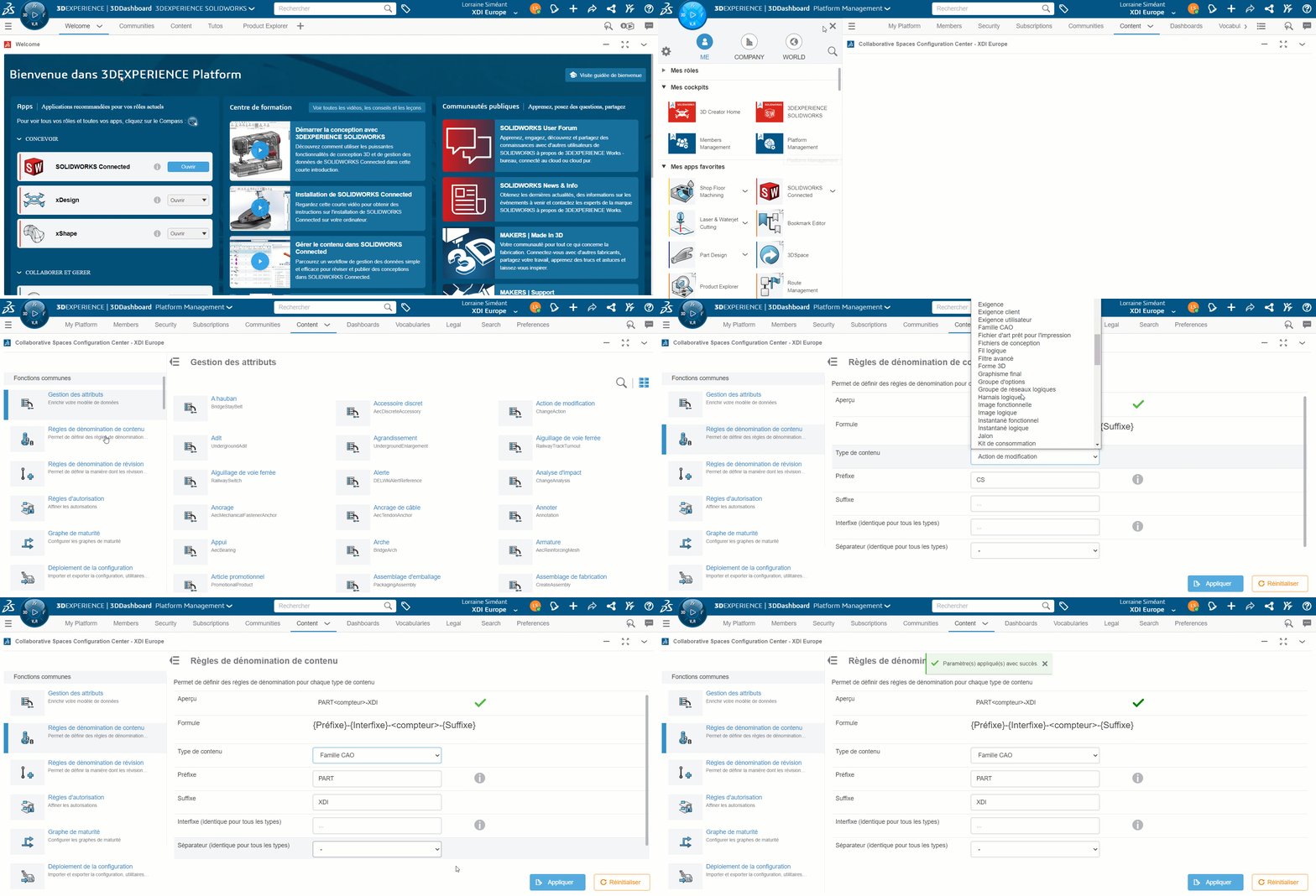
Note: define automatic names for each content type
- Parts and assemblies: “CAD family
- Layout: “Drawing
Step 2: Enable automatic item naming
Go to“CAD Collaboration” and activate the automatic name for SOLIDWORKS.
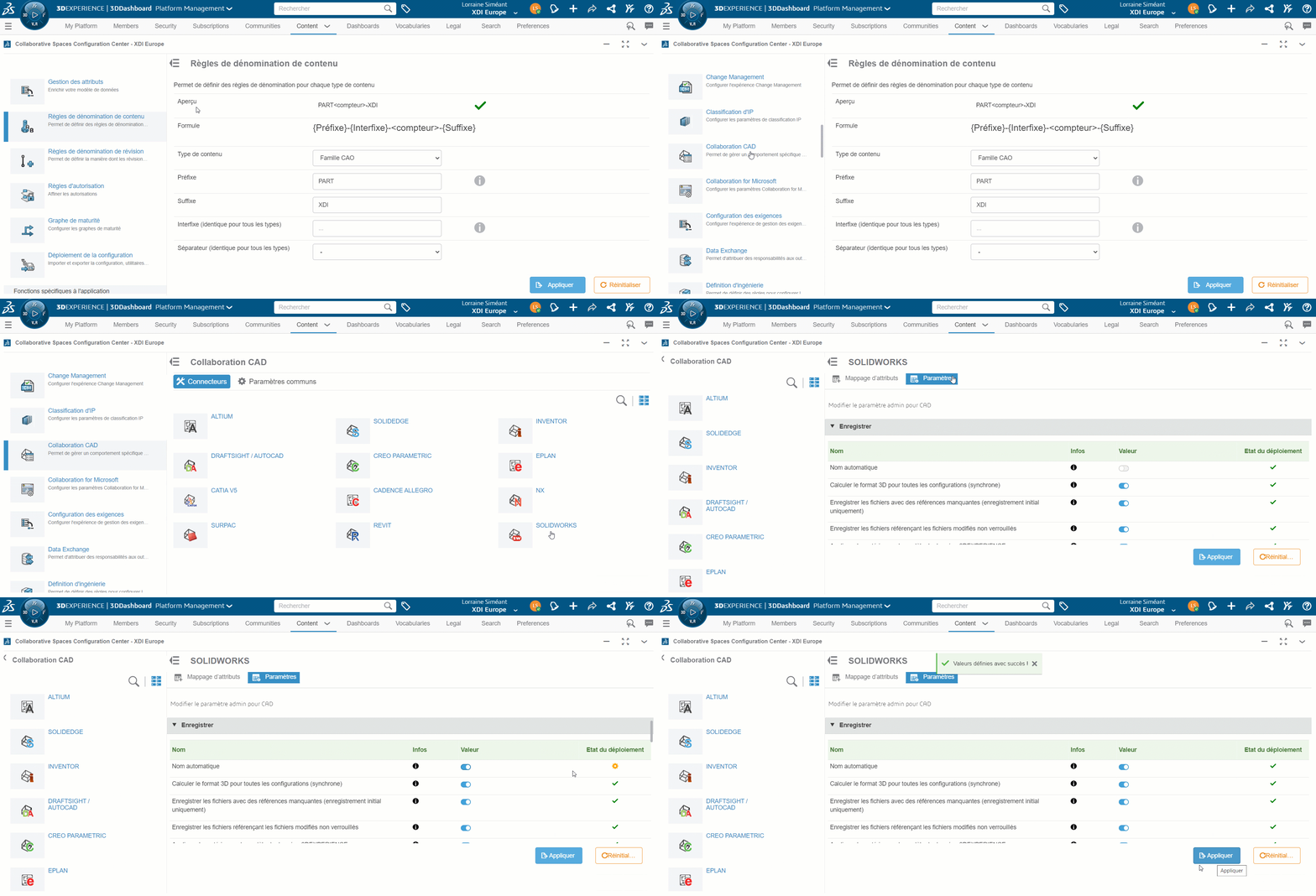
Step 3: Reload the cache
Go to“Deploy configuration” to reload the cache and ensure automatic naming in SOLIDWORKS.
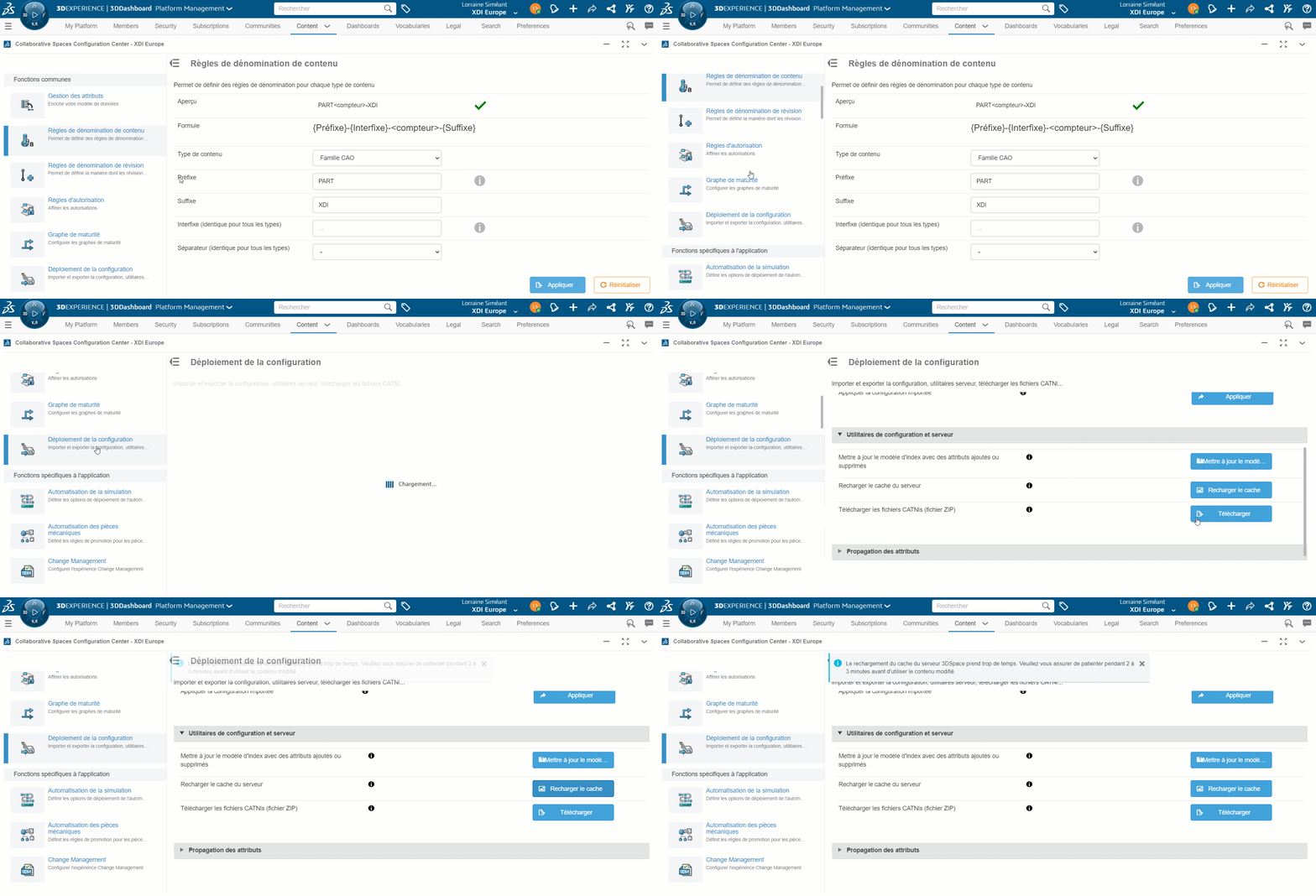
Step 4: Standardize the counter for parts and their layout
By default, the counter is unique to each component type. This means that a part will not necessarily have the same name as the drawing associated with it, as the counter will be different.
To give the part and its drawing the same name, activate the corresponding option in the SOLIDWORKS“MySession” tab.
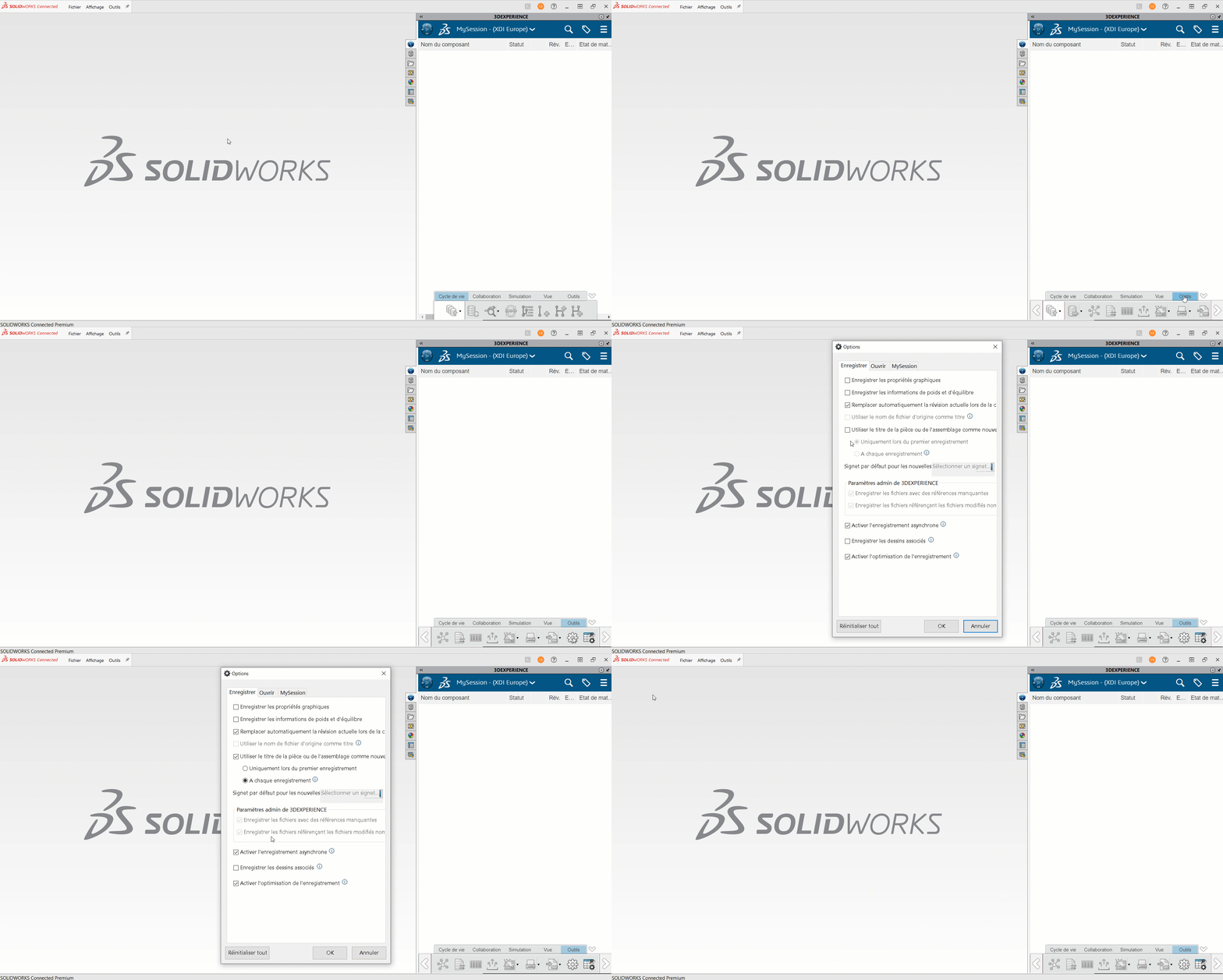
Conclusion
From now on, your 3D files will be named automatically, with no need for further modification.
Need help?




