
Introduction
The classic way of navigating between different applications on 3DEXPERIENCE is to use the compass to open them one by one. Admittedly, this is not optimal.
To avoid this repetitive process, you can create a Dashboard to streamline navigation on the platform and management of our files and folders.
Dashboard: we’ll be using this term throughout the article.
Create a Dashboard
Step 1: Create a Dashboard dedicated to your content :

This will create a new dashboard with an empty tab.
Step 2: Customize your dashboard with applications :
Important information:
– In this tutorial, we’re going to use the Bookmark application to manage our folders and content. Here’s an article on the basics of backup detailing the subject.
– On the applications tab (Compass), always select applications with an arrow in the top right-hand corner.
In the example below, we’ve added the Bookmark Editor application (folder management), 3DPlay (3D viewer) and the 3DSpace application for collaboration space management to the tab:
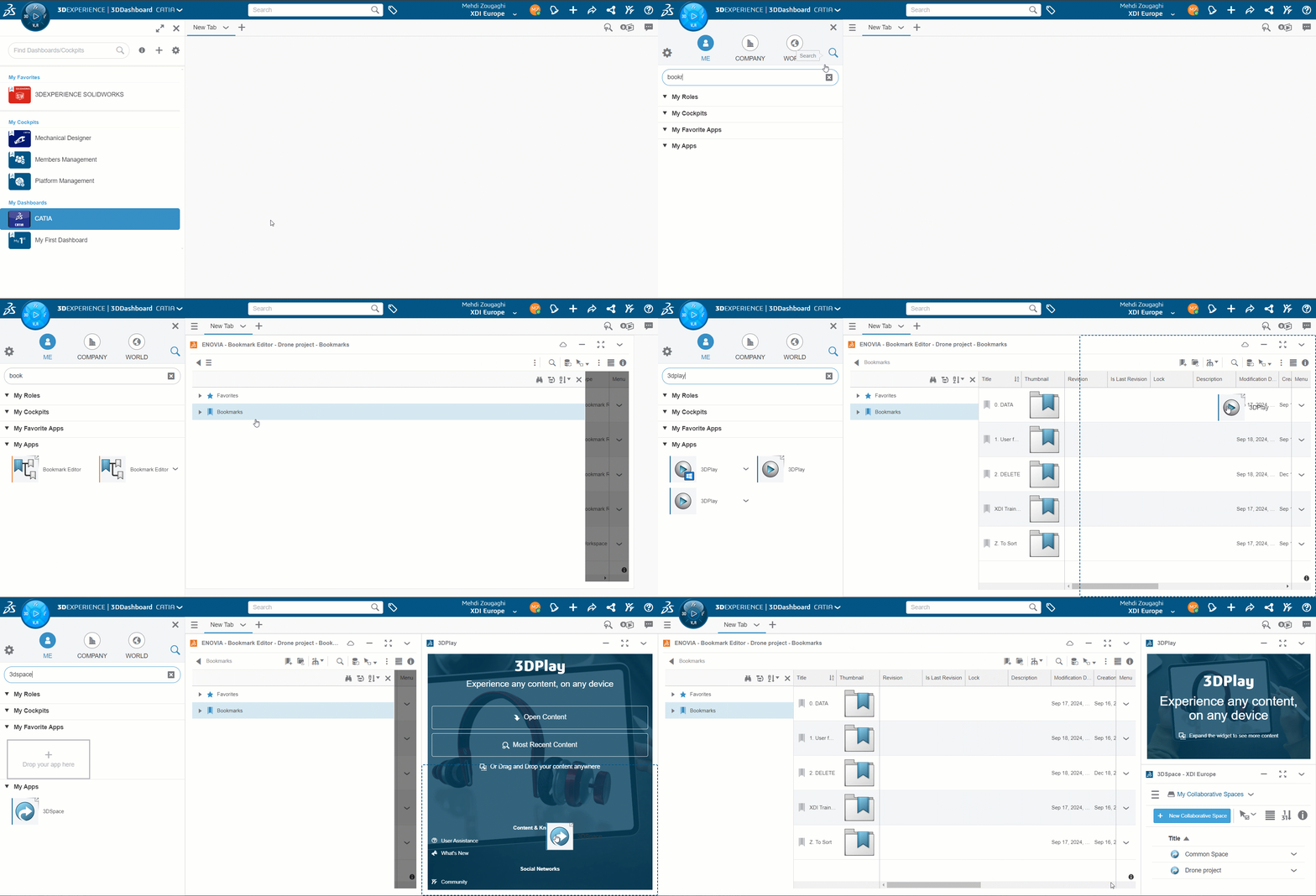
TIP: The “Fit” option allows applications to automatically fill the entire space of a tab.
The advantage of this is that you can take full advantage of drag & drop, with various applications able to interact with each other. Here’s an example with 3DPlay :

TIP: On a tab with several applications, if you want to display the entire tab, simply double-click on the title area:
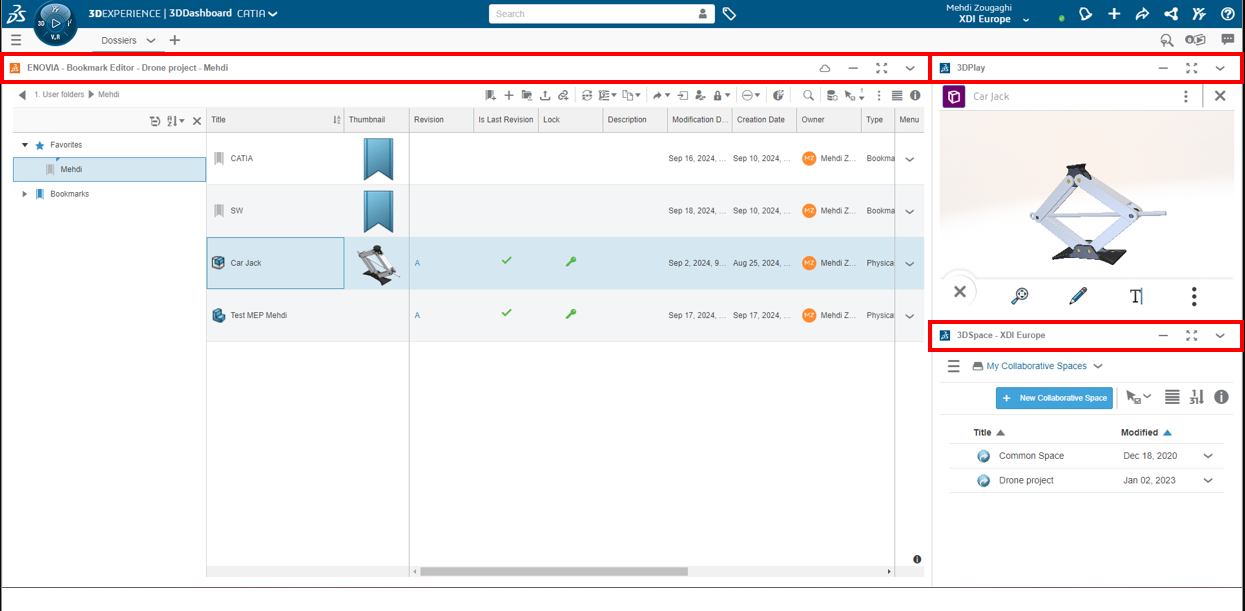
Don’t hesitate to experiment with different combinations of the applications you often use to make your work flow more smoothly!
Step 3: Share your dashboards on the platform :
Once the dashboard has been validated, it can be made accessible to all your colleagues on our platform. The video below shows where to find the tab for managing dashboard sharing.
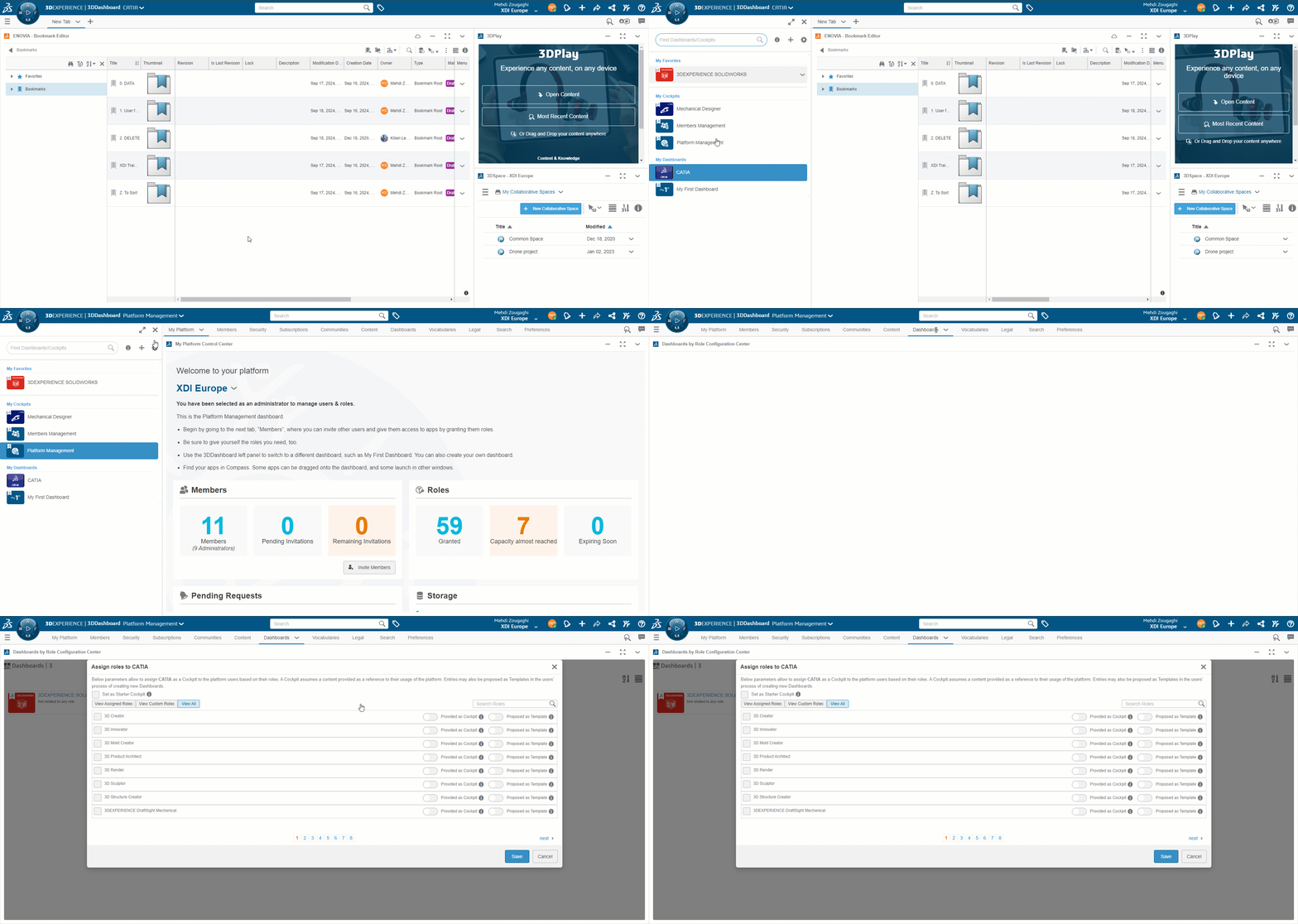
Once on this tab, you can choose whether to distribute your dashboard as a “cockpit” (a non-modifiable dashboard to guarantee uniformity between collaborators) or as a “template” (allowing a collaborator to create his or her own dashboard based on yours).
To take customization even further (when it’s all gone, well, it’s still there), you can share your dashboards only with collaborators who have specific roles on the platform.
For example, a dashboard dedicated to designers can only be shared with members who have the role of designer, etc.
You are now a stromae of dashboard creation and customization!
Need assistance? Send an e-mail to support@xdinnovation.eu




