Professional 3D design today demands much more than just modeling skills. Engineers and designers face growing challenges: effectively collaborating with dispersed teams, simulating complex behaviors before prototyping, and managing assemblies with thousands of components. The 3DEXPERIENCE platform and CATIA offer integrated solutions to transform these challenges into competitive advantages. This detailed guide will walk you through optimizing your workflows, from initial configuration to advanced techniques, including the innovations of the R2025x version that are revolutionizing eco-design.
Table of Contents
- Key takeaways
- Prepare your 3D design environment with 3DEXPERIENCE and CATIA
- Perform advanced modeling and manage complex assemblies in CATIA
- Optimize product simulation and collaboration on the 3DEXPERIENCE platform
- Leverage the new features of CATIA R2025x to innovate and integrate eco-design.
- Discover Ohmycad solutions for your 3D design with 3DEXPERIENCE and CATIA
- Frequently asked questions
Key takeaways
| Point | Details |
|---|---|
| Integrated collaboration | The 3DEXPERIENCE platform centralizes data and communications for effective real-time collaboration |
| Advanced modeling | CATIA excels in managing complex surfaces and assemblies with thousands of parts. |
| High-performance simulation | The integrated tools drastically reduce physical prototyping costs while accelerating validation. |
| Innovation R2025x | The new features strengthen eco-design from the initial project phases. |
| Optimization workflow | Precise strategies improve system performance and the productivity of design teams. |
Prepare your 3D design environment with 3DEXPERIENCE and CATIA
The success of your design projects relies on a methodical setup of your software environment. The 3DEXPERIENCE platform offers several essential modules depending on your specific needs. The CATIA Design module integrates parametric and surface modeling, while SIMULIA handles mechanical, thermal, and fluid analyses. ENOVIA ensures product lifecycle management and document traceability.
The initial setup of 3DEXPERIENCE CATIA requires special attention to system requirements. First, verify hardware compatibility: a recent multi-core processor, at least 32 GB of RAM for complex assemblies, and a certified graphics card with 8 GB of dedicated VRAM. At least 500 GB of disk space is required for project files and component libraries. A stable network connection ensures continuous access to cloud data and real-time synchronization.
Project organization is a fundamental pillar. Create a consistent folder structure from the start: separate source models, assemblies, simulations, and renderings. Define strict naming conventions to make searching easier and avoid duplicates. Collaboration facilitates centralized management of versions and changes, eliminating the risk of conflicts among contributors.
| 3D tool | Main function | Typical use case |
|---|---|---|
| CATIA Design | Parametric and surface modeling | Complex aerospace parts |
| SIMULIA | Mechanical and thermal analyses | Product behavior Validation |
| ENOVIA | Lifecycle management and data | Project modification traceability |
| DELMIA | Manufacturing Planning | Production process optimization |
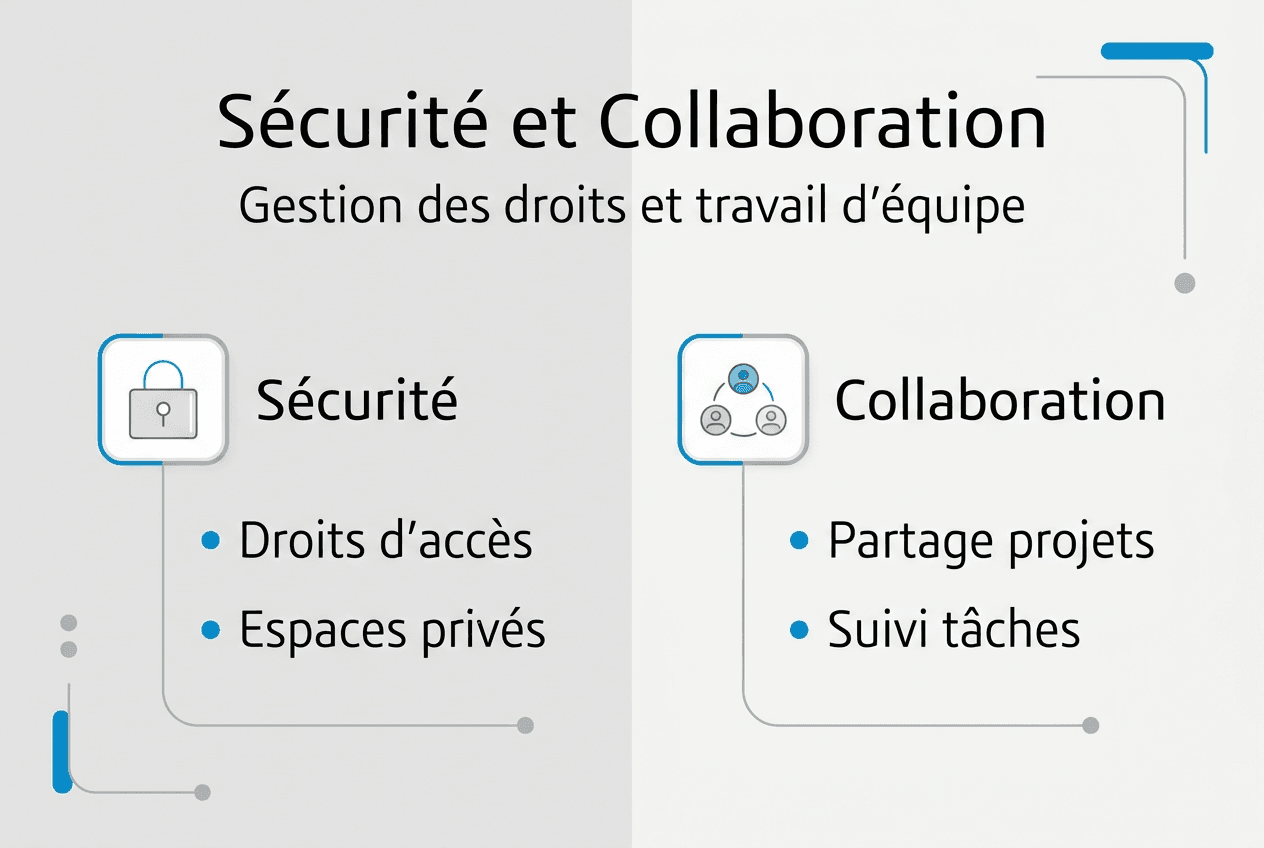
Data security requires strict configuration of access rights. Use secure collaborative spaces to share only relevant information with each team member. Enable multi-factor authentication to protect user accounts. Schedule daily automatic backups on redundant servers, with offsite copies for business continuity.
The most common configuration errors include failing to update graphics drivers, which can cause random crashes. Also check the Windows performance settings: disable indexing for large project folders and adjust virtual memory. Compatibility between CATIA and 3DEXPERIENCE versions must be verified before any migration, just as with the installation of SOLIDWORKS who follows similar principles.
Pro tip: Customize your 3DEXPERIENCE dashboards to display only the key metrics for your daily workflow. Group recurring tasks into dedicated widgets and set up alerts for key project milestones. This optimization reduces navigation time by 40% and improves responsiveness to urgent requests.
Perform advanced modeling and manage complex assemblies in CATIA
Modeling complex surfaces presents a major technical challenge in the aerospace, automotive, and naval sectors. NURBS surfaces offer the flexibility needed to create organic shapes while maintaining geometric continuity. CATIA excels in this area thanks to its advanced surfacing tools and automatic filleting algorithms. Managing constraints between adjacent surfaces ensures the watertightness of assemblies and the quality of downstream analyses.
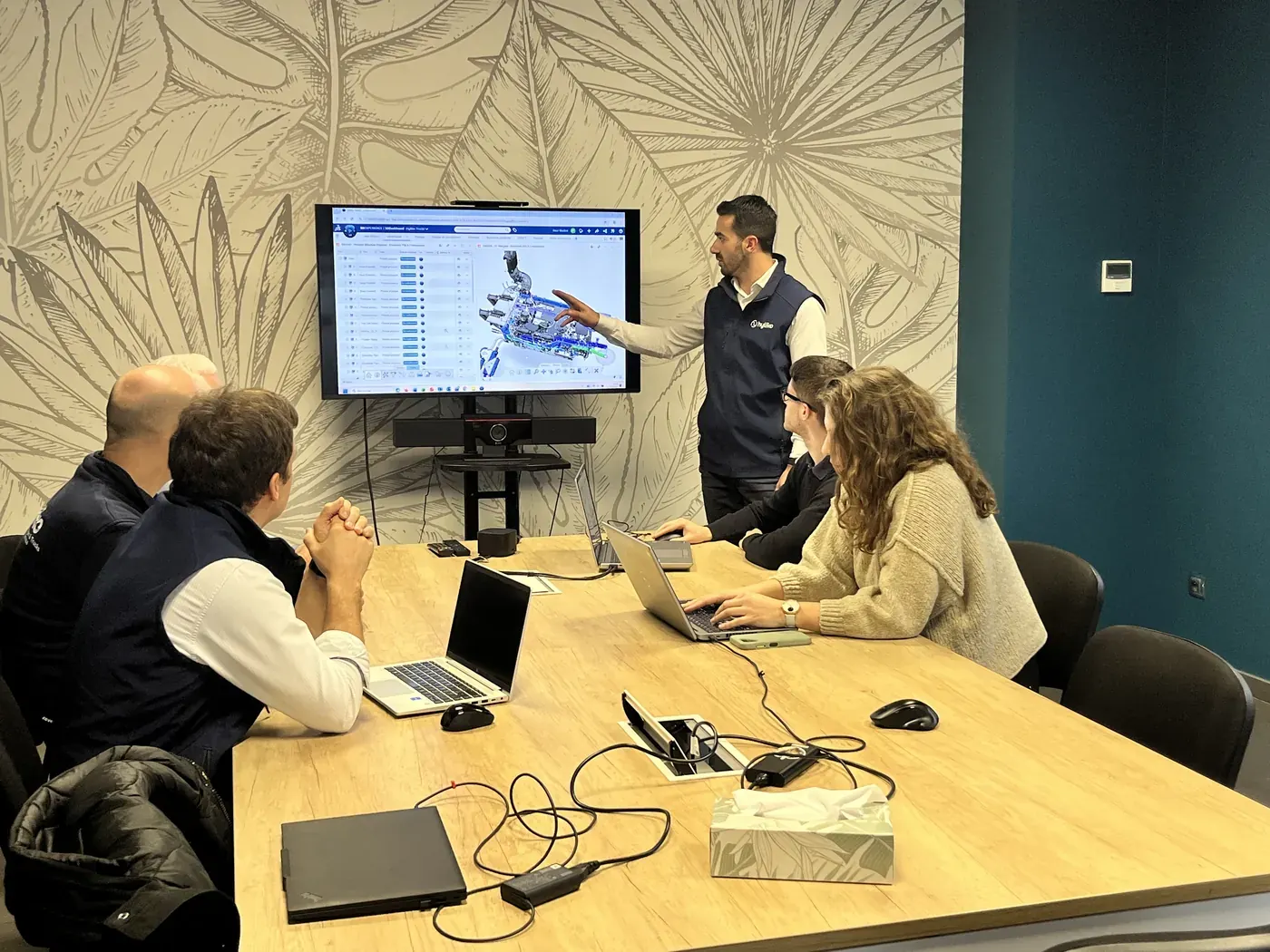
Large assemblies present specific performance challenges. A model with 5,000 parts can consume 16 GB of RAM and significantly slow down the display. The solution lies in the smart use of display modes: Simplified mode displays only essential outlines, reducing the graphics load by 70%. Cache mode keeps only the components visible in the active window in memory, freeing up resources for editing operations.
The creation of NURBS surfaces follows a proven methodology. Start by precisely defining the guiding curves, respecting tangencies at the junctions. Use the Multi-sections tool to generate the initial surface, then refine with local deformation functions. Systematically validate G2 continuity at the connections to avoid visual defects and machining issues. Curvature analysis immediately reveals problematic areas requiring adjustment.
Optimization practices prevent slowdowns and data corruption in CATIA V5. Regularly purge the construction history to reduce file sizes. Remove unused features and orphaned references that clutter memory. Outsource standard components to shared libraries rather than duplicating them in every assembly. This practice keeps load times under 30 seconds, even for large projects.
Good assembly management practices follow a hierarchical logic:
- Structure the build tree into logical sub-assemblies reflecting the actual product architecture
- Use robust positioning constraints that avoid circular dependencies that block updates
- Enable lightweight mode for unmodified components, reducing the memory load by 60%
- Create multiple configurations to manage product variations without duplicating source files
- Document the interfaces between sub-assemblies to facilitate collaborative work and future modifications.
- Validate geometric consistency after each major modification using interference detection tools.
Management of SOLIDWORKS complex assemblies share similar principles, although the interfaces differ. Simplification techniques apply universally: replace detailed parts with simplified envelopes in overall views. Use graphic rather than geometric representations for components far from the active work area.
Pro tip: CATIA V5's Light Mode loads only visible geometry without the full construction history. Always activate it for reference components that you will not modify during the session. This approach divides the opening time for assemblies of over 2000 parts by three and eliminates memory lockups on standard hardware configurations.
Regular data validation prevents costly downstream errors. Launch geometric quality analysis weekly to detect degenerate surfaces, small spurious edges, and microscopic holes. Check assembly tolerances with kinematic simulation tools before the prototyping phase. Export validation reports to track technical decisions and justify design choices to clients.
Optimize product simulation and collaboration on the 3DEXPERIENCE platform
The 3DEXPERIENCE platform integrates simulation capabilities that transform product development. Structural analyses verify mechanical strength under static and dynamic loads. Thermal simulations model heat transfer and identify critical hot spots. Fluid dynamics studies optimize aerodynamics and internal flows. This breadth covers 90% of industrial validation needs without the need for external tools.
Simulation reduces prototyping costs and improves product performance through integrated thermal, mechanical, and fluidic analyses. A physical prototype costs between €5,000 and €50,000 depending on its complexity, not to mention manufacturing lead times of 2 to 6 weeks. Virtual simulation reduces these costs by a factor of ten and shortens development cycles by 40%. Design iterations become virtually instantaneous, allowing for the exploration of dozens of variants in just a few days.
3DEXPERIENCE's collaborative features eliminate organizational silos. Secure workspaces bring together all project stakeholders: designers, analysts, quality managers, and external suppliers. Each person accesses relevant information according to their permissions, without risk of intellectual property leakage. Customizable dashboards display real-time progress: tasks in progress, milestones achieved, and key performance indicators.
| Type simulation | Product Application | Main benefit |
|---|---|---|
| Structural statics | Vehicle chassis | Resistance load validation |
| Modal dynamics | Vibrating equipment | Resonance prevention |
| Transient thermal | Embedded electronics | Heat dissipation management |
| External CFD | Automotive bodywork | Aerodynamic optimization |
| Cyclic fatigue | Aircraft parts | Lifetime prediction |
Real-time collaboration is transforming design reviews. No more endless email exchanges with manually versioned files. Annotations appear instantly on 3D models, visible to all participants. Decisions are automatically tracked with timestamps and contributor identification. This transparency speeds up problem resolution and reduces misunderstandings by 60%.
“Incorporating simulation from the earliest stages of design makes it possible to identify potential defects before the first prototype is built, saving millions of euros and months of development time on complex industrial projects.”
The key benefits of real-time collaboration include:
- A reduction of 50% in the time spent on coordination meetings thanks to automatic updates
- Eliminating version errors with a single authoritative repository
- Accelerating cross-departmental validations with automated workflows
- Improved regulatory traceability with full change history
- Facilitating new employee onboarding through centralized, accessible documentation.
3DEXPERIENCE social collaboration extends beyond the boundaries of the company. Bring your strategic suppliers into dedicated communities to co-develop critical components. Share technical specifications, simplified CAD models, and performance requirements. Suppliers propose improvements directly within the platform, creating a continuous innovation loop.
Parametric simulations leverage the power of cloud computing. Launch design of experiments with hundreds of geometric and material variations. Optimization algorithms automatically identify optimal configurations according to your criteria: minimum mass, maximum stiffness, reduced manufacturing cost. This systematic approach surpasses human intuition for exploring the design space.
Leverage the new features of CATIA R2025x to innovate and integrate eco-design.
The version R2025x offers innovation tools and eco-design that are transforming product development workflows. The redesigned user interface improves usability with smart context menus that anticipate the next commands. Graphics performance has improved by 35% thanks to optimizations in the rendering engine, making the handling of large assemblies smoother. Computation algorithms now fully leverage multi-core processors, cutting simulation times in half.
Eco-design is becoming a central pillar with modules dedicated to environmental analysis. Calculate the carbon footprint of your products from the design phase by integrating material data, manufacturing processes, and end-of-life scenarios. Instantly compare the impact of different choices: recycled aluminum versus composite, machining versus additive manufacturing, screwed versus welded assembly. These analyses guide decisions towards sustainable solutions without compromising technical performance.
Engineering workflows benefit from intelligent automation. Design assistants offer optimized solutions based on machine learning powered by thousands of successful projects. Automatic generation of technical documentation extracts views, dimensions, and bills of materials directly from 3D models, eliminating manual data entry that can lead to errors. Updates automatically propagate across all linked documents.
The construction sector particularly benefits from BIM improvements. Interoperability with IFC and Revit formats facilitates exchanges with architects and design offices. Building energy simulations are natively integrated into the structural design workflow. Life cycle analyses compare construction material variants based on their overall environmental impact, from transportation to demolition.
Benefits for efficiency and sustainability include:
- 25% reduction in design time thanks to automation and intelligent wizards
- 30% reduction in the product’s carbon footprint through material and process optimization
- Improving recyclability by 40% through modular design and the selection of appropriate materials
- Accelerating environmental regulatory compliance by 50% with automated reporting
- Strengthening brand image through concrete demonstration of commitment to sustainable development
Technological innovation goes hand in hand with environmental responsibility. Leading companies incorporate these principles from the very moment a customer need is identified. The benefits of CATIA for large-scale projects are further enhanced with R2025x, positioning users at the forefront of sustainable design. Benchmarking tools enable users to precisely quantify environmental benefits and communicate effectively with stakeholders.
Training on new features requires a moderate initial investment. Dassault Systèmes offers progressive learning paths with interactive modules and practical projects. Teams become operational on essential functions within two weeks, then deepen advanced capabilities according to their specific needs. The return on investment appears from the very first projects thanks to productivity gains and reduced iterations.
Discover Ohmycad solutions for your 3D design with 3DEXPERIENCE and CATIA
You have now mastered the fundamentals of advanced 3D design with 3DEXPERIENCE and CATIA. Moving from theory to practice requires expert guidance and solutions tailored to your specific projects. Ohmycad positions itself as your preferred partner for deploying these powerful technologies in your professional environment.
Our expertise covers the entire lifecycle of your projects: from selecting the optimal software configuration to day-to-day technical support. We offer customized training programs that accelerate your teams’ skill development in CAD na nuvem com 3DEXPERIENCE and the CATIA modules essential to your industry. Our certified consultants analyze your current workflows and identify concrete opportunities for optimization.
The cloud solutions we deploy guarantee maximum availability and enhanced security for your sensitive data. Test 3DEXPERIENCE CATIA in real-world conditions with our demo environments configured to your specific needs. Discover why CATIA large project software remains the preferred choice of industry leaders for their most complex developments.
Frequently asked questions
What are the main differences between CATIA and SOLIDWORKS?
CATIA excels in complex surface modeling and managing very large industrial assemblies, while SOLIDWORKS favors ease of use for standard mechanical design. CATIA is dominant in high-end aerospace and automotive, while SOLIDWORKS leads in SMEs and equipment manufacturers. The choice depends on the geometric complexity of your products and the size of your assemblies. 3DEXPERIENCE CATIA combines the strengths of both approaches in a unified platform.
How does 3DEXPERIENCE improve design collaboration?
The platform centralizes all project data in a single repository accessible in real time by all authorized employees. Changes appear instantly, eliminating version conflicts and endless emails. Secure collaborative spaces allow for the inclusion of external suppliers without compromising intellectual property. Automated workflows speed up approvals and maintain complete traceability of technical decisions.
What are the benefits of the R2025x version for eco-design?
R2025x includes environmental analysis modules that calculate the carbon footprint from the design stage. The tools automatically compare the impact of different materials and manufacturing processes. Simplified modular design improves the recyclability of products at the end of their life cycle. Regulatory compliance reports are generated automatically, accelerating environmental certifications. This approach reduces the environmental impact by 30% while maintaining technical performance.
What are common problems in CATIA modeling and their solutions?
Degenerate surfaces appear during poorly constrained connections; resolve them by systematically checking G2 continuity. Slow assemblies result from an excess of unnecessary details; activate the lightweight mode for unmodified components. Frequent crashes often indicate outdated graphics drivers or insufficient memory. Regularly purge the construction history and externalize standard components into shared libraries to maintain optimal performance.
What advice for getting started effectively with 3DEXPERIENCE?
Start with the modules essential to your job rather than exploring everything at once. Set up your personalized dashboards from day one to display only relevant indicators. Take official training courses that accelerate mastery of advanced features. Join user communities to share best practices and quickly resolve technical issues. Plan a phased migration, starting with a pilot project before deploying on a large scale.
Recommendation
- Cloud-Based Design with 3DEXPERIENCE! – Ohmycad | SOLIDWORKS Partner
- Use 3DEXPERIENCE! – Ohmycad | SOLIDWORKS Partner
- 1. Navigating 3DEXPERIENCE – Ohmycad | SOLIDWORKS Partner
- 2. Save to 3DEXPERIENCE – Ohmycad | SOLIDWORKS Partner