

TL;DR:
- The 3D configurator optimizes design, validation, and export for industrial SMEs.
- It increases sales productivity, reduces errors, and speeds up the sales cycle.
- Organizational integration and training are key to fully leveraging its benefits.
It is often assumed that a 3D configurator is merely a visual gimmick reserved for large companies with massive budgets. This misconception is costly for industrial SMEs. In reality, this tool profoundly transforms the product development chain: it reduces errors, accelerates sales cycles, and showcases your teams’ expertise. In this article, we will explain exactly what a 3D configurator is, why it delivers measurable gains, and how to integrate it effectively into your organization, regardless of its size.
Table of contents
- Definition and principles of a 3D configurator
- Strategic benefits for industry
- Key industrial uses of 3D configurators
- How to integrate a 3D configurator into your process
- What experts often overlook about configured 3D
- Accelerate your CAD projects with Ohmycad support
- Frequently asked questions about 3D configurators
Key Points
| Point | Details |
|---|---|
| Essential definition | A 3D configurator enables you to create, visualize, and validate a customizable industrial product in real time. |
| Impact on productivity | Its integration increases sales productivity, speeds up the sales cycle, and reduces errors. |
| Industry benefits | Automotive, mechanical engineering, and custom manufacturing benefit greatly from 3D configurators. |
| Key to successful integration | Choosing the right software and change management support ensure the tool’s success. |
Definition and principles of a 3D configurator
A 3D configurator is a software tool that allows a user to customize a product in real time, directly within an interactive three-dimensional environment. In practical terms, you adjust parameters (dimensions, materials, assemblies), and the model updates instantly before your eyes. This is not a simple animation: it is a business rules engine coupled with a rendering engine.
What sets it apart from a simple viewer is its deep integration with CAD software. Types of 3D visualization vary considerably depending on the context, but the configurator goes further: it communicates directly with platforms such as CATIA, Autodesk Fusion, or Inventor to generate exportable models that can be used in production. As the industry confirms, 3D configurators generate exportable models and validate mechanical constraints in real time.
The main functions of a 3D configurator include:
- Real-time manipulation: the user immediately sees the impact of each change on the model.
- Automatic mechanical validation: design rules prevent impossible or incompatible configurations.
- Automated export: files (drawings, bills of materials, quotes) are generated without manual re-entry.
- Connection to ERP or CRM tools: some solutions integrate directly into the sales chain.
Let us take a concrete example. An SME that manufactures custom electrical cabinets can integrate a 3D configurator into its quoting process. The sales representative selects the components, the configurator checks space constraints, and automatically generates the drawing and parts list. What used to take two days can be done in under an hour.
“A well-integrated 3D configurator does not replace the engineer: it frees up time for what truly requires their expertise.”
That is precisely where the tool’s strategic value lies. It does not automate creativity; it eliminates repetitive, low-value-added tasks.
Strategic benefits for industry
Now that the principle is clear, let us look at the numbers. The results observed in companies that deploy a 3D configurator are significant and consistent across sectors.
According to available industry benchmarks, companies using a 3D configurator see a 35% increase in engagement time, a 20% to 40% improvement in conversion rate, and a 38% increase in sales productivity. In addition, there is a clear reduction in order errors and an ROI that is generally positive from the first year.
| Indicator | Before configurator | After configurator |
|---|---|---|
| Quoting time | 2 to 5 days | Less than 2 hours |
| Order error rate | High | Reduced by 60% to 80% |
| Conversion rate | Baseline | +20% to 40% |
| Sales productivity | Baseline | +38% |
| Customer satisfaction | Variable | Significantly improved |
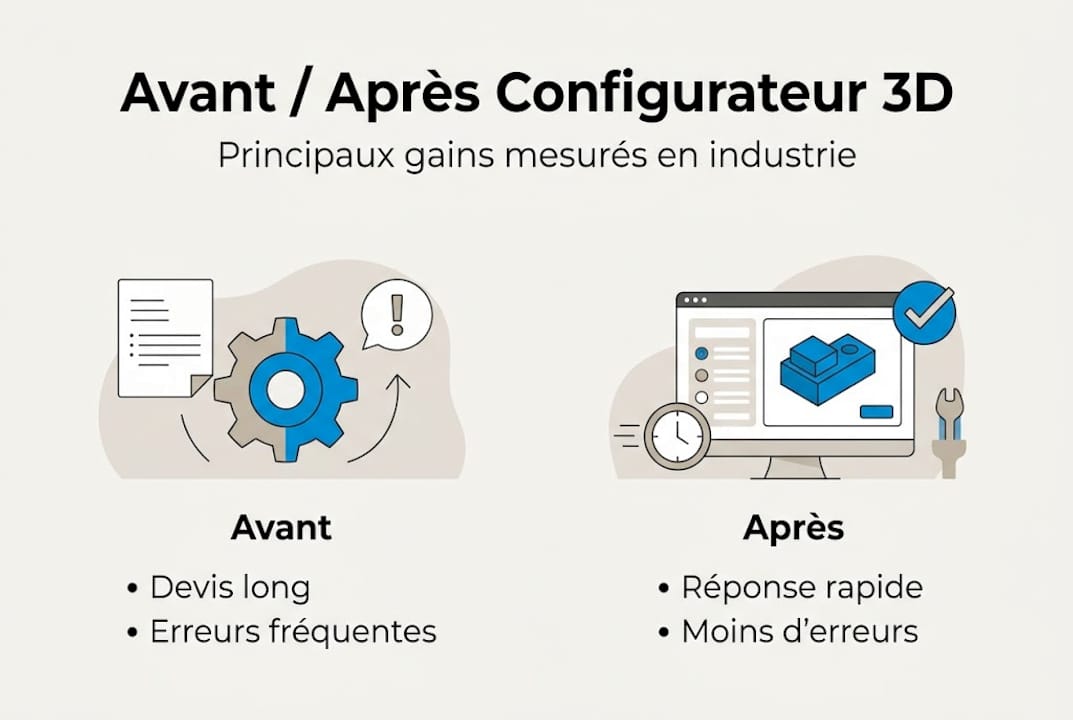
These figures are not theoretical. They reflect what sales and technical teams experience every day. A customer who can see their product in 3D, modify it live, and receive an immediate quote is a customer who decides faster and comes back.
The effect on the customer relationship is often underestimated. The configurator becomes a co-design tool: you involve your customer in the product definition process, which reduces back-and-forth and strengthens trust. For SMEs looking to master 3DEXPERIENCE, this collaborative dynamic is already at the heart of the platform’s philosophy.
Pro tip: To identify where gains will be fastest in your company, map your current bottlenecks. If quoting or technical validation takes up more than 20% of your teams’ time, a 3D configurator is probably your best short-term investment.
Key industrial uses of 3D configurators
The quantified benefits are compelling, but how do they translate in practice? Here are the most common uses in industry.
The sectors that benefit most from 3D configurators are:
- Automotive industry: option customization, assembly validation, reduction of physical prototypes.
- Machine tools: configuration of custom equipment with validation of kinematic constraints.
- Furniture and interior fit-out: instant visualization for end customers.
- Steel construction: stairs, frameworks, guardrails with automatic drawing calculations.
- Electrical engineering: electrical cabinets and distribution boards configured to standards.
In each of these contexts, configurators validate mechanical constraints in real time, preventing costly errors during manufacturing. A striking example: the application available on the Blacksmith custom staircase configurator perfectly illustrates how a manufacturer can offer customers a complete customization experience while maintaining control over technical constraints.
Key uses also include:
- Simulating complex mechanical assemblies before any manufacturing.
- Automatically generating bills of materials and execution drawings.
- Validating tolerances and interferences between parts.
- Integration into collaborative design processes, notably via platforms such as 3DEXPERIENCE.
For companies active in the automotive sector, automotive projects with 3DEXPERIENCE show how the platform facilitates the management of complex configurations at an industrial scale. The 3D configurator then becomes a link in a broader digital chain, connected to PLM (Product Lifecycle Management) and simulation tools.
3D visualization for CAD also plays a central role: an effective configurator relies on rendering modes suited to the context (real time, photorealistic, technical) to meet the needs of each stakeholder, from sales to engineering.
How to integrate a 3D configurator into your process
Let us now move to practicalities. How can an industrial SME deploy a 3D configurator without getting lost in technical complexity?
Integrating a configurator starts with choosing the right software (CATIA, Autodesk Fusion, Inventor, etc.) and validating constraints in real time from the parameterization phase. Here are the key steps:
- Define the need: which products or product families will be configured? Which business rules need to be encoded?
- Choose the software solution: native integration into your existing CAD, or a complementary solution?
- Set up the rules: this is the most technical phase, often underestimated in terms of workload.
- Train the teams: sales, technicians, and production managers must all master the tool at their level.
- Deploy and measure: define KPIs from the outset to assess return on investment.
| Criterion | Native integration | Complementary solution |
|---|---|---|
| Upfront cost | Higher | More affordable |
| Compatibility | Perfect | Depends on the API |
| Maintenance | Provided by the publisher | Depends on the service provider |
| Flexibility | Limited to CAD functions | Often more modular |
| Learning curve | In line with the tool | New interface to learn |
For companies looking to install CATIA in a business environment, we recommend validating in advance the compatibility of available licenses and modules before starting the configurator parameterization phase.
Pro tip: The classic pitfall during integration is migrating existing data. Older CAD models are not always parameterizable as-is. Always plan an audit and clean-up phase for your parts libraries before you begin. This upfront work will save you weeks later on.
What experts often overlook about configured 3D
Most guides on 3D configurators focus on technical aspects: software selection, format compatibility, rendering engine performance. That is useful. But that is not where real successes—or real failures—are determined.
In our experience supporting industrial SMEs, the complexity is not technical. It is organizational. Adopting a 3D configurator changes the working habits of sales teams, design offices, and sometimes production. If this transformation is not anticipated and supported, the tool remains underused.
Upskilling is essential, and not only for direct users. A sales manager who understands what the configurator can do for them will be a far more effective internal champion than training imposed from the top down. To optimize your CAD interface and get the most out of your tools, continuous training should be viewed as an ongoing investment, not a one-off cost.
Finally, let us be clear: the configurator does not replace know-how; it enhances it. This is an important nuance for convincing the most reluctant teams.
Accelerate your CAD projects with Ohmycad support
You now have a clear view of what a 3D configurator can bring to your business. The next step is to choose the right tools and be supported by experts who understand your on-the-ground realities.
At Ohmycad, we help industrial SMEs select and deploy the CAD solution best suited to their context. Start by consulting our guide on 3D visualization to choose the rendering modes best suited to your configurator. Also ensure that your workstation is based on SOLIDWORKS-certified hardware to guarantee optimal stability and performance. Contact our team for tailored support, from needs analysis through to full deployment.
Frequently asked questions about 3D configurators
What are the main advantages of a 3D configurator for an industrial SME?
A 3D configurator delivers a 38% increase in sales productivity, shortens the sales cycle, and significantly reduces the risk of order errors or product returns.
Does a 3D configurator require specialized software?
Yes, it integrates with CAD software such as CATIA, Autodesk Fusion, or Inventor to function properly and generate models that can be used in production.
Can it be used for product customization on a website?
Yes, 3D configurators are perfectly suited to online customization, as shown by the Blacksmith-Escalier configurator, which allows customers to define their custom staircase directly from their browser.
Which sectors benefit most from 3D configurators?
Automotive, machine tools, and custom manufacturing are among the largest industrial users of 3D configurators, thanks to the automatic validation of complex mechanical constraints.




