
you want to add your own library, or use piping elements. Problem: the “design library” folder doesn’t appear.
Expectations Vs Reality

SOLUTION :
Step 1: Make files visible in Windows Explorer
- Open Windows Explorer
- click on display
- click to show
- Show hidden elements
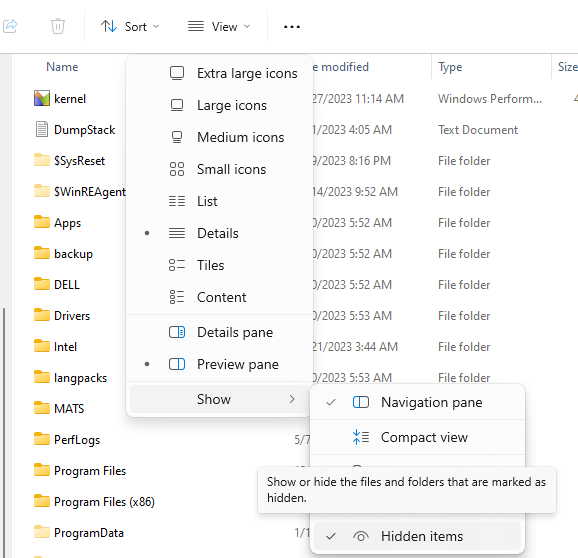
The aim is to display the “ProgramData” folder
Step 2: Add the folder to the design library
- Open SOLIDWORKS and click on options

- In the system options tab, click on file location
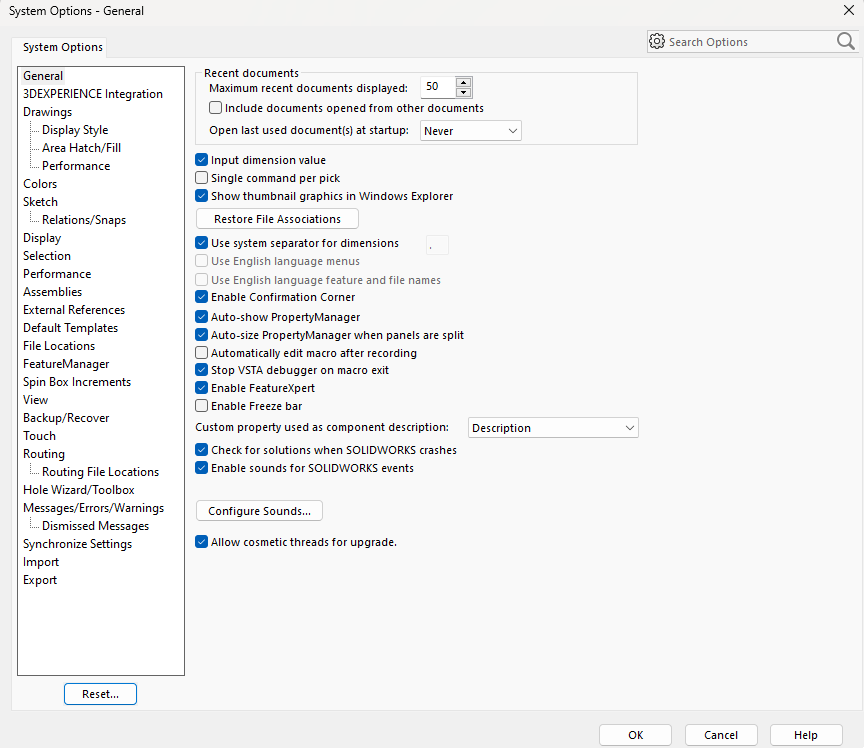
- Select “Design library” in the “Show folders for” section
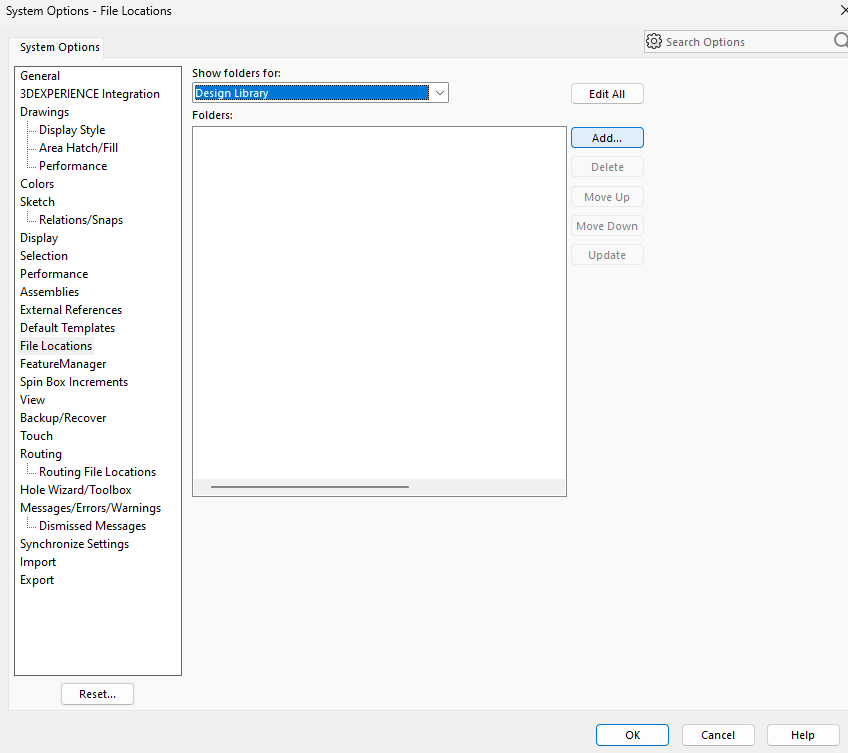
- Click on “add
- Select the folder “C:\ProgramData\SOLIDWORKS\SOLIDWORKS 2024\design library” and click on OK
- Validate all and close
post tags :
solidworks online
Solidworks 3DEXPERIENCE
Solidworks for startups
industrial startup
SOLIDWORKS 2026 pricing
industrial
startup
associative
solidworks legal
solidworks hacking
free licenses
subscriber
lium
solidworks
incubator
drafter
cloud
technical support
catia
CATIA V5
heavy-duty assemblies
solidworks design 2026
Solidworks cloud




