
Solidworks Cloud vs eDrawings: Which CAD solution for efficient collaboration?
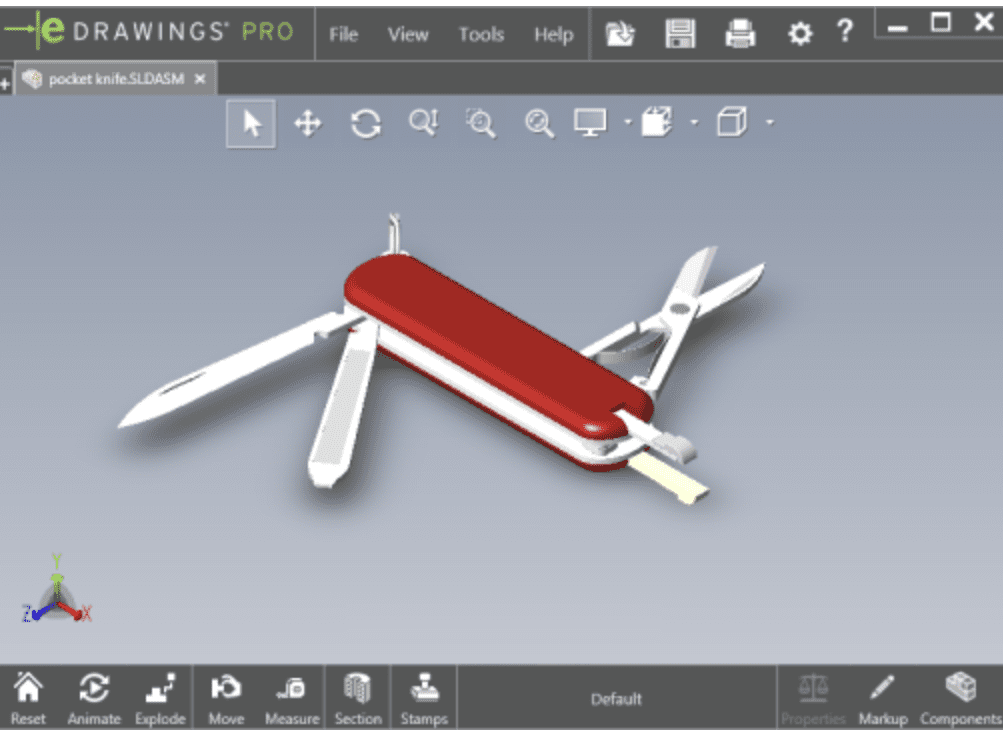
In the world of 3D design, eDrawings is often presented as a simple tool for viewing CAD files. Lightweight and accessible, it lets you view, rotate and annotate 3D models without the need for full-featured software such as Solidworks.
However, eDrawings remains a static tool. It doesn't allow you to collaborate effectively, or track changes in real time. It is useful for quick reviews, but insufficient for complex projects.
The limits of eDrawings
- No real-time collaboration
- No integration with simulation or manufacturing tools
- No cloud or mobile access
- No versioning or workflow management
👉 Optimize your Solidworks interface to go further.
Solidworks Cloud: the collaborative, scalable solution
Solidworks Cloud transforms the user experience by offering a collaborative platform, accessible from any device. It's the natural evolution of eDrawings, with advanced business functionalities.
- Real-time collaboration with annotations and comments
- Secure cloud access
- Integration with simulation, manufacturing and data management
- Workflow automation
- Mobile and multi-device consultation
🔗 Test Solidworks Cloud free for 7 days
Why switch to Solidworks Cloud for your CAD projects?
Design teams need a connected workspace capable of centralizing exchanges, validations and deliveries. Solidworks Cloud meets these needs with an agile, high-performance and scalable solution.
If you're still using eDrawings as your primary tool, it may be time to rethink your approach. The future of CAD is integrated, cloud-based and intelligent.
Visualizing is good. Collaborating, simulating and producing is better.
🔗 Discover Solidworks Cloud offers tailored to your business




