SOLIDWORKS Cloud vs. eDrawings: Which CAD Solution Is Best for Effective Collaboration?
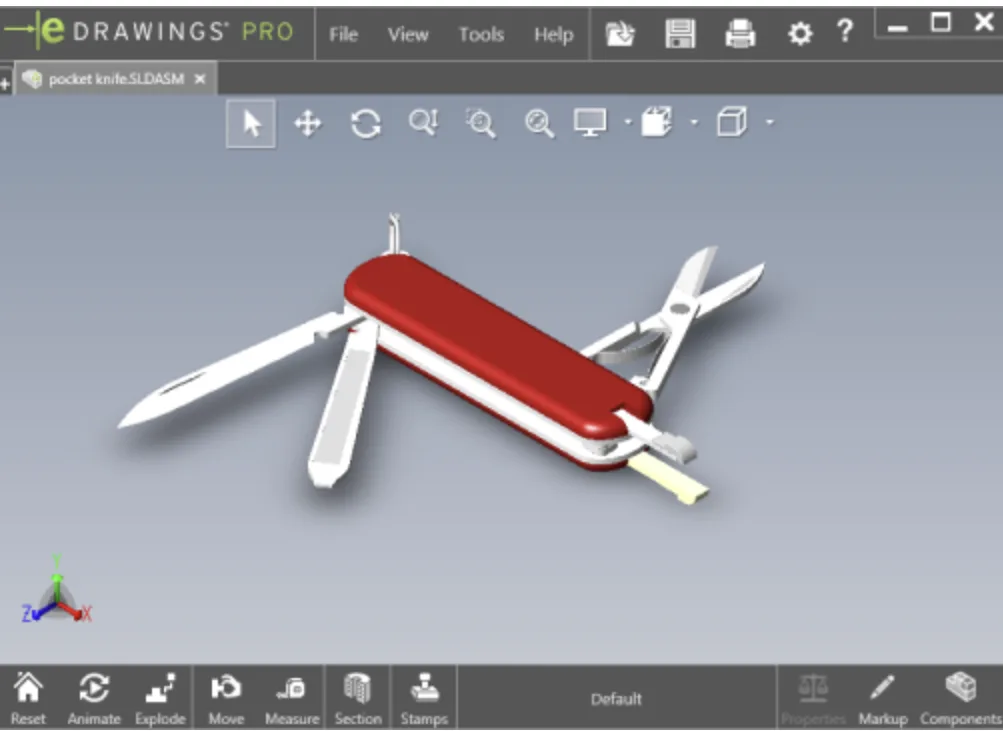
In the world of 3D rendering, eDrawings is often presented as a simple tool for viewing CAD files. Lightweight and accessible, it allows users to view, rotate, and annotate 3D models without needing full-featured software like SOLIDWORKS.
However, eDrawings remains a static tool. It does not allow for effective collaboration or real-time tracking of changes. It is useful for quick reviews, but insufficient for complex projects.
eDrawings limitations
- No real-time collaboration
- No integration with simulation or manufacturing tools
- No cloud or mobile access
- No versioning or workflows
👉 Optimize Your SOLIDWORKS Interface to go further.
SOLIDWORKS Cloud: The Collaborative and Scalable Solution
SOLIDWORKS Cloud transform the user experience by offering a collaborative platform accessible from any device. It's the natural evolution of eDrawings, with advanced business features.
- Real-time collaboration with annotations and comments
- Secure cloud access
- Integration with simulation, manufacturing, and data management
- Workflow automation
- Mobile and multi-device consultation
🔗 Try SOLIDWORKS Cloud for free for 7 days
Why switch to SOLIDWORKS Cloud for your CAD projects?
Design teams need a Connected workspace, capable of centralizing communication, approvals, and deliveries. SOLIDWORKS Cloud meets these needs by offering an agile, high-performance, and scalable solution.
If you are still using eDrawings as your primary tool, it may be time to rethink your approach. The future of CAD is integrated, cloud, and intelligent.
Visualizing is good. Collaborating, simulating, and producing is better.
🔗 Discover the SOLIDWORKS Cloud plans tailored to your business