
Occasionally, a bug may cause certain parts to become transparent. If this happens, your graphics card is probably not certified. However, there is a way to restore the display of your parts.
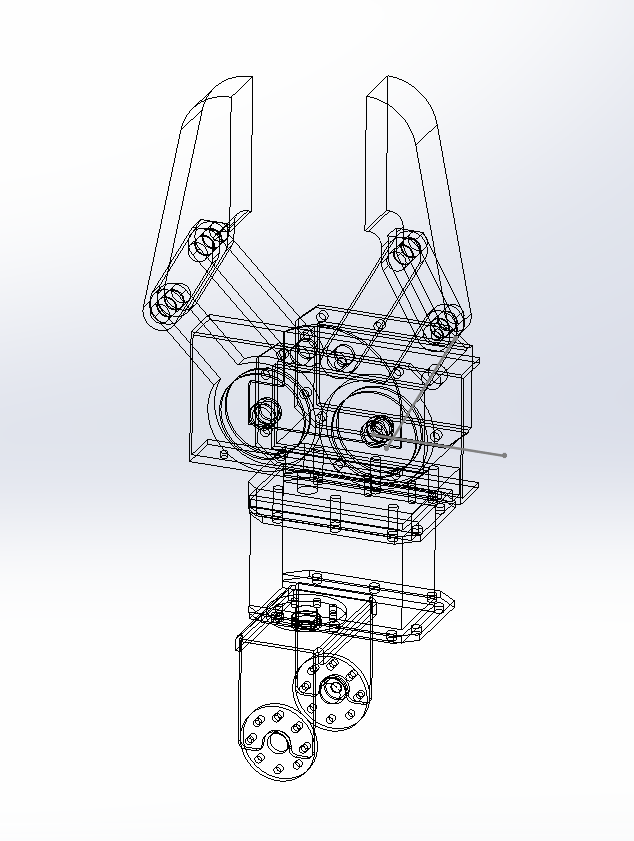
SOLUTION :
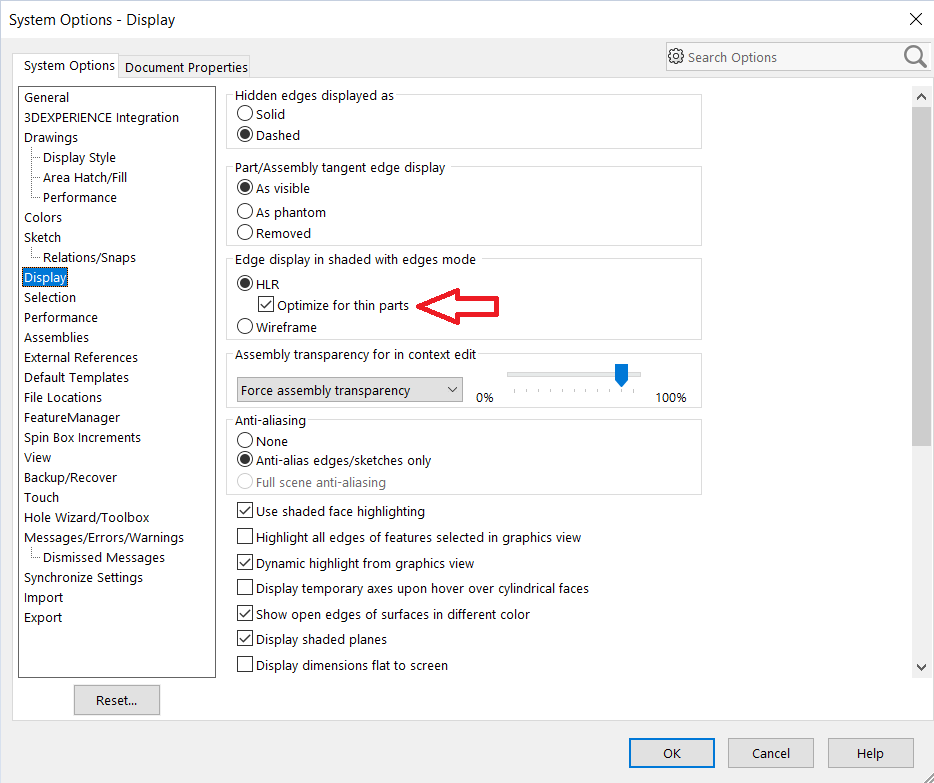
In SOLIDWORKS, click on Options>Display.
In the “Edge display in shaded with edges mode” box, uncheck “Optimize for thin parts”.
.
Your parts are displayed correctly 👍
Still not working? Send us an RX file
The procedure in this article -> RX Tutorial
post tags :
solidworks online
Solidworks 3DEXPERIENCE
Solidworks for startups
industrial startup
SOLIDWORKS 2026 pricing
industrial
startup
associative
solidworks legal
solidworks hacking
free licenses
subscriber
lium
solidworks
incubator
drafter
cloud
technical support
catia
CATIA V5
heavy-duty assemblies
solidworks design 2026
Solidworks cloud




