
A member of staff is in charge of designing the customized library of welded constructions, and regularly adds several profiles to a file that is frequently sent back to you and your team. This can’t go on! In this article, you’ll learn how to centralize your profile library.
Step 1: Creating and saving welded construction profiles in SOLIDWORKS
1.draw a customized welded construction profile :
-Open a new part in SOLIDWORKS.
Create a sketch on a reference plane
-Draw the cross-section of your profile using sketching tools (lines, arcs, circles, etc.).
-Make sure the sketch is completely constrained.
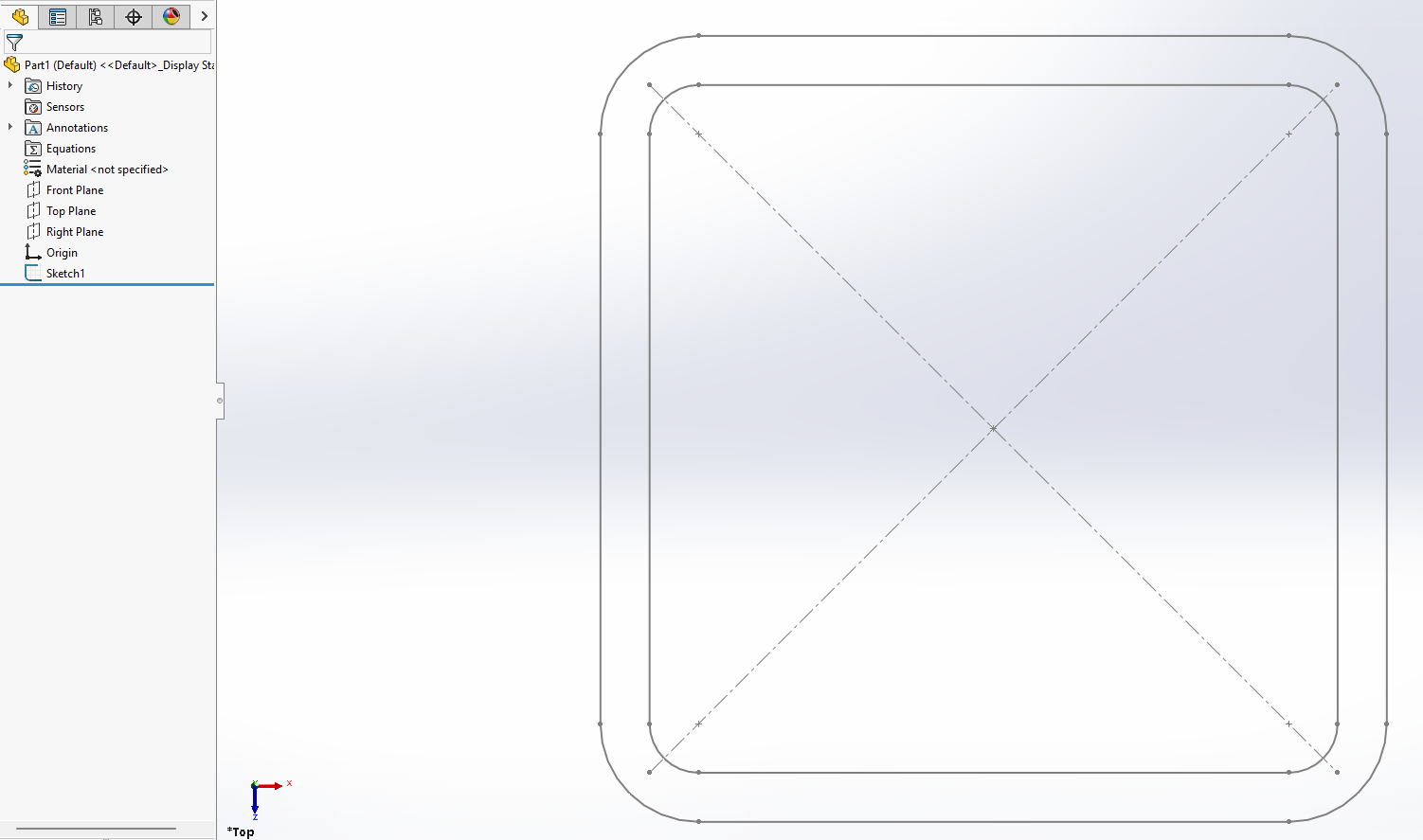
2 Saving the profile as a library item :
-Select the sketch in the part design tree.
-Go to “File > “Save as” and choose the “Library Feature Part (*.sldlfp)” format.
-Save the file in a dedicated local folder.
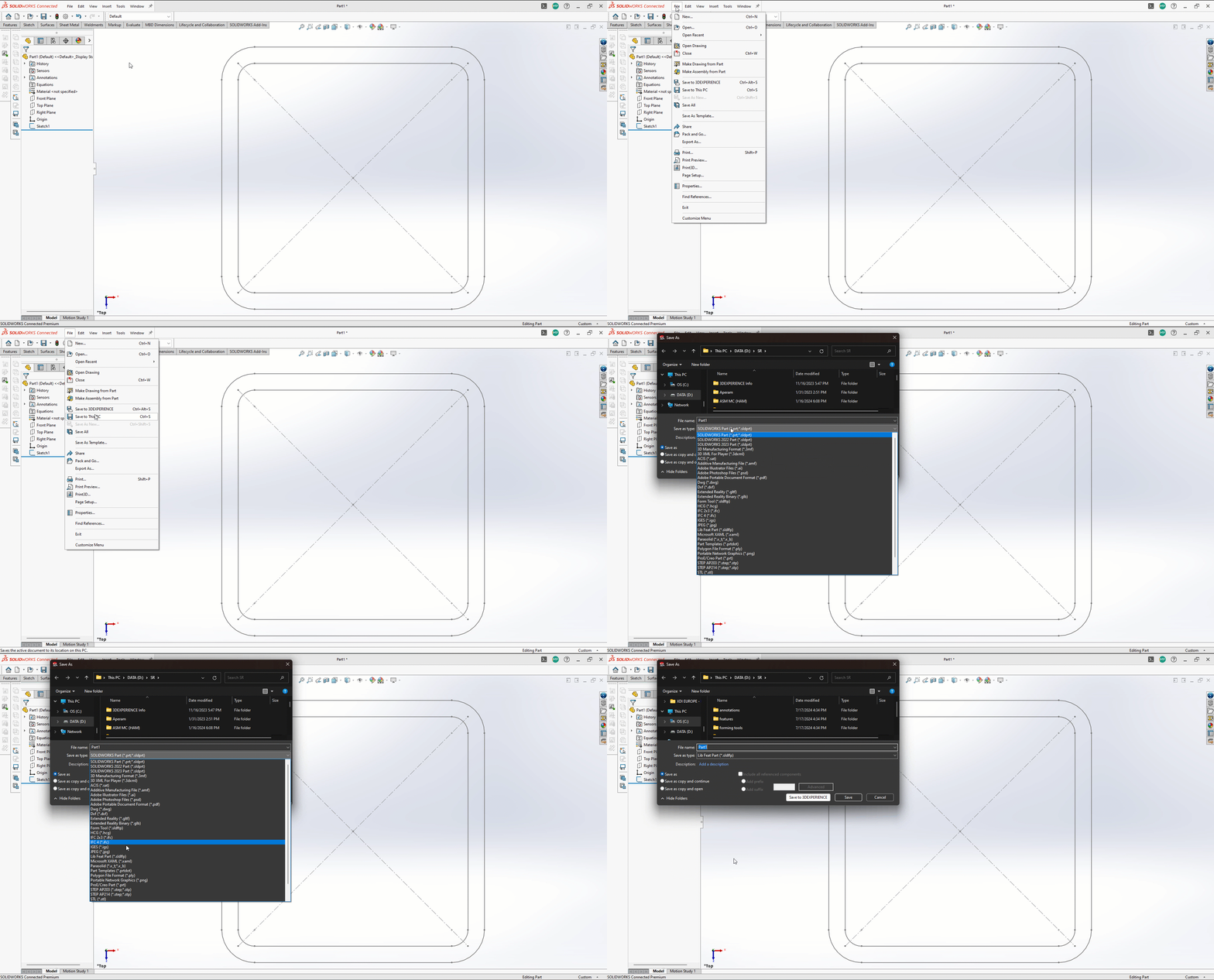
If a “ ” appears next to your sketch, this indicates that the profile is correctly selected.
You can name your room according to its dimensions.
EXAMPLE: 140X140X10
Step 2: Transferring the local profile library to 3DEXPERIENCE
1.open 3DEXPERIENCE :
Start the 3DEXPERIENCE platform and log in to your workspace.
2.access your bookmark :
Open the “Bookmark editor” application.
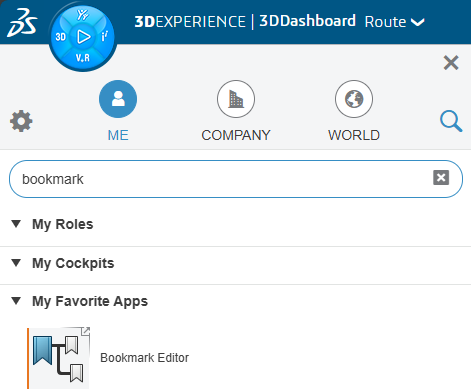
3.Create a bookmark path in “Bookmark Editor”
Save documents under a bookmark with 2 consecutive sub-bookmarks.
You can create a folder path of the type: “Bibliothèque\Profils\Type” which would give -> “Bibliothèque\Profils\Carrés”
4.save profiles :
Drag and drop locally saved profile files into the 3DEXPERIENCE storage space.
Step 3: Add the profile path in SOLIDWORKS via 3DEXPERIENCE
1 Configuring SOLIDWORKS to use 3DEXPERIENCE profiles :
-Open SOLIDWORKS and go to “Tools”. > “Options > “File locations”.
-Select “Structure profiles” and add a new location.
2.enter the access path :
-In the dialog box, click on “Select from 3DEXPERIENCE”.
-Select the appropriate bookmark.
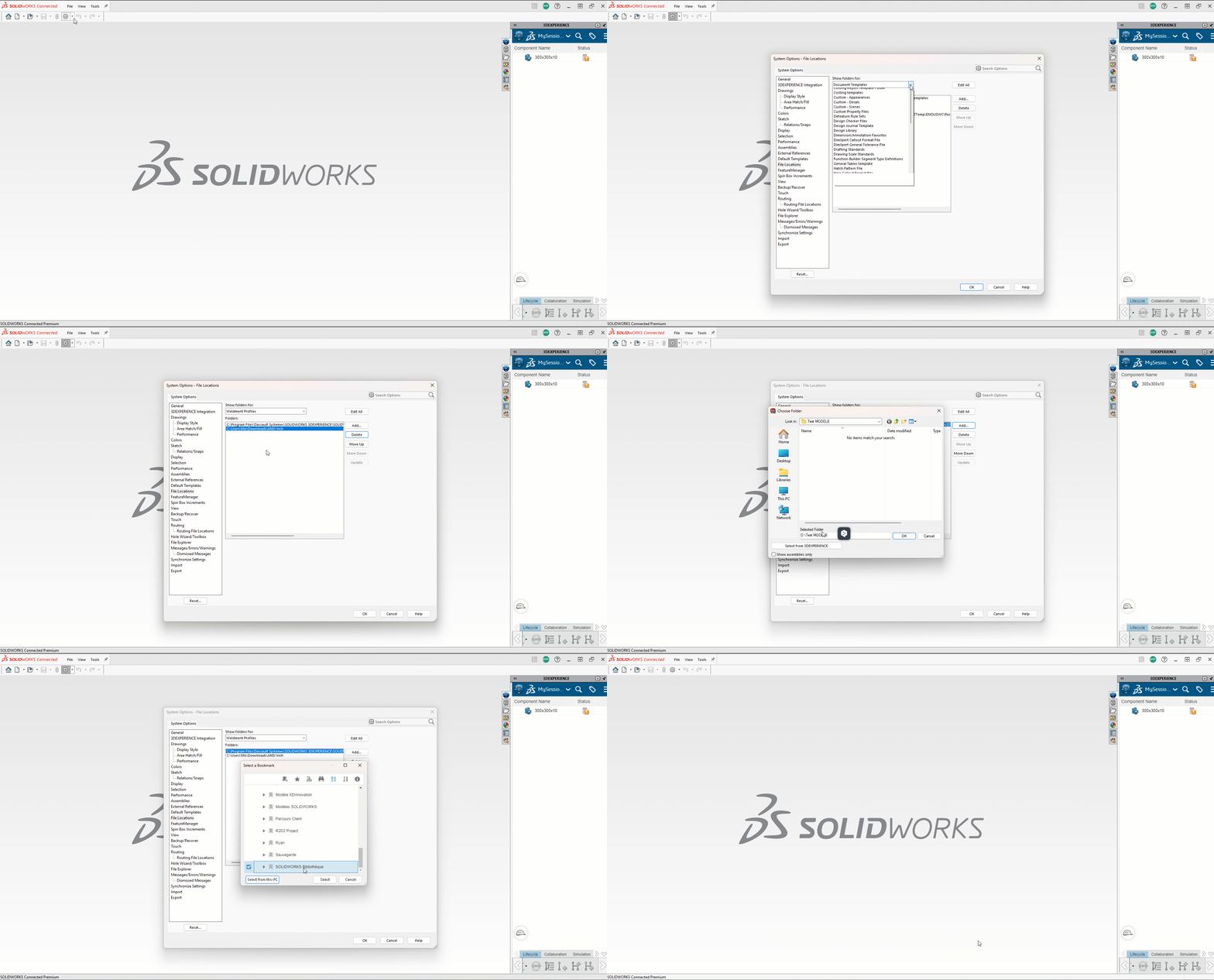
Select the top bookmark. In this case, “BibliothèqueProfils\Carrés” would be the “Bibliothèque” folder.
Your library is ready for use!
Conclusion
This integration enables your team to collaborate effectively. Adopt this approach to improve the reliability and productivity of your design projects.




