

TL;DR:
- Rigorous organization of CAD files reduces errors and saves production time.
- Version management and clear naming ensure data traceability and reliability.
- Using tools like PDM or cloud solutions facilitates secure collaboration with external partners.
Losing an hour searching for a 3D file, delivering a machined part from an obsolete version, or discovering that a contractor is working on the wrong assembly: these situations are costly, both in time and credibility. For industrial startups and SMEs, poor CAD file organization can block an entire product development cycle. This guide offers a structured, step-by-step method to move from chaotic storage to reliable, traceable, and shareable management. We cover analyzing your needs, structuring folders, version management, and secure sharing, with concrete tools and examples you can implement today.
Table of contents
- Analyze Your Needs and Prepare Your CAD Tools
- Methodology for Structuring Folders and Files
- Version Management and Change Tracking
- Sharing, Traceability, and Security of CAD Files
- Our Experience: What Really Works Long-Term
- Going Further with Dedicated CAD Solutions
- Frequently Asked Questions
Key Points
| Point | Details |
|---|---|
| Tailored Preparation | Clarify needs and choose the right tools before organizing your CAD files. |
| Smart Structuring | Apply naming conventions and a clear folder structure to ensure data sustainability. |
| Version Management | Implement rigorous change tracking to avoid losses or confusion. |
| Sharing and Security | Ensure traceability and security when sharing CAD files internally or externally. |
Analyze Your Needs and Prepare Your CAD Tools
Before renaming a single file, you need to assess the current situation. Who works on your files? How many simultaneous projects do you manage? Which software is used? These questions seem basic, but they entirely determine the level of sophistication you need.
Start by mapping the types of files you produce:
- Native files: SOLIDWORKS (.sldprt, .sldasm), CATIA (.CATPart, .CATProduct), which only open with the source software
- 2D files: technical drawings in .dwg, .dxf, often used for manufacturing
- Neutral formats: STEP (.stp), IGES (.igs), useful for exchange between different software
- Simulation files: calculation results, meshes, reports
- Associated documents: specifications, material sheets, bills of materials
Next, clearly identify who needs access to what. An internal design office does not have the same needs as a machining subcontractor or a quality manager. This stakeholder mapping prevents you from creating a folder structure that is either too complex or too permissive.
| Solution | Advantages | Limitations | Suitable Profile |
|---|---|---|---|
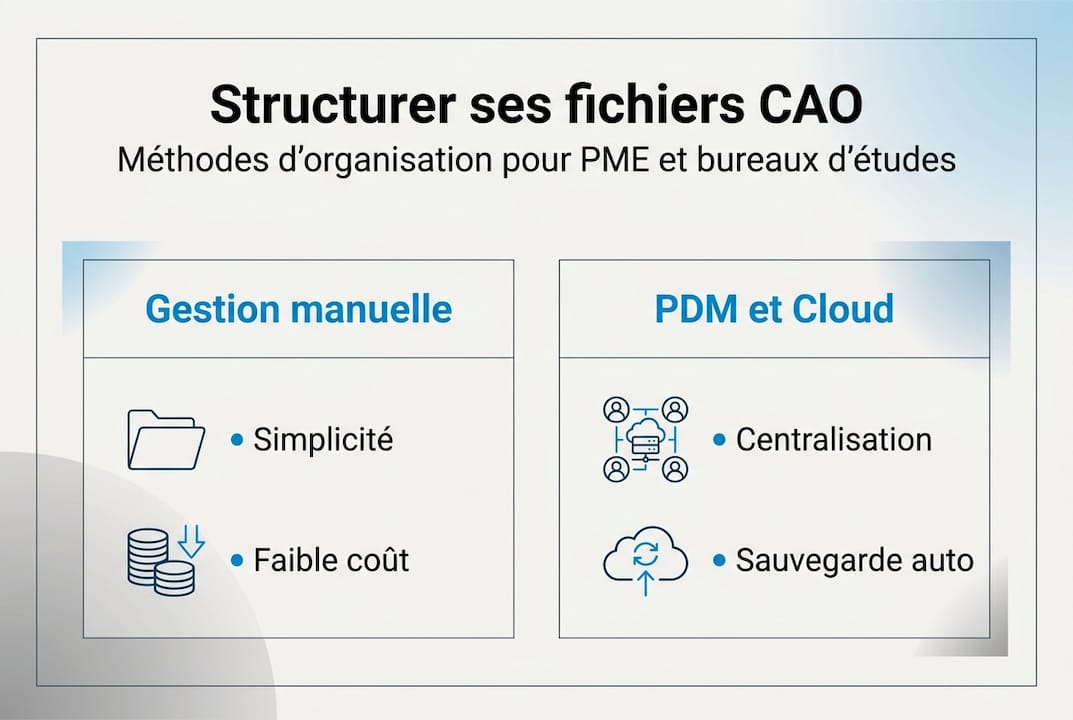
| Manual folder structure | Free, simple to implement | Risk of human error, not scalable | Freelancer, very small team |
| PDM (SOLIDWORKS PDM, 3DEXPERIENCE) | Automatic traceability, access rights management | Cost, training required | SME with dedicated CAD team |
| Cloud (3DEXPERIENCE, Onshape) | Remote access, real-time collaboration | Network dependency, subscription cost | Distributed teams, agile startups |
Modern innovative CAD tools allow you to combine several approaches depending on your organization’s maturity. For teams starting to move to the cloud, the cloud CAD solution via 3DEXPERIENCE offers a smooth transition.
Neutral formats for manufacturing like STEP or IGES are used to validate geometry and document exchanges with your manufacturers, regardless of the software used. Remember to systematically export a STEP file at each validation milestone.
Pro tip: Before choosing a tool, list your 5 most frequent problems related to CAD files. This guides your choice far more effectively than comparing features in a vacuum.
Methodology for Structuring Folders and Files
Once the tools are defined, it’s about establishing simple and robust organizational rules. The best folder structure is the one your entire team actually follows, not the one that seems most logical on paper.
Here is a proven folder structure for an industrial SME:
- Project (e.g., PRJ-2026-042_Hydraulic-Cylinder)
- CAD_Native: SOLIDWORKS or CATIA source files
- CAD_Neutral: STEP, IGES, DXF exports for exchanges
- Drawings_2D: validated definition drawings
- Simulation: calculation results and reports
- Documents: specifications, meeting minutes, bills of materials
- Archives: obsolete versions, do not delete
File naming is often neglected, yet it makes all the difference in daily operations. Adopt a clear convention:
[ProjectCode][PartName][Revision]_[Date]Example: PRJ042_Piston_v03_20260415.sldprt
An unwritten naming convention does not exist. Document your conventions in a README.txt file at the root of each project and display it in your shared workspace.
The comparison between approaches shows key differences: according to manual vs. automated management practices, manual naming requires constant discipline, while a PDM automates traceability but requires rigorous initial configuration.

| Criterion | Manual | PDM | Cloud |
|---|---|---|---|
| Initial cost | Low | High | Medium |
| Reliability | Depends on team | High | High |
| External collaboration | Difficult | Possible | Easy |
| Scalability | Low | Good | Excellent |
To go further on the proper way to qualify your 3D files according to their use, and to understand the logic of file coding in a 3DEXPERIENCE context, we recommend consulting these resources before deploying your folder structure.
Pro tip: Create a pilot project on a real product, not a fictional example. Testing your structure on an actual project immediately reveals gaps before generalizing.
Version Management and Change Tracking
Optimal organization does not stop at folder structure; it also includes rigorous revision management. This is often where teams lose the most time, and sometimes product quality.
Why version systematically? Because a CAD file modified without traceability is a time bomb. The part machined from an old revision, the assembly that no longer matches the drawing, the simulation redone on outdated geometry: these are real, frequent, and avoidable errors.
Here are best practices to apply immediately:
- Never overwrite an existing file: always create a new revision
- Archive obsolete versions in a dedicated subfolder, never in the trash
- Document each revision with a brief description (e.g., “R3 fillet correction, customer request 04/12”)
- Use a revision table in your 2D drawings, synchronized with 3D files
- Define who can validate a version change (technical manager approval)
The most common errors observed in SMEs:
- Naming files “final”, “final2”, “ready-for-manufacturing” without a date or actual revision
- Deleting old versions to “save space”
- Not informing the team during a critical revision change
- Working locally without synchronization with the shared server
For teams using SOLIDWORKS or CATIA, integrated file version management tools greatly facilitate this process. CATIA saving and the CA validation process provide a structured framework to formally validate each change.
According to recognized manual vs. automated management practices in industrial mechanics, the STEP format is superior to native formats for interoperability between subcontractors and prime contractors. Systematically export a STEP file at each validated milestone.
Key statistic: Companies that adopt a PDM reduce on average by 30 to 40% the time spent searching for and correcting incorrect or outdated CAD files.
Sharing, Traceability, and Security of CAD Files
Effective organization involves controlled and secure sharing, key to true collaboration. Sharing a CAD file without precautions risks leaking industrial know-how or manufacturing a part from the wrong version.
Best practices for controlled sharing:
- Send neutral formats (STEP and DXF for manufacturing) to your subcontractors, never your native files unless absolutely necessary
- Use time-limited links rather than uncontrolled email attachments
- Define access levels: read-only, modification, validation according to role
- Track each download: who accessed which file, and when
- Remember to revoke access at the end of a project or contract
Traceability is not an administrative constraint; it is legal and technical protection. In case of a dispute over a non-conforming part, being able to prove which version was transmitted is decisive.
To collaborate with external partners, 3D file sharing via secure link is an effective and professional practice. This avoids email exchanges where versions get lost in endless discussion threads.
Visualization also plays a key role: allowing a partner to view a 3D model without accessing source files protects your intellectual property. The different types of 3D visualization available allow you to find the right level of sharing depending on the recipient.
Finally, physically secure your files: automatic daily backup, 3-2-1 rule (3 copies, 2 different media, 1 off-site), and access control to the server or cloud space.
Our Experience: What Really Works Long-Term
We support dozens of startups and SMEs each year in their transition to professional CAD file management. And the most important lesson we have learned? It is not the tool that makes success, it is consistency.
Approximately 80% of the companies we meet remain on manual methods, not for lack of resources, but because no one has taken the time to establish clear rules and enforce them. A well-organized shared folder with strict conventions often beats a poorly configured PDM that is never adopted by the team.
What we observe in organizations that succeed over two years: they have designated a CAD document management manager, even part-time. They have trained their team on the chosen conventions. And they review their rules quarterly, not daily.
Our concrete advice: start small. A pilot project, documented conventions, an initial review at 3 months. This is far more effective than revolutionizing everything in one week. To deepen the overall approach, our 3D design guide will provide you with the complete methodological framework.
Going Further with Dedicated CAD Solutions
You now have the basics to organize your CAD files in a structured way. But if you feel your team needs to go further, suitable solutions exist and we are here to help you implement them.
Our team supports startups and SMEs in adopting solutions like SOLIDWORKS PDM and the 3DEXPERIENCE platform, which concretely transform design data management. Consult our guide on 3D visualization to better share your models, explore 3DEXPERIENCE cloud CAD solutions for optimal collaboration, and discover how to implement coherent and sustainable CAD file coding. Contact us for a free assessment of your current organization.
Frequently Asked Questions
What is the most versatile CAD file format for manufacturing?
The STEP format is the most universal for CNC machining, while DXF remains the reference for sheet metal work. These neutral formats allow exchange between all software without geometry loss.
How to ensure traceability of a CAD file?
Using a PDM or cloud system automates modification history. Without these tools, strict naming and archiving rules are essential to ensure reliable traceability.
What are the main errors to avoid in CAD file organization?
The absence of a consistent naming convention and local storage without regular backup are the two most costly errors. Unstructured versioning inevitably generates manufacturing errors in the long term.
How to securely share CAD files with subcontractors?
Send neutral STEP or DXF formats via a secure link with time-limited access, and revoke this access as soon as the assignment ends to protect your intellectual property.




