
Step 1: Requirements and checks
First, let’s check that version R2022x (or higher) of 3DEXPERIENCE is the version currently installed on your machine.
a. Checking for the presence of materials
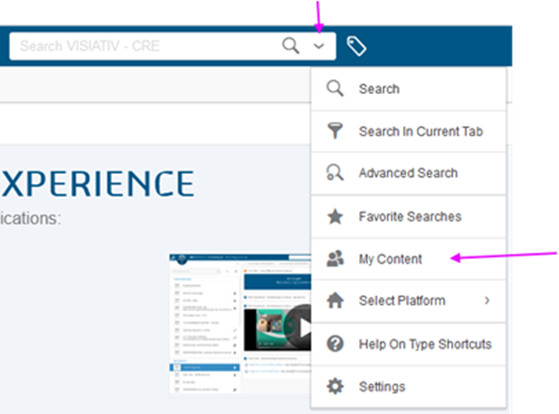
Let’s also check whether or not any materials are already present in your Cloud. Click on “My Content” as follows:
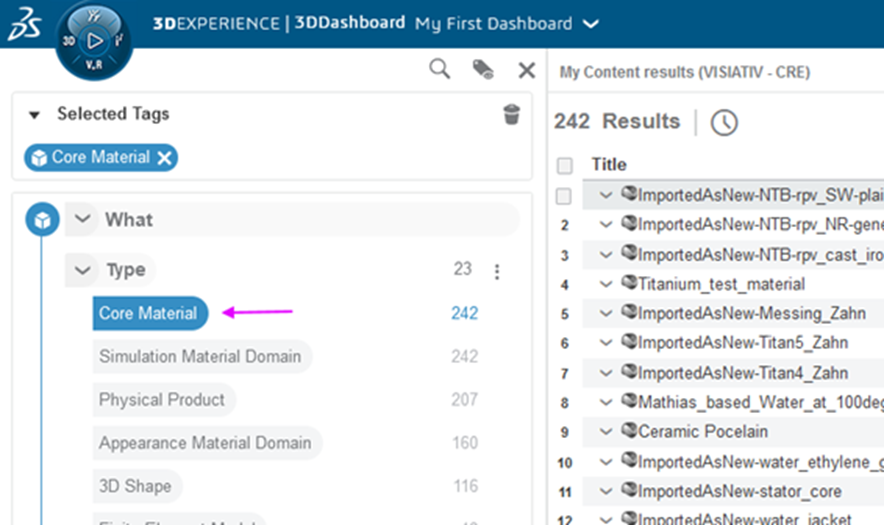
In the 6W Tags window, filter with “Core Material“. View your results on the right.
Tip: If the 6WTag menu is not visible, simply click on the label to the right of the search bar.

Please note: If no materials are available after this final check, you will need to import them.
b. Installing optional content
At this stage, another prerequisite is essential: on the platform, always by clicking on the arrow to the right of your simulation icons, check that optional content has been installed. If the message “Install Optional Content Now” appears, proceed with installation.
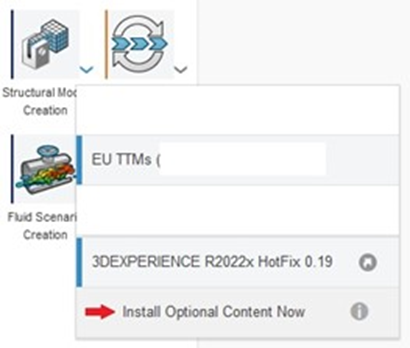
Please note: You’ll need to do this on one of the icons corresponding to your structural simulation role, such as Structural Performance Engineer, but also on any other icon serving other simulation roles, such as FMK(Fluid Dynamics Engineer) or plastic injection molding.
Step 2: Define path for predefined material files
Once the optional content has been installed, we can go and retrieve the files containing the base of predefined materials.
Search under :
C:\Program Files\Dassault Systemes\B424_Cloud_Content\win_b64\resources\materials
Note: These files will have the extension “.3dxml”.
Step 3: Import predefined material bases
Let’s now look at how to import them.
The first step is to start up a local Apps application, such as Collaborative Lifecycle or Linear structural validation.
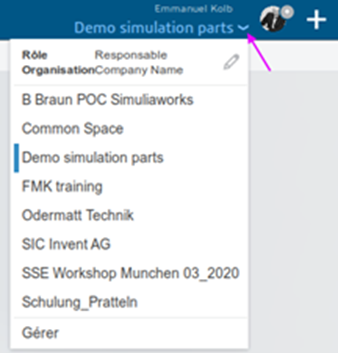
Then choose which Collaborative Space you wish to import the data into.
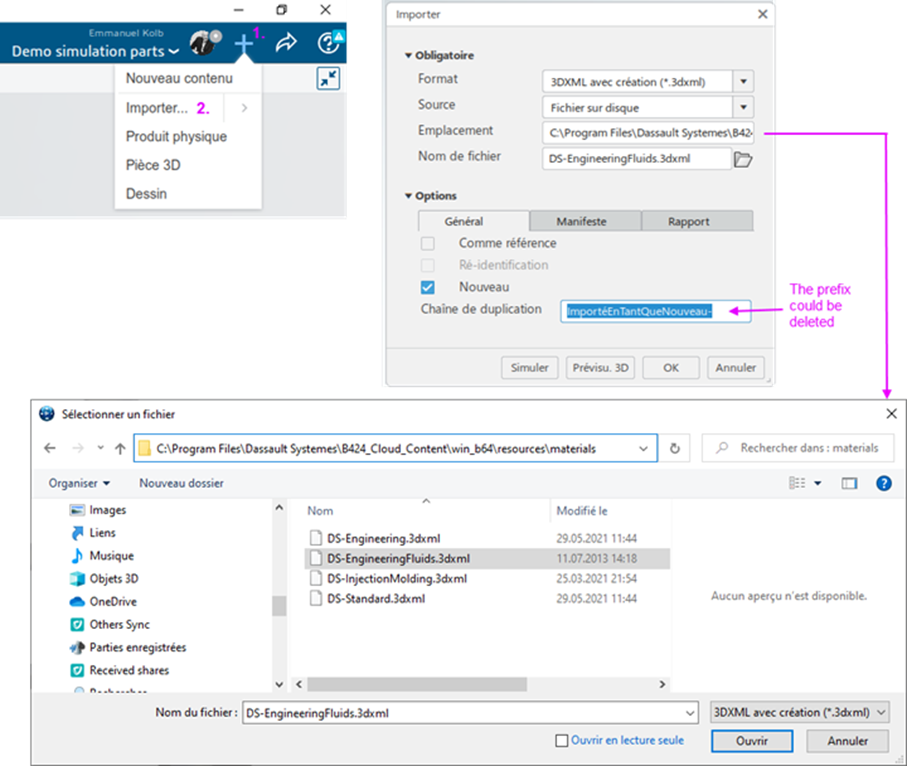
Click on the + at top right, then Import. Select the directory where the .3dxml file is located, then choose the file to be imported. Delete the prefix if you wish and click OK to finish.
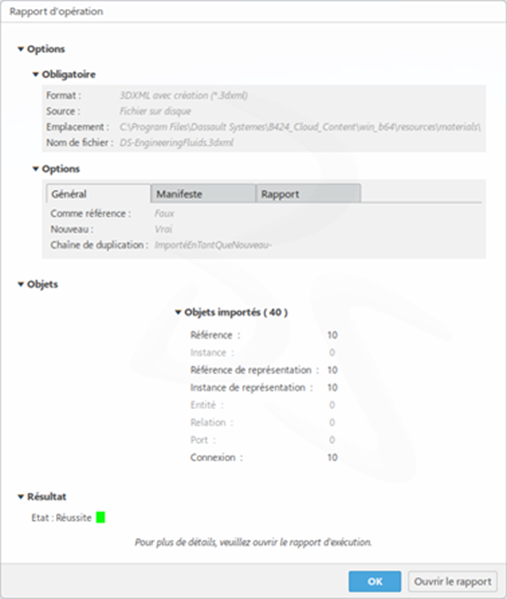
The import is executed and a confirmation with the number of items imported is displayed:
Now you can use material libraries in CATIA!




