From design to the first chip, without reimporting.

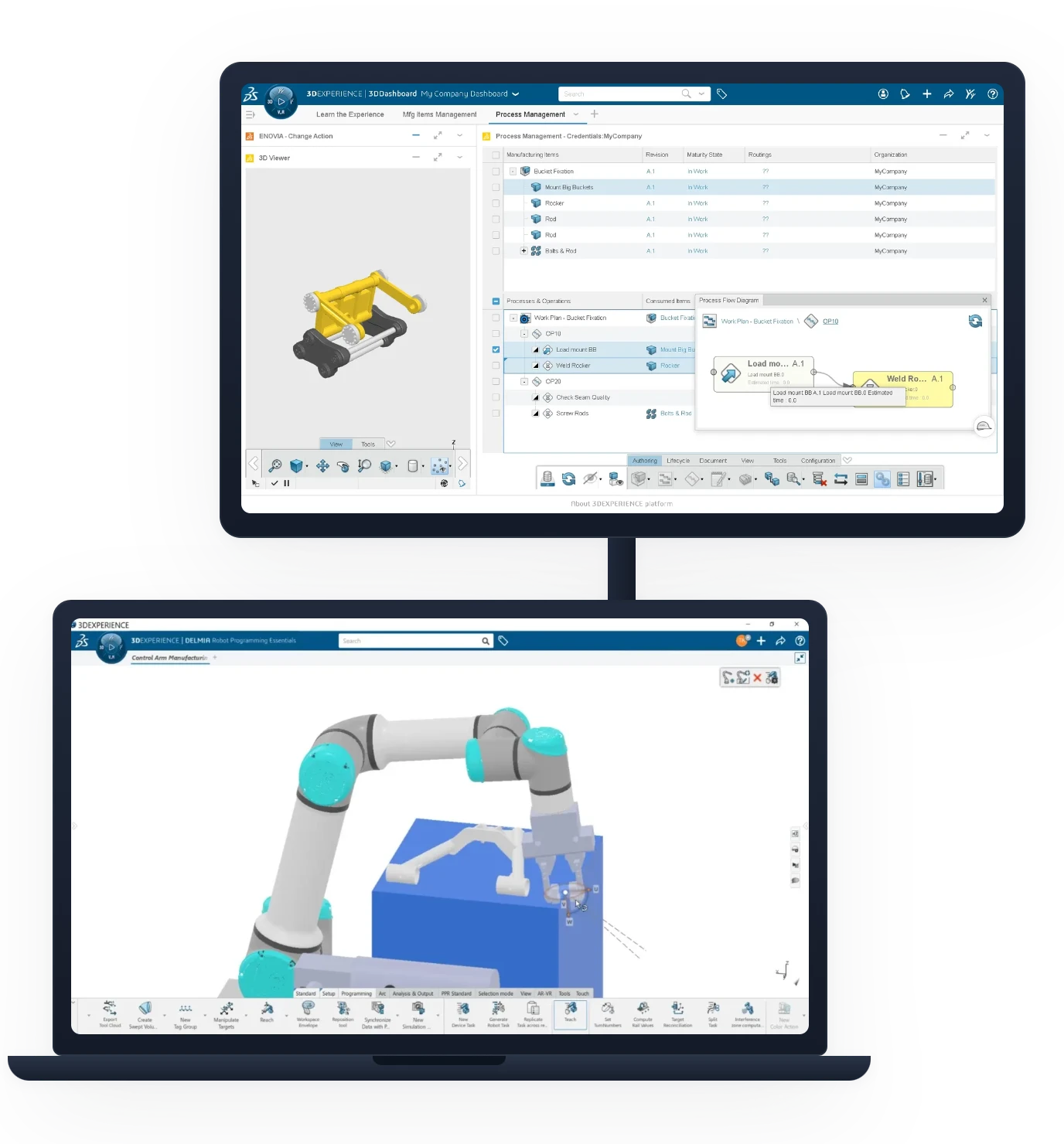
The program is generated from the model, not from an exported file
Milling, turning, 4- and 5-axis machining, cutting, and nesting
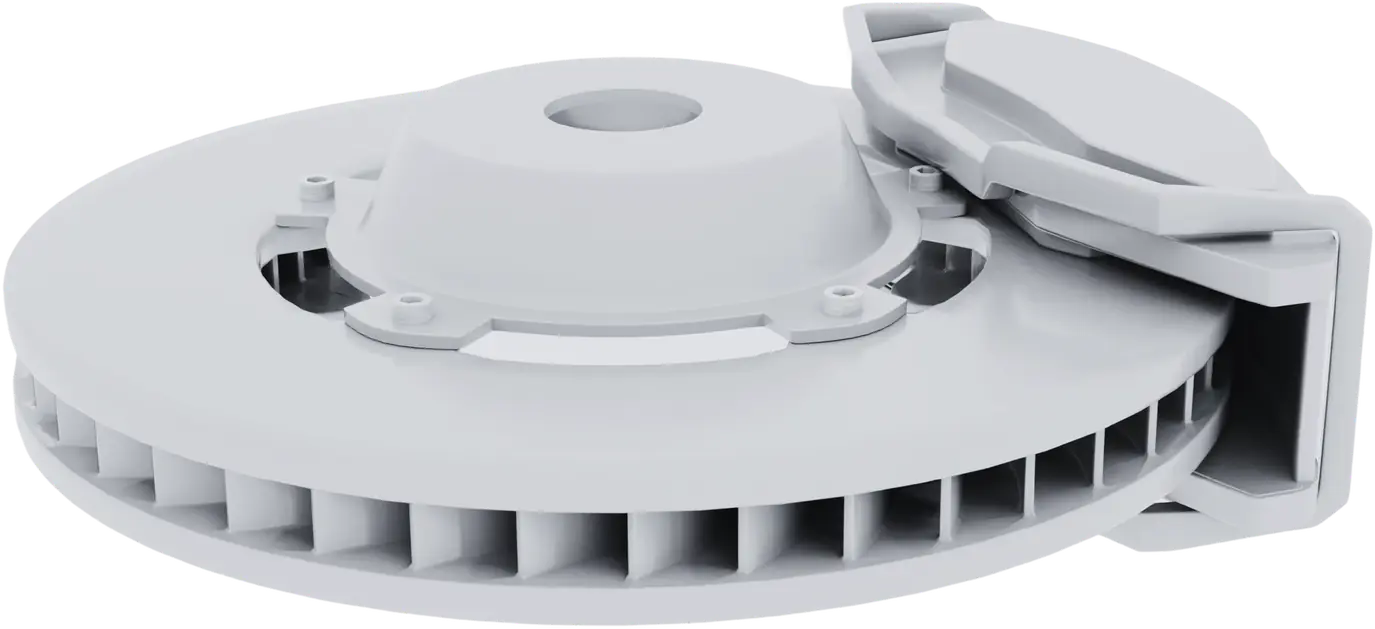
A design change affects the tool paths

★ 4.9/51,500+ customers#1, Global Cloud Reseller for Dassault Systèmes, 2025–2026

The DELMIA Solution

CAM keeps pace with design, it doesn't lag behind

Your programs are based on the live 3D model. When the part changes, the toolpaths are recalculated rather than redrawn, and the shop works on the correct revision.
No more STEP exports or files lying around
Live model
CAM follows the design, revision by revision
Machine Simulation before machining
Zero Collisions
Complete kinematics, including tool holders
What the shop floor covers
A single environment for cutting, material removal, and preparing shop floor documents.
DELMIA
3-axis milling, high-speed machining, 4- and 5-axis machining
Swiss Turning and machining
Laser cutting, waterjet cutting, and nesting
Documents and instructions to the shop floor
DELMIA CAM Programming on 3DEXPERIENCE
Native AI · Dassault Systèmes

The AI that prepares the machining process plan

Identify the machinable features of a part, suggest operations and their sequence, and generate shop floor tasks: the assistant works with your model and your tools, not with a theoretical example.
Feature RecognitionSuggested operation sequenceGenerated shop-floor operations
CAM Roles

Four roles, depending on your machines

We start with your machine fleet, not a catalog: 3-axis milling, cutting, and nesting are included in all roles, while turning and multi-axis machining are added depending on what you’re machining.

DELMIA Shop Floor Programmer

DELMIA Shop Floor Programmer
Included in SOLIDWORKS Design and CATIA Essential
3-axis programming, cutting, and nesting, right at the machine.
3-Axis Milling
Nesting
Laser cutting and waterjet cutting
View the product page →

DELMIA Turning Professional

DELMIA Turning Professional
For turning
Everything in Shop Floor Programmer, plus turning, for rotationally symmetric parts.
All Shop Floor
Turning
Machine-Ready Programs
View the product page →

DELMIA Milling Professional

DELMIA Milling Professional
For advanced Milling
High-speed machining and multi-axis machining, for complex shapes and demanding surface finishes.
All Shop Floor
High-Speed Machining (HSM)
4- and 5-axis machining
View the product page →
The most comprehensive

DELMIA Milling + Turning Premium

DELMIA Milling + Turning Premium
The full scope
Combined milling and turning, including multi-spindle lathes and robotic cells.
All Milling and Turning
Swiss machining (sliding-Head lathe)
Robotic Machining
View the product page →
Compare the four roles +
Feature DELMIA Shop Floor Programmer DELMIA Turning Professional DELMIA Milling Professional DELMIA Milling + Turning Premium
3-Axis Milling
Nesting
Laser cutting / waterjet cutting
Turning··
High-Speed Machining (HSM)··
4- and 5-Axis Machining··
Swiss Machining···
Robotic Machining···
The correct role depends on your machines and your post-processors. Ohmycad assesses your equipment before making recommendations and provides the corresponding post-processors.
Take stock of your fleet →
Intellectual Property & Sovereignty

Two guarantees, all over the world

Your intellectual property remains yours
Your models are never used
Can be exported at any time
Your data remains in your region
Sovereign hosting, depending on your country
Local law applies; GDPR in the EU
ISO 27001 Outscale · SecNumCloud ANSSI
Whether you choose to back up your data to the cloud or locally, cloud hosting is provided by Outscale, Dassault Systèmes. Learn more →
Why Ohmycad

A partner, a network, support

A pioneer of Dassault Systèmes offerings, Ohmycad makes SOLIDWORKS, CATIA, and Outscale accessible, without the complexity.

1 500+
clients supported
#1
Dassault Systèmes Global Cloud Reseller 2025–2026
600+
companies supported with Ohmycare
4.9/5
based on 300 verified Google reviews
Accessibility
A partner who knows you
A network of local partners, Ohmycad Solution Partners and Expert Partners, fully dedicated to Dassault Systèmes solutions.
Agility
A model that adapts to your business
Our plans adapt to your needs: you start with what you need and scale up as your business grows. No over-provisioning.
Customer Experience
A dedicated engineer for your team
A dedicated, certified engineer will provide you with ongoing support to help you get the most out of your licenses, ensuring you never run into any roadblocks.
Expertise
The right expert, at the right time
An international network of certified experts: the best expertise on any topic, whenever you need it.
They trust usAcusurgicalAispridBiossunCalomatechEHMMcKay BrothersPonticelli BrothersAerix Systems
Customer Reviews

They explain it better than we do

Mohammad Aghababa 10 months ago

I had a great technical support session with Alan and Léo from Ohmycad. They explained clearly how to save files on 3DEXPERIENCE and manage revisions with the maturity cycle. The session was very helpful, professional, and easy to follow. Looking forward to the next one on automating the drawing title block. Highly recommend their support team!

Benoit Lefort a year ago

As a startup working with Solidworks, we’re truly grateful for the brilliant support we've been receiving from Ryan and Hady. Their guidance, their clarity, and their ability to adapt to our stakes make a real difference. This kind of team by your side is a huge asset when moving fast and building deeptech. Thanks guys !

Pala Innovations 8 months ago

Alan, Celine and the rest of the team are extremely helpful. Instant support and great customer experience! highly recommended.

Makram Abdalla 2 years ago

I really enjoy the easy, friendly and fast Support of XDI. Killian le Fouillé helped me out, to configure the plattform and provide all the necessary data for our different departments. Thank you very much!

Mohammad Aghababa 10 months ago

I had a great technical support session with Alan and Léo from Ohmycad. They explained clearly how to save files on 3DEXPERIENCE and manage revisions with the maturity cycle. The session was very helpful, professional, and easy to follow. Looking forward to the next one on automating the drawing title block. Highly recommend their support team!

Benoit Lefort a year ago

As a startup working with Solidworks, we’re truly grateful for the brilliant support we've been receiving from Ryan and Hady. Their guidance, their clarity, and their ability to adapt to our stakes make a real difference. This kind of team by your side is a huge asset when moving fast and building deeptech. Thanks guys !

Pala Innovations 8 months ago

Alan, Celine and the rest of the team are extremely helpful. Instant support and great customer experience! highly recommended.

Makram Abdalla 2 years ago

I really enjoy the easy, friendly and fast Support of XDI. Killian le Fouillé helped me out, to configure the plattform and provide all the necessary data for our different departments. Thank you very much!

Mohammad Aghababa 10 months ago

I had a great technical support session with Alan and Léo from Ohmycad. They explained clearly how to save files on 3DEXPERIENCE and manage revisions with the maturity cycle. The session was very helpful, professional, and easy to follow. Looking forward to the next one on automating the drawing title block. Highly recommend their support team!

Benoit Lefort a year ago

As a startup working with Solidworks, we’re truly grateful for the brilliant support we've been receiving from Ryan and Hady. Their guidance, their clarity, and their ability to adapt to our stakes make a real difference. This kind of team by your side is a huge asset when moving fast and building deeptech. Thanks guys !

Pala Innovations 8 months ago

Alan, Celine and the rest of the team are extremely helpful. Instant support and great customer experience! highly recommended.

Makram Abdalla 2 years ago

I really enjoy the easy, friendly and fast Support of XDI. Killian le Fouillé helped me out, to configure the plattform and provide all the necessary data for our different departments. Thank you very much!

Mohammad Aghababa 10 months ago

I had a great technical support session with Alan and Léo from Ohmycad. They explained clearly how to save files on 3DEXPERIENCE and manage revisions with the maturity cycle. The session was very helpful, professional, and easy to follow. Looking forward to the next one on automating the drawing title block. Highly recommend their support team!

Benoit Lefort a year ago

As a startup working with Solidworks, we’re truly grateful for the brilliant support we've been receiving from Ryan and Hady. Their guidance, their clarity, and their ability to adapt to our stakes make a real difference. This kind of team by your side is a huge asset when moving fast and building deeptech. Thanks guys !

Pala Innovations 8 months ago

Alan, Celine and the rest of the team are extremely helpful. Instant support and great customer experience! highly recommended.

Makram Abdalla 2 years ago

I really enjoy the easy, friendly and fast Support of XDI. Killian le Fouillé helped me out, to configure the plattform and provide all the necessary data for our different departments. Thank you very much!

Frequently asked Questions

Frequently asked Questions about CAM DELMIA

Are our machine post-processors supported?
This is the first thing we look at. Ohmycad takes inventory of your equipment (CNC machines, tool holders, kinematics) and provides or customizes the post-processors before setup. A machine that’s not properly described wastes more time than poorly chosen software.
Do I need to switch design tools to use DELMIA?+
No. CAM integrates with existing SOLIDWORKS or CATIA models and reads the design right where it lives: your designers don’t have to switch interfaces, and the shop floor works on the same revision.
What happens when the part is modified?+
Toolpaths are based on the model's geometry: when you revise the model, they are recalculated rather than reprogrammed. You simply validate the new toolpath; you don't have to recreate it.
Which role should I choose: Turning, Milling, or Premium?+
It depends on your machines: turning alone calls for Turning Professional; multi-axis machining and UGVs call for Milling Professional; and a mixed fleet (especially one that includes a sliding-head lathe or a robotic cell) warrants Milling + Turning Premium.
Can we simulate the machining process before starting the machine?+
Yes, with the machine's full kinematics, including tool holders and clamping devices. Collisions are visible on the screen rather than on the spindle.
How much does DELMIA cost?+
CAM roles are subscribed to on a per-user basis. Ohmycad provides a quote based on the number of programmers, your machine fleet, and the required post-processors.

Ready to program using your templates?

An engineer will work with you to take inventory of your machinery, and will tell you which CAM role corresponds to each piece of equipment.