Maud, was really helpful and her expertise helped in troubleshooting complicated production environment.
I had a great technical support session with Alan and Léo from Ohmycad. They explained clearly how to save files on 3DEXPERIENCE and manage revisions with the maturity cycle. The session was very helpful, professional, and easy to follow. Looking forward to the next one on automating the drawing title block. Highly recommend their support team!
Alan, Celine and the rest of the team are extremely helpful. Instant support and great customer experience! highly recommended.
As a startup working with Solidworks, we’re truly grateful for the brilliant support we've been receiving from Ryan and Hady.
Their guidance, their clarity, and their ability to adapt to our stakes make a real difference.
This kind of team by your side is a huge asset when moving fast and building deeptech.
Thanks guys !
Excellent support, XDI respond very quickly in a positive, friendly manner and have been able to resolve the few problems I've had, very quickly and efficiently. I would not hesutate to recommend them.
Maud, was really helpful and her expertise helped in troubleshooting complicated production environment.
I had a great technical support session with Alan and Léo from Ohmycad. They explained clearly how to save files on 3DEXPERIENCE and manage revisions with the maturity cycle. The session was very helpful, professional, and easy to follow. Looking forward to the next one on automating the drawing title block. Highly recommend their support team!
Alan, Celine and the rest of the team are extremely helpful. Instant support and great customer experience! highly recommended.
As a startup working with Solidworks, we’re truly grateful for the brilliant support we've been receiving from Ryan and Hady.
Their guidance, their clarity, and their ability to adapt to our stakes make a real difference.
This kind of team by your side is a huge asset when moving fast and building deeptech.
Thanks guys !
Excellent support, XDI respond very quickly in a positive, friendly manner and have been able to resolve the few problems I've had, very quickly and efficiently. I would not hesutate to recommend them.
Maud, was really helpful and her expertise helped in troubleshooting complicated production environment.
I had a great technical support session with Alan and Léo from Ohmycad. They explained clearly how to save files on 3DEXPERIENCE and manage revisions with the maturity cycle. The session was very helpful, professional, and easy to follow. Looking forward to the next one on automating the drawing title block. Highly recommend their support team!
Alan, Celine and the rest of the team are extremely helpful. Instant support and great customer experience! highly recommended.
As a startup working with Solidworks, we’re truly grateful for the brilliant support we've been receiving from Ryan and Hady.
Their guidance, their clarity, and their ability to adapt to our stakes make a real difference.
This kind of team by your side is a huge asset when moving fast and building deeptech.
Thanks guys !
Excellent support, XDI respond very quickly in a positive, friendly manner and have been able to resolve the few problems I've had, very quickly and efficiently. I would not hesutate to recommend them.
Maud, was really helpful and her expertise helped in troubleshooting complicated production environment.
I had a great technical support session with Alan and Léo from Ohmycad. They explained clearly how to save files on 3DEXPERIENCE and manage revisions with the maturity cycle. The session was very helpful, professional, and easy to follow. Looking forward to the next one on automating the drawing title block. Highly recommend their support team!
Alan, Celine and the rest of the team are extremely helpful. Instant support and great customer experience! highly recommended.
As a startup working with Solidworks, we’re truly grateful for the brilliant support we've been receiving from Ryan and Hady.
Their guidance, their clarity, and their ability to adapt to our stakes make a real difference.
This kind of team by your side is a huge asset when moving fast and building deeptech.
Thanks guys !
Excellent support, XDI respond very quickly in a positive, friendly manner and have been able to resolve the few problems I've had, very quickly and efficiently. I would not hesutate to recommend them.

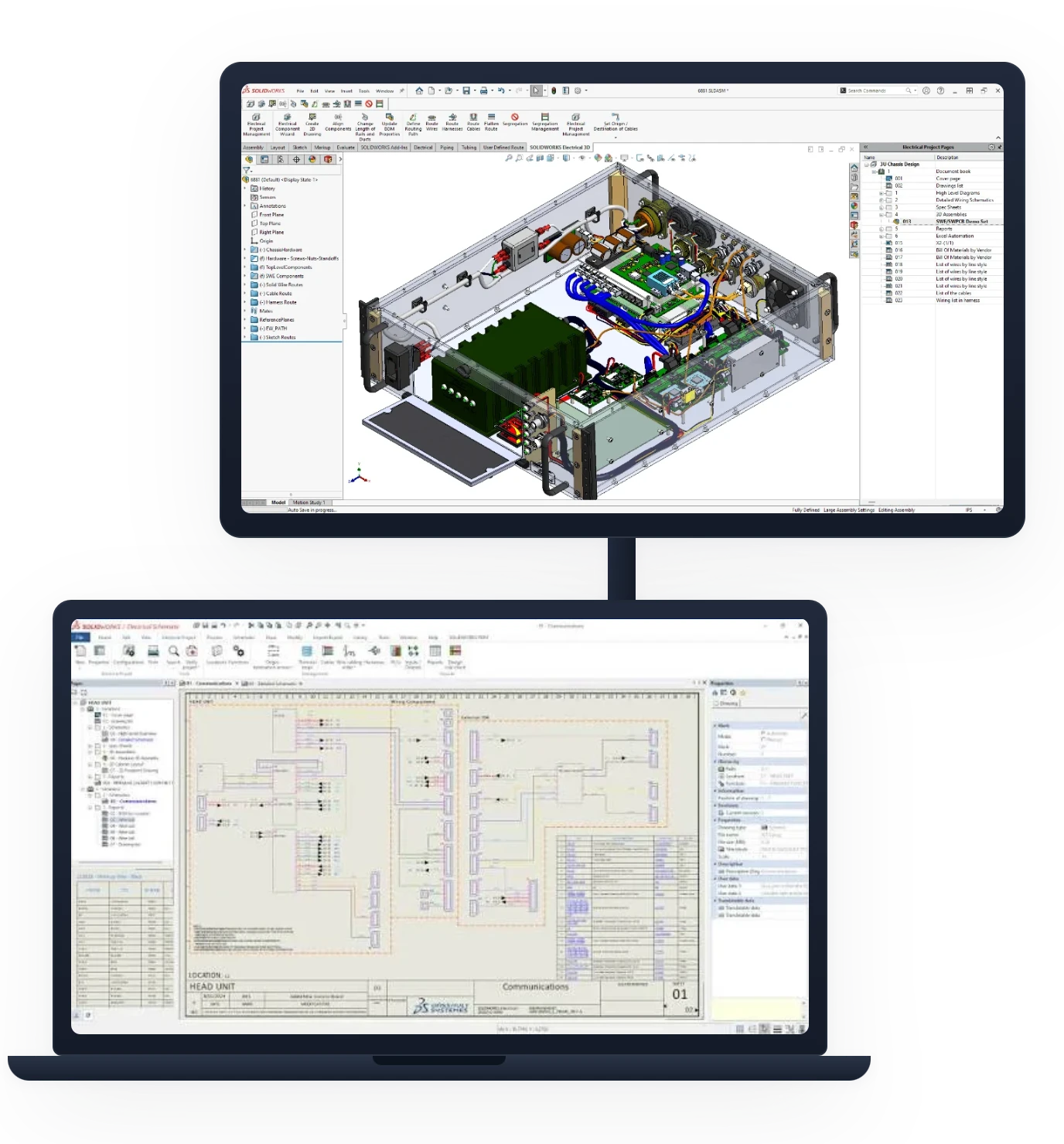








 SOLIDWORKSThe Gold Standard in 3D Design.
 CATIAAdvanced surfacing and systems engineering.
 SimulationStructural and fluid validation, on your workstation or in the cloud.
 ManufacturingCAM connected to your designs.
 Data ManagementCloud-based PDM/PLM, no servers to manage.