
Introduction
Updates for SOLIDWORKS Connected arrive regularly – every 2 or 3 months. When an update is scheduled, Dassault Systèmes gives you several weeks’ notice.
You then have 2 weeks to update before it becomes mandatory.
What should I do if I have problems updating?
Can’t get the update to work? If you’re an XDI Europe customer, you’re in good hands.
1. Gather information
To solve the problem properly, we must first understand it:
- Take screenshots of the error message(s) encountered
- Compress and retrieve the following folder: C:Program FilesDassault SystemesSOLIDWORKS 3DEXPERIENCEInstallData
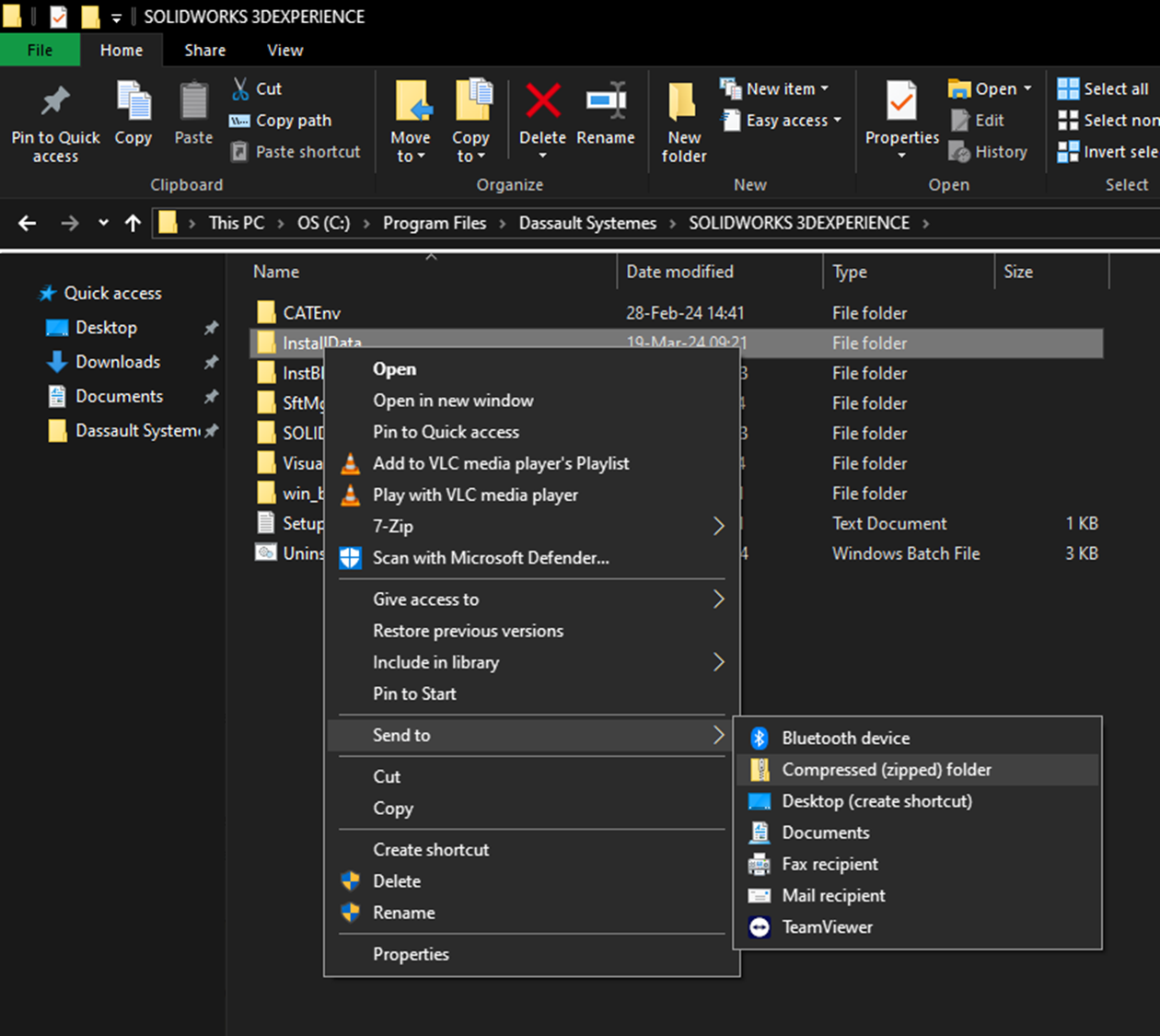
2. Report the problem
Our XDI Europe support team probably knows the solution to your problem. We also report every problem to Dassault Systèmes so that it never happens again.
Describe your problem in your customer area!
By e-mail : support@xdinnovation.eu
By phone: +33 1 89 71 33 15
By chat: https://xdinnovation.eu/espace-client/
Open a ticket: https://hub.xdinnovation.eu/help-center?offset=0
Remember to include the .zip file collected in step 1) and screenshots of the errors.
3. See if we haven’t already found the solution ;)
We list known problems and their solutions in our Knowledge Base. Maybe you’ll be able to solve the problem more quickly that way?
Attempt to reinstall SOLIDWORKS
If you’ve sent us an e-mail but want to try and resolve it yourself, you can reinstall SOLIDWORKS cleanly.
It’s not very fast, but it’s already solved a lot of installation problems.
We can fix your PC while we fix yours!
If you have the Care, Support & Maintenance Pack (€50/month XDI service), we can unlock a Shadow virtual PC for you, free of charge, for the duration of our intervention.
You can continue working on SOLIDWORKS, and we can “repair” your PC in the meantime.
Want to gripe about updating or SOLIDWORKS?
It’s never pleasant to have problems. We listen to what you have to say and, above all, we pass it on to Dassault Systèmes so that things can really change, and fast.
So go wild at support@xdinnovation.eu (but be polite!).




